directory
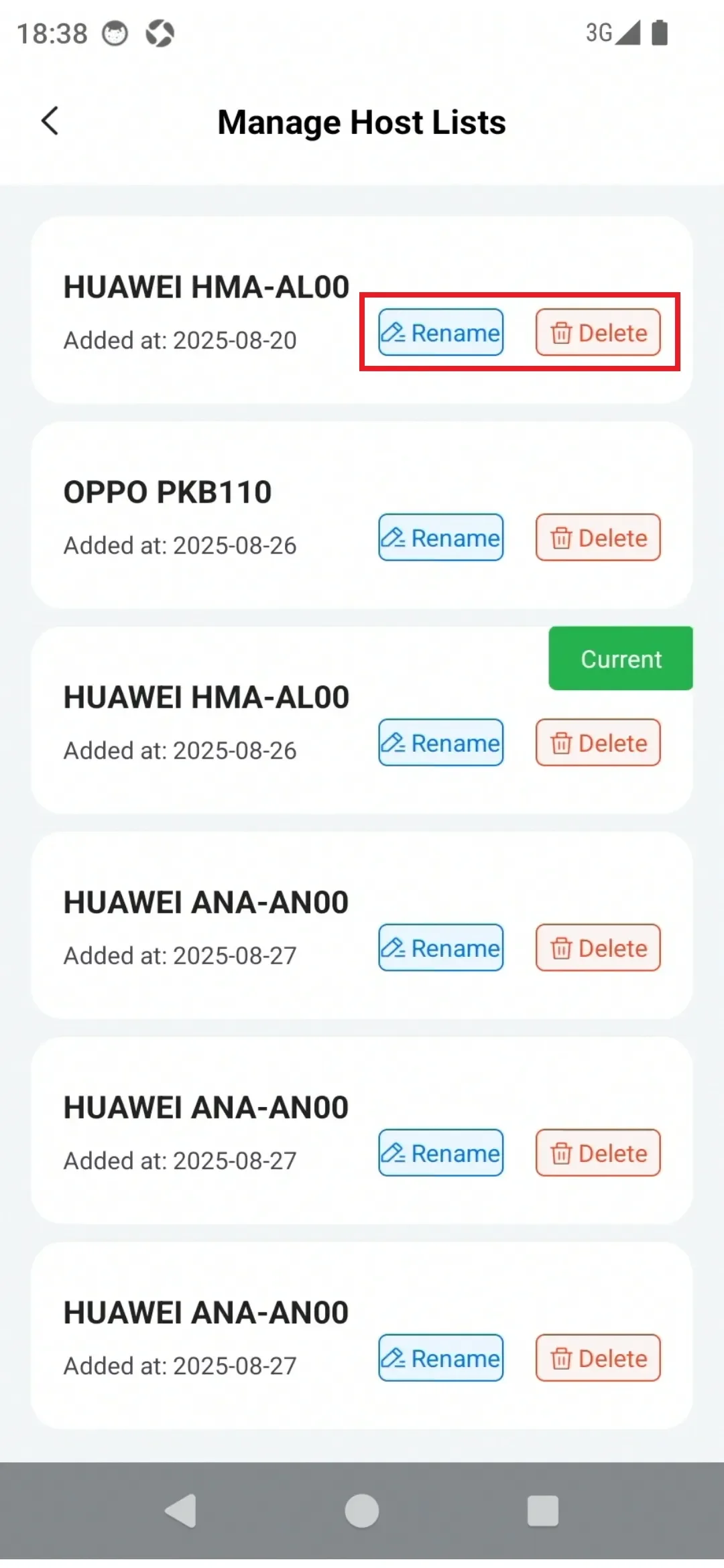
For security reasons, PlugOS Settings supports managing bound host machines, allowing for deletion and renaming of host machines.
How to use:
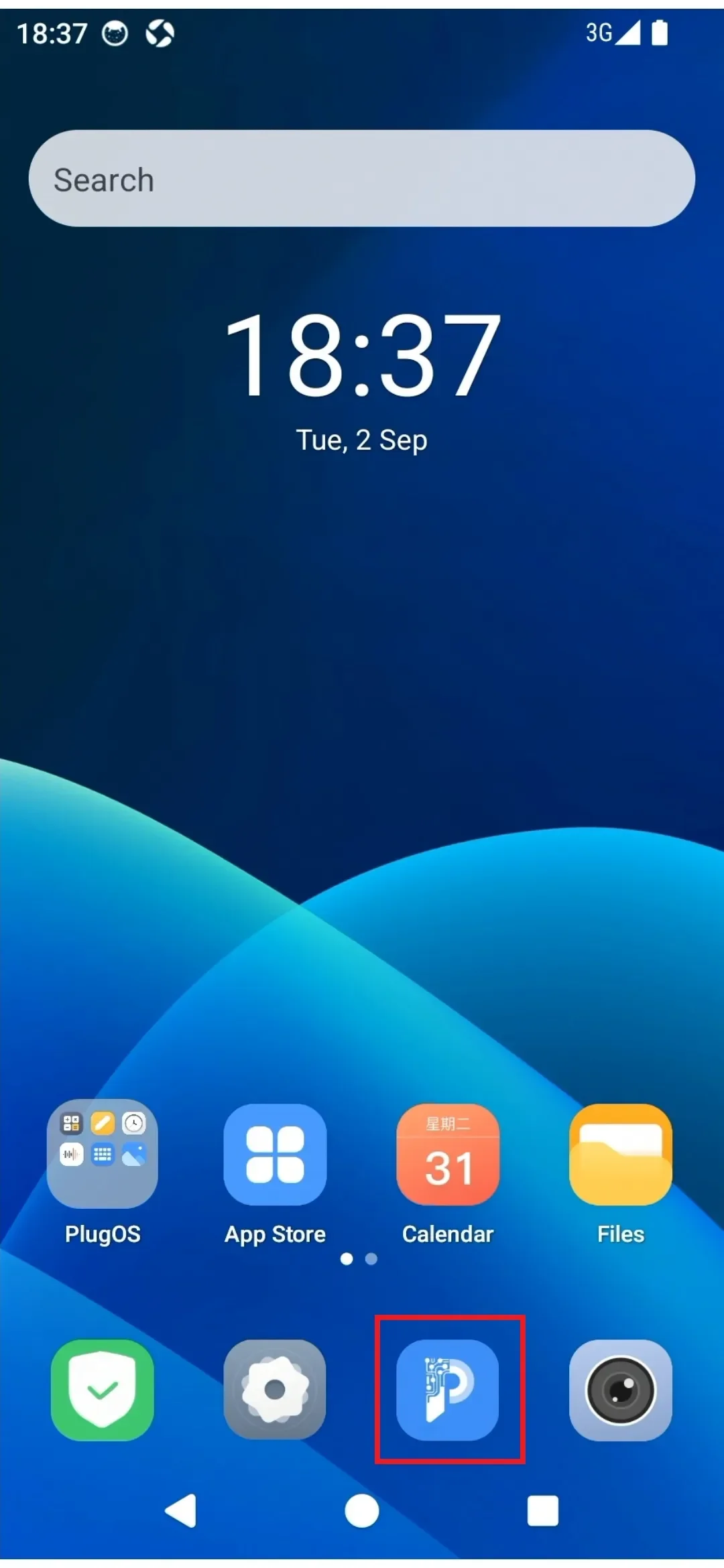
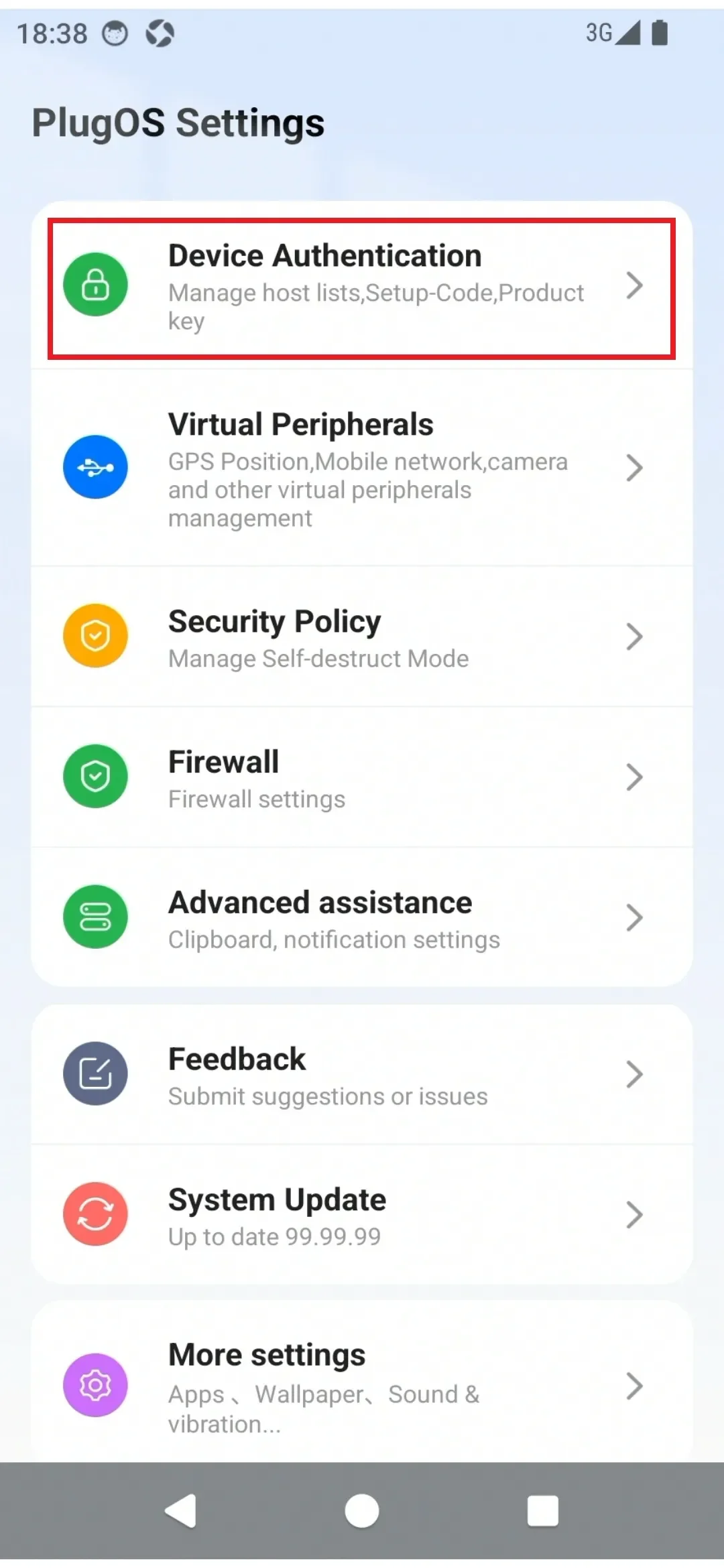
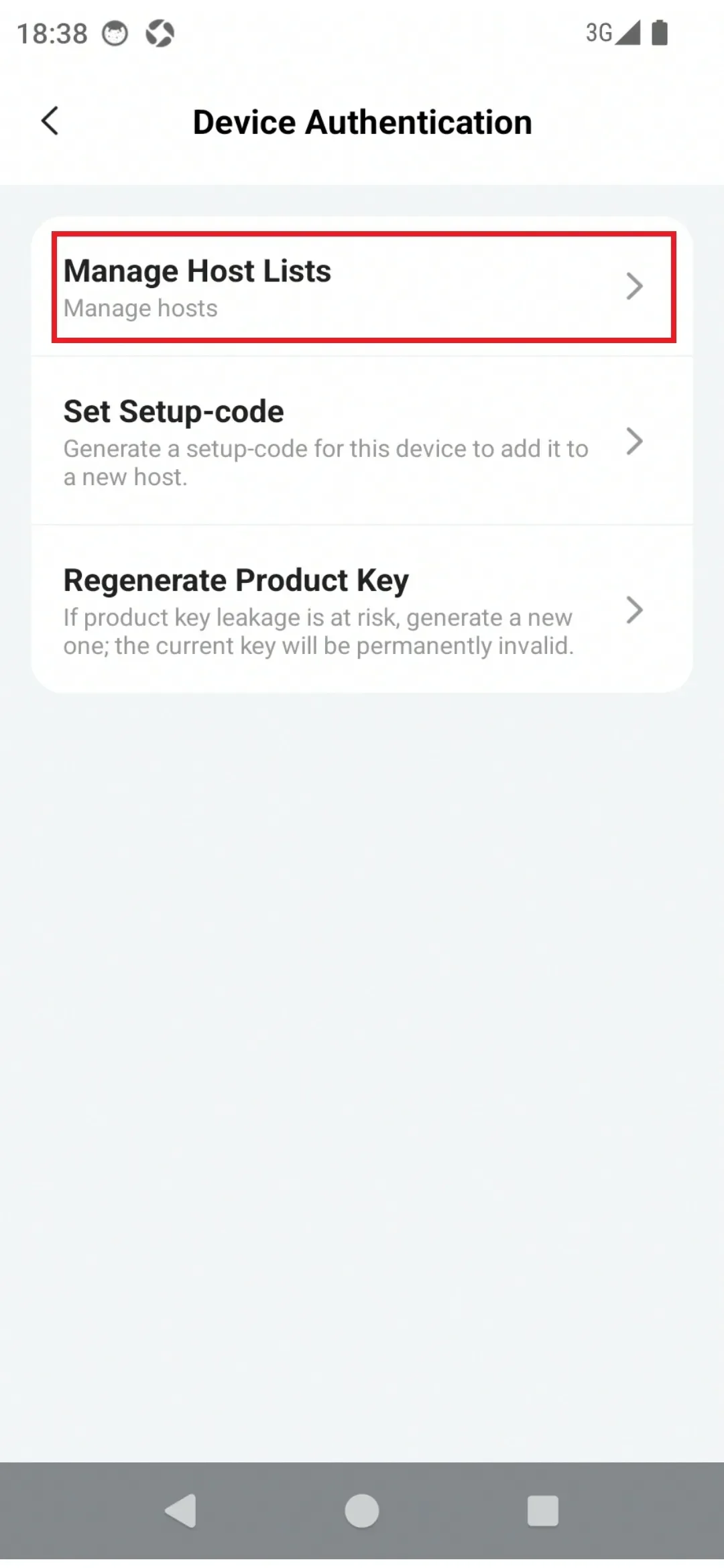
- Go to “PlugOS Settings” → “Device Authentication” → “Manage Host Lists”
- In the Manage Host Lists page, you can “Rename” and “Delete” existing host.
- Rename: Click “Rename” → Tap “Please enter a new name” and input → Click “Confirm” after entering
- Delete: Click “Delete” → A “Delete Host Machine” prompt box appears, click “Confirm” → Enter the device unlock password to complete unbinding the host. (After unbinding, you need to bind again to use)
Subscribe: Get latest security insights and exclusive updates early
 PlugMate — Smart & Portable Privacy-Controlled Device
Secure, Ad-free, Tracking-free, No Telemetry
Copyright © 2024-2026 TrustKernel
Privacy Policy | User Service Agreement