directory
To ensure your PlugOS application works continuously and stably, please follow these settings according to your phone brand. The names of settings may vary slightly between different models. If you cannot find the exact same option, please select a similar function.
1. Huawei/Honor Phones
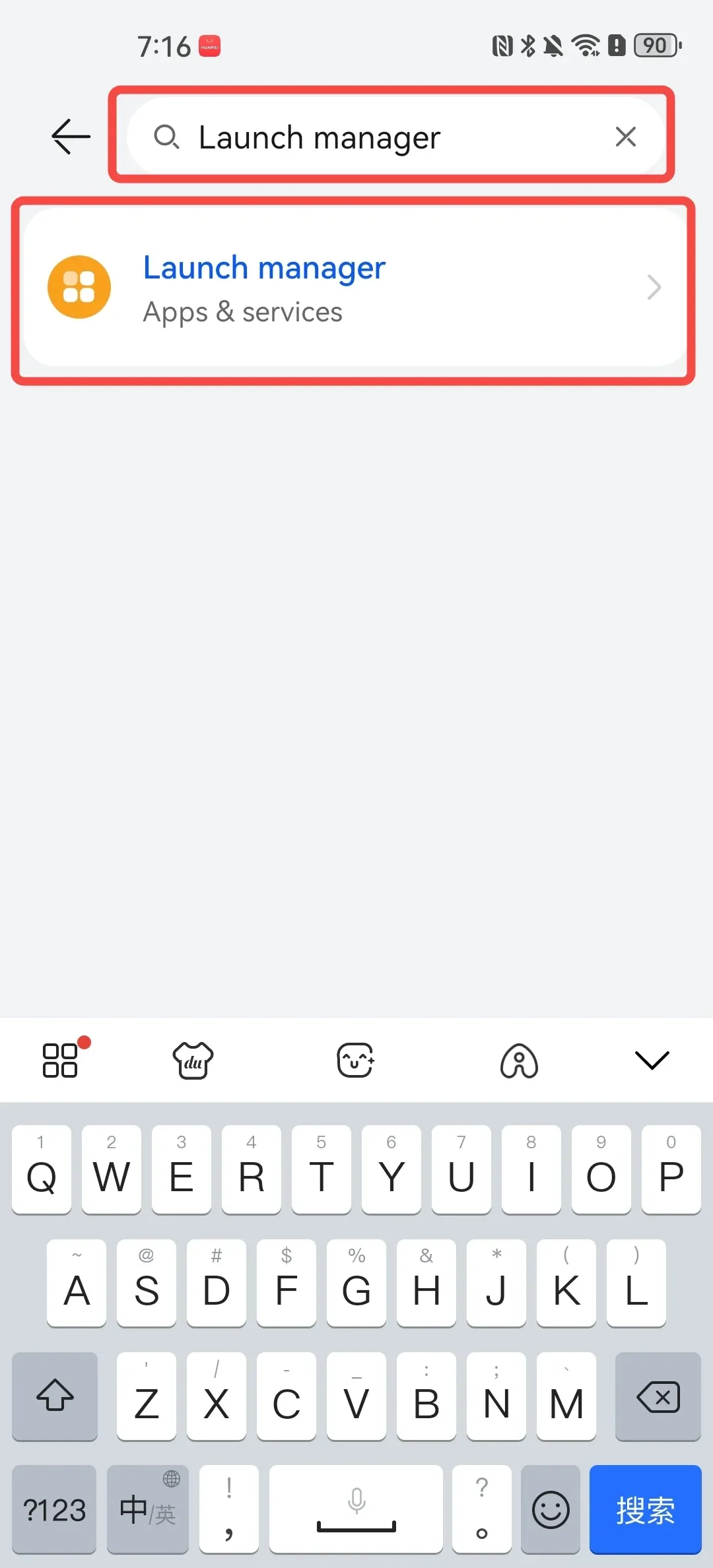
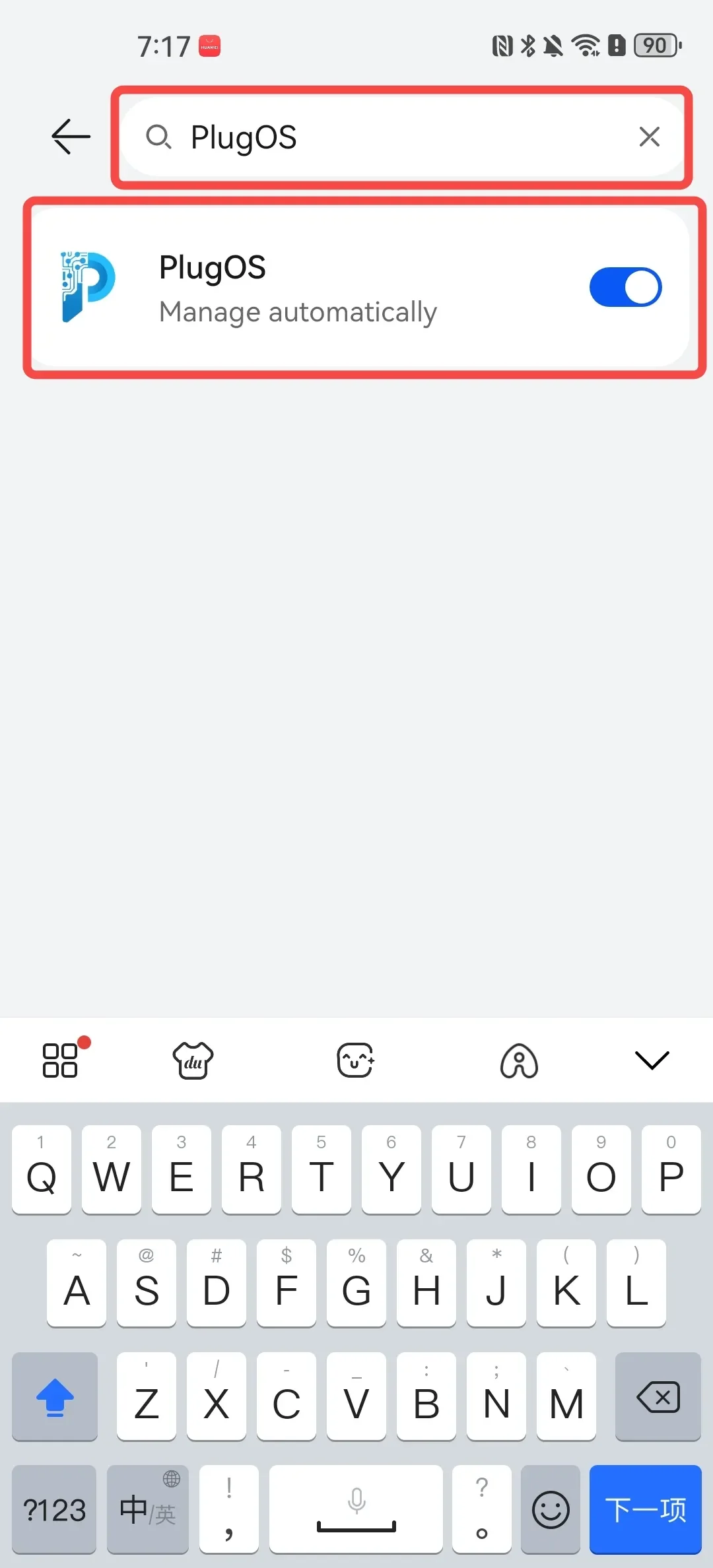
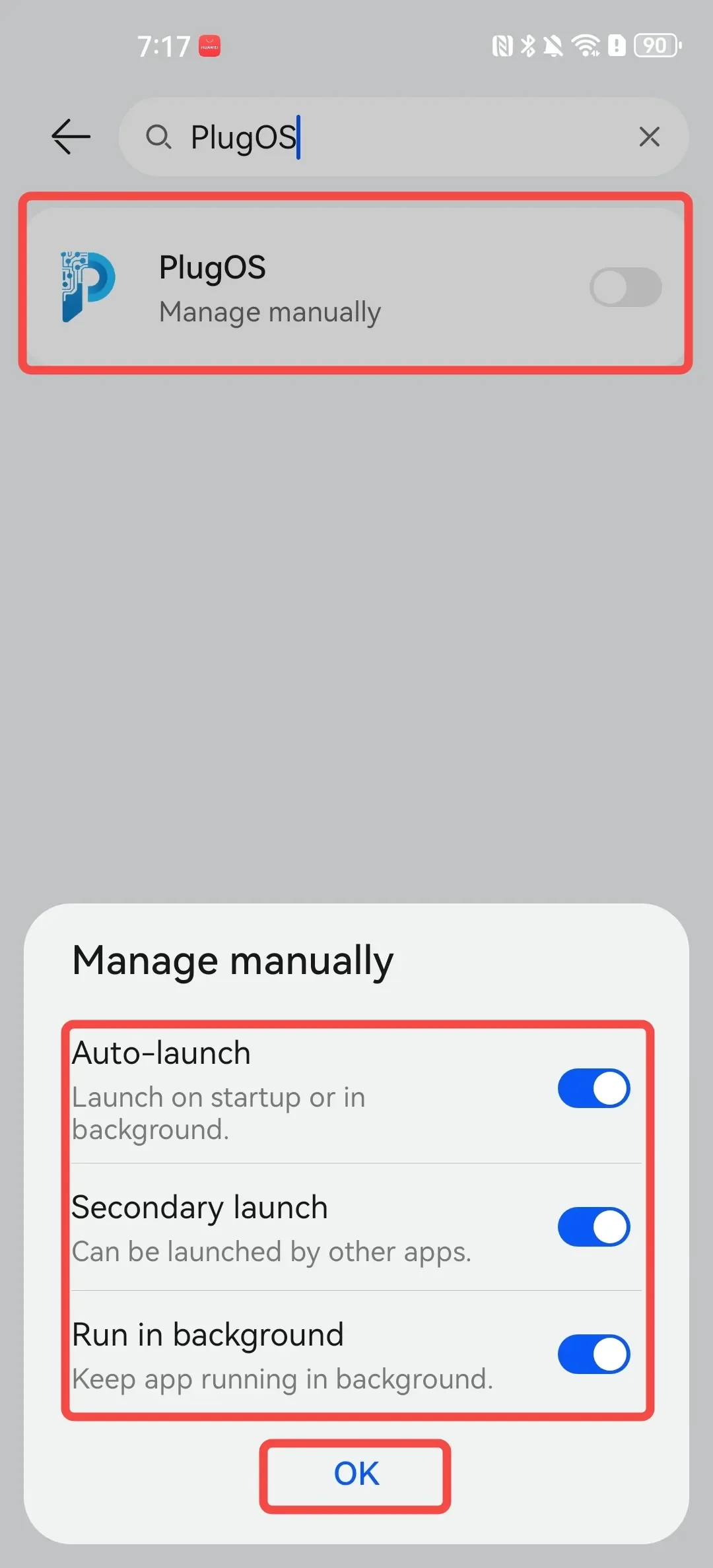
- Enable app auto-launch Open 【Settings】→ Search for “Launch manager” at the top → Find “PlugOS” and tap to enter → Disable automatic management → Tap to enable 【Auto-launch】【Secondary launch】【Run in background】→ Tap “OK”
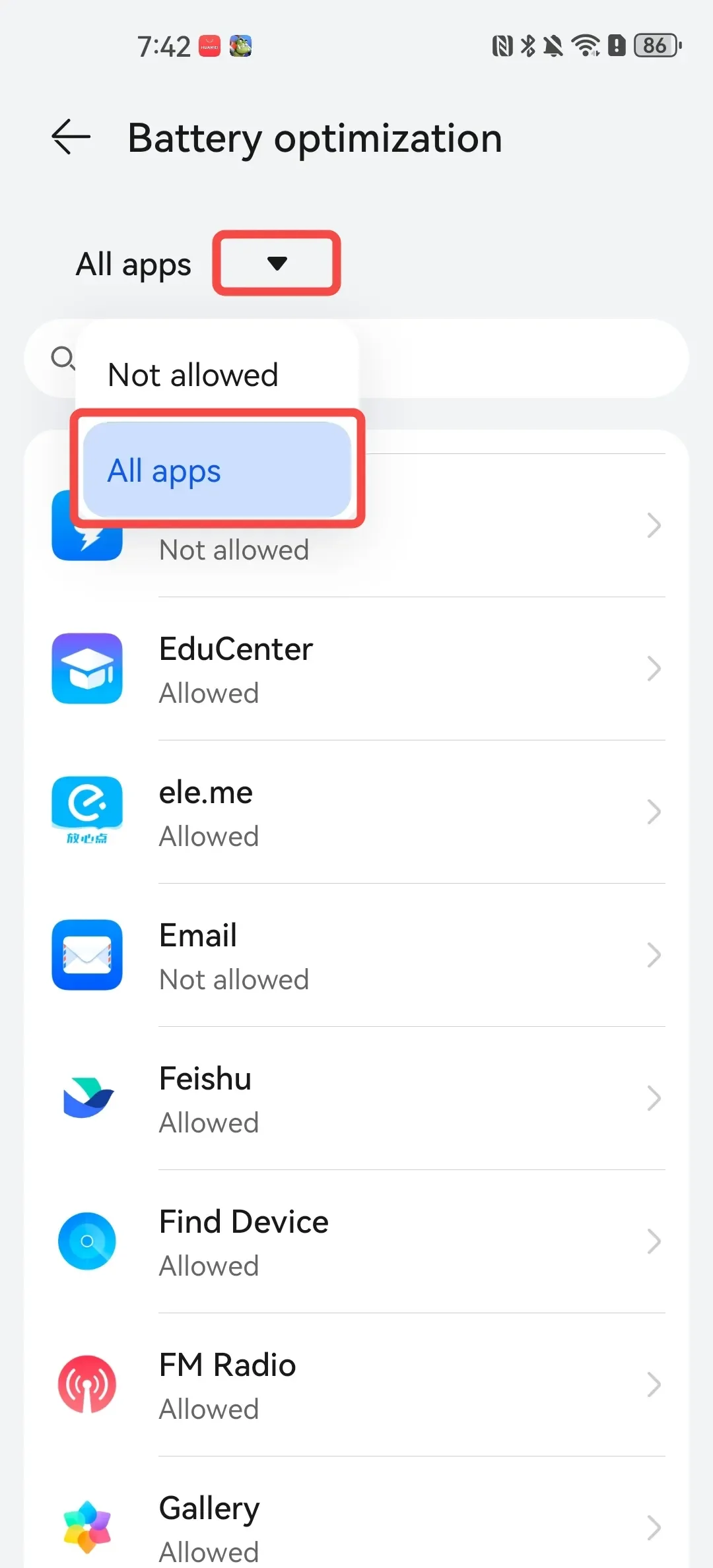
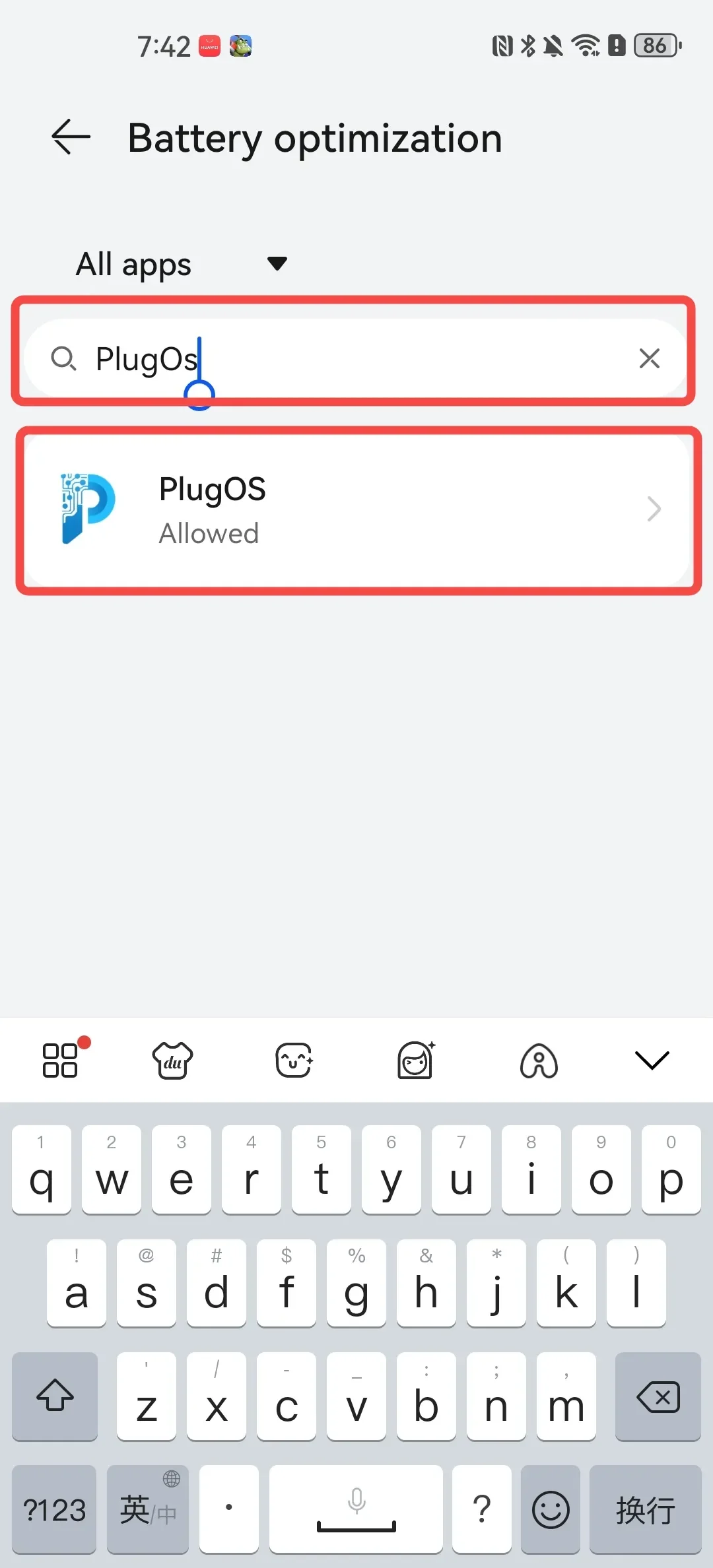
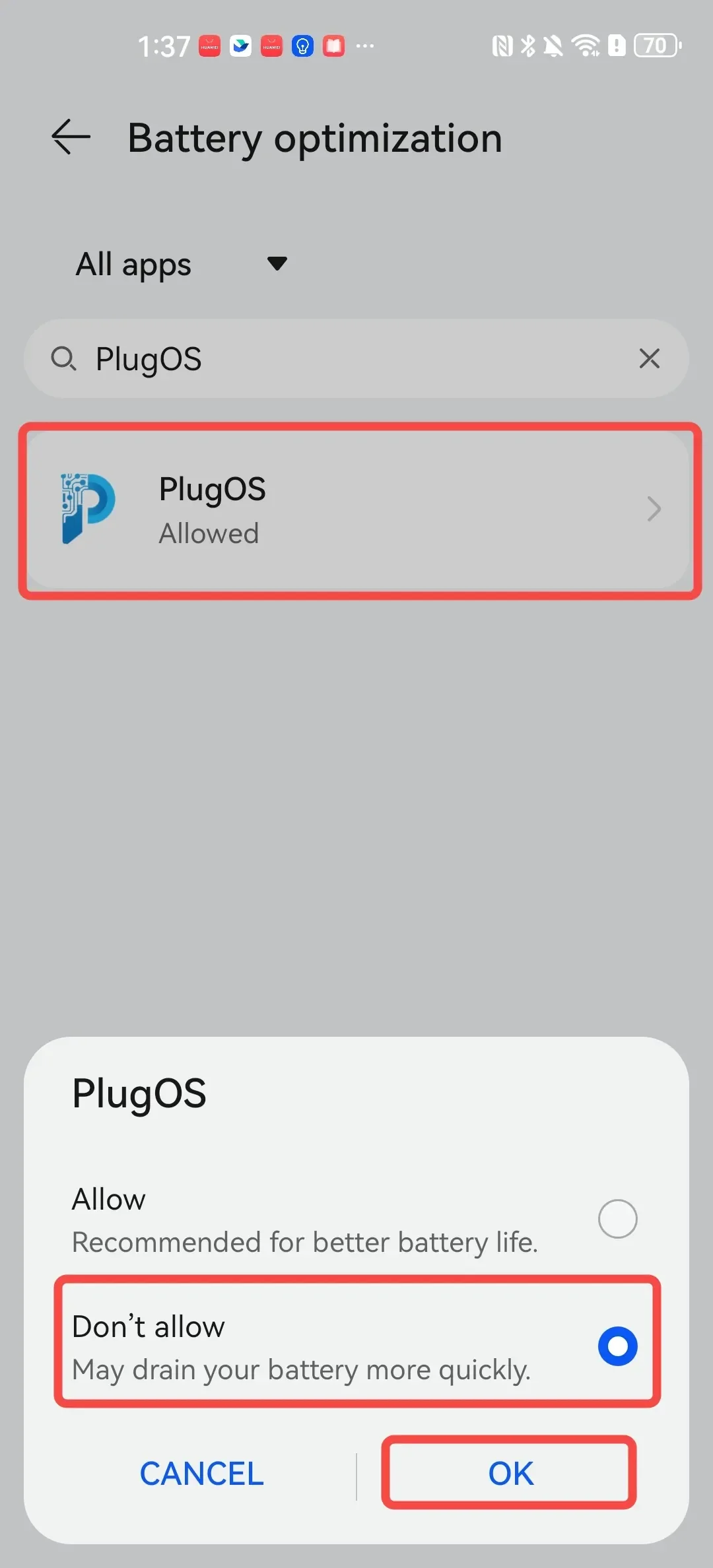
- Disable battery optimization Open 【Settings】→ Search for “More battery settings” → Tap “Top filter button” and select “All apps” → Find “PlugOS” and tap to enter → Select “Don’t allow” → Tap “OK”
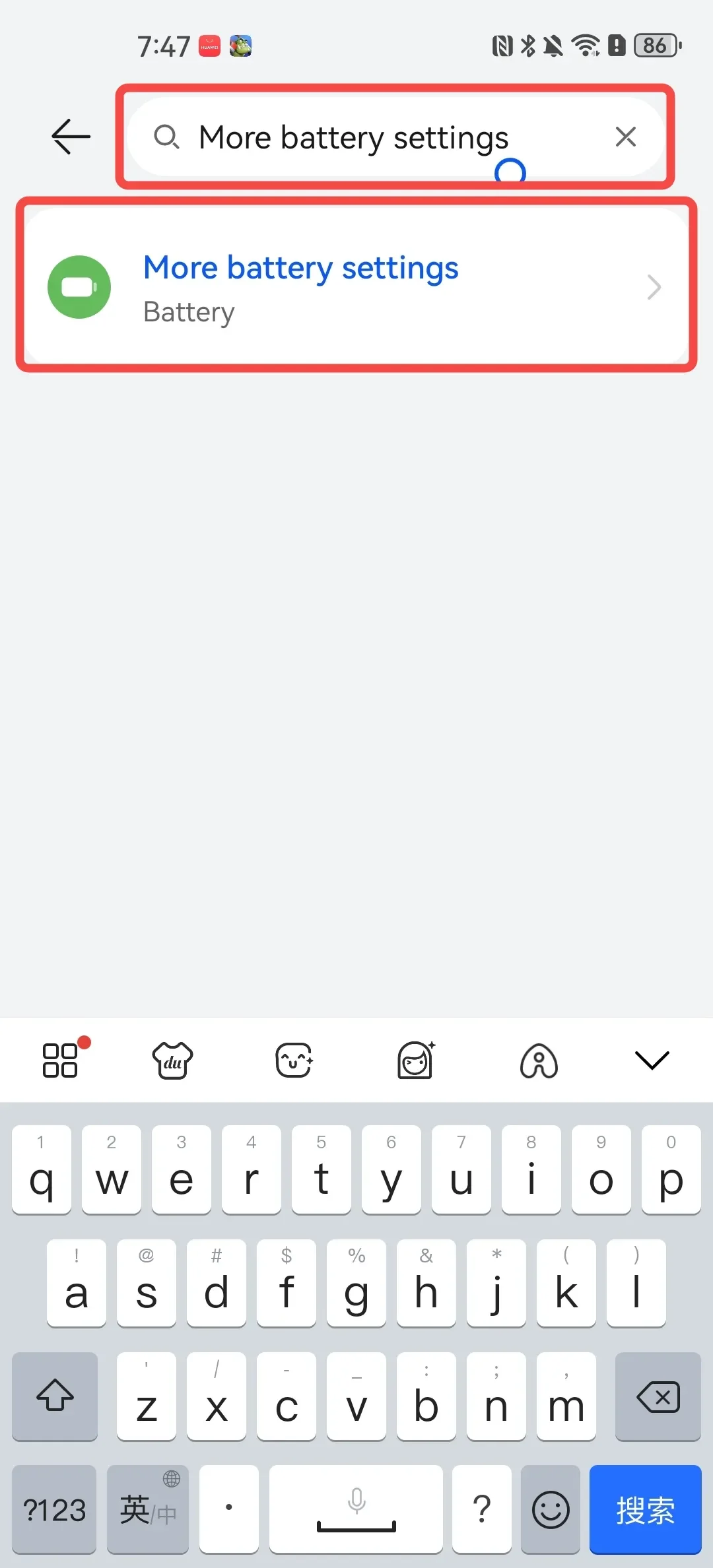
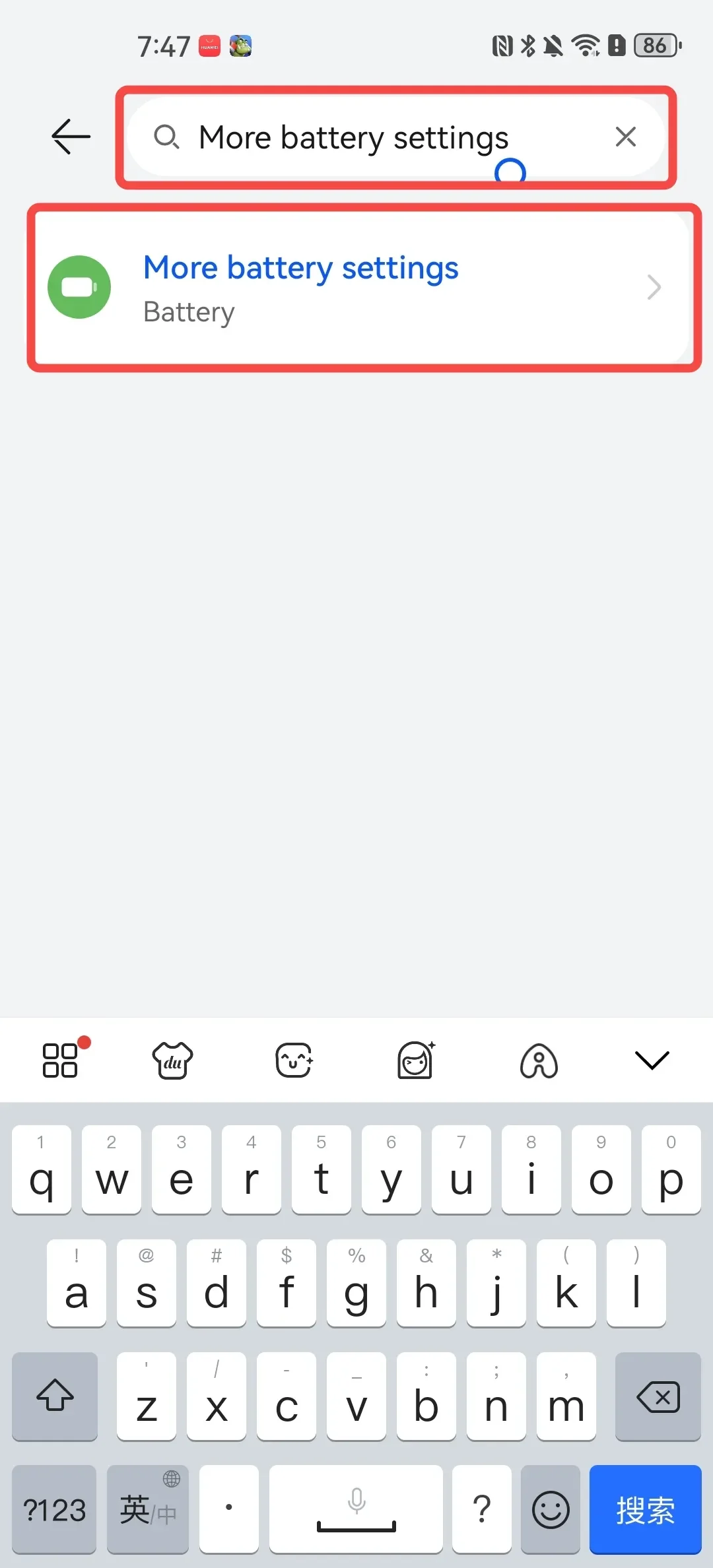
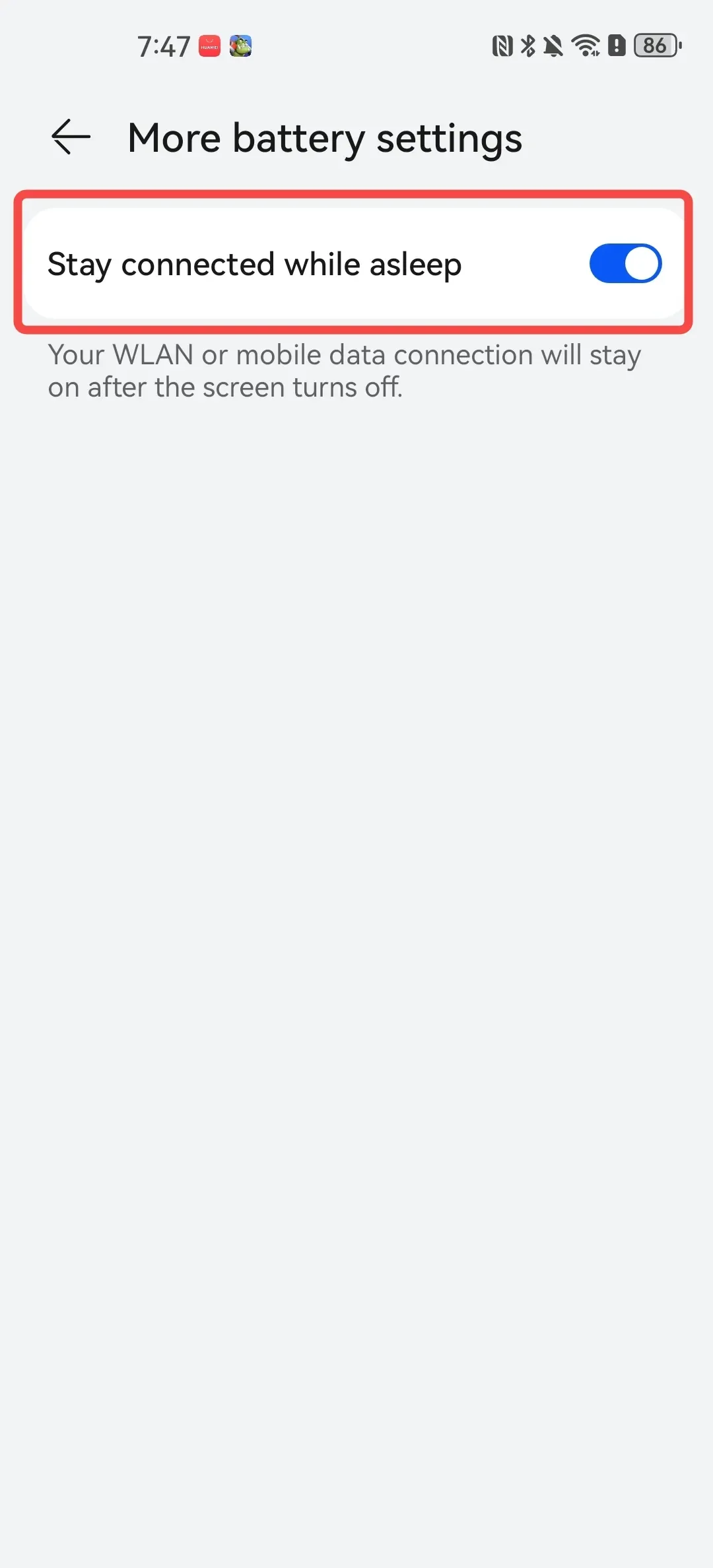
- Maintain network connection during sleep Open 【Settings】→ Search for “More battery settings” → Tap to enable “Stay connected when screen is off”
2. OPPO/OnePlus Phones
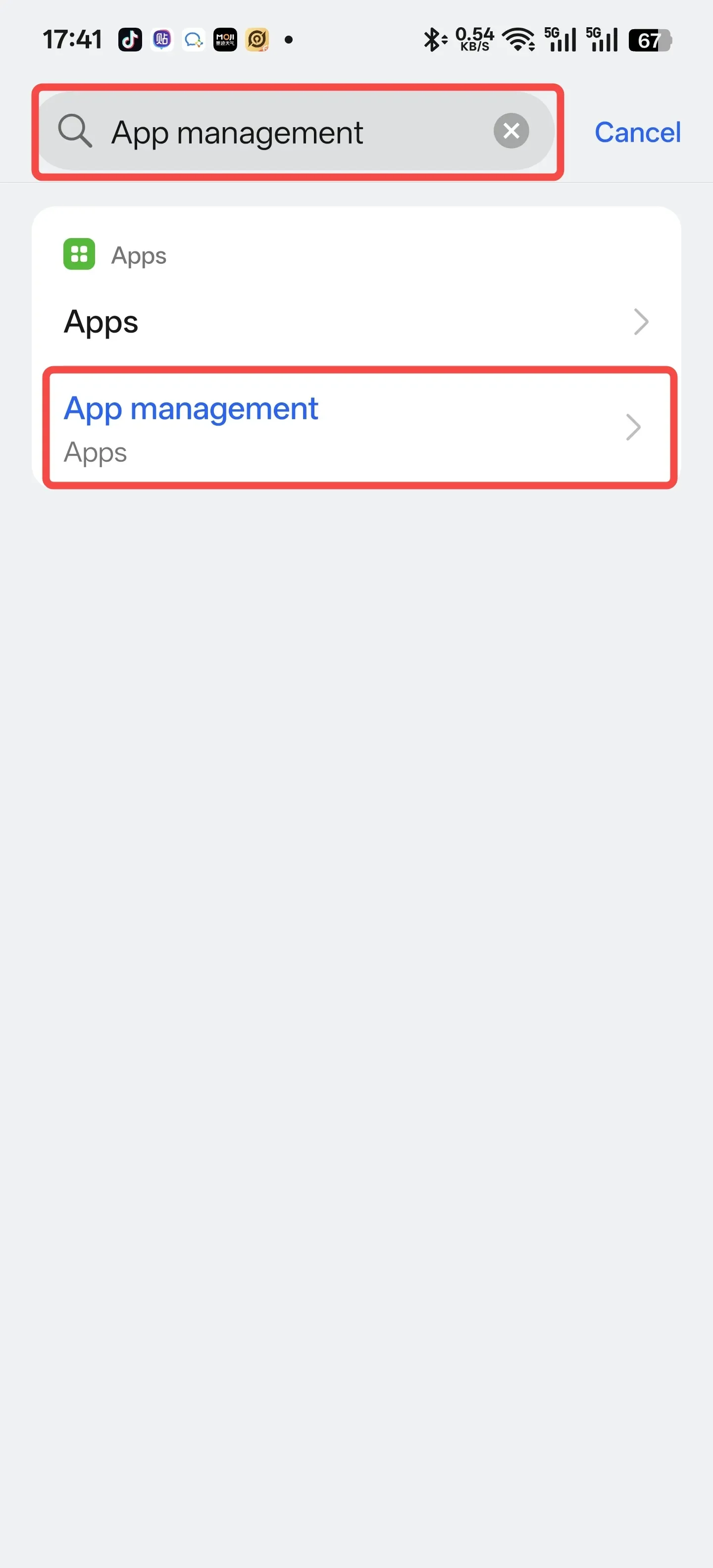
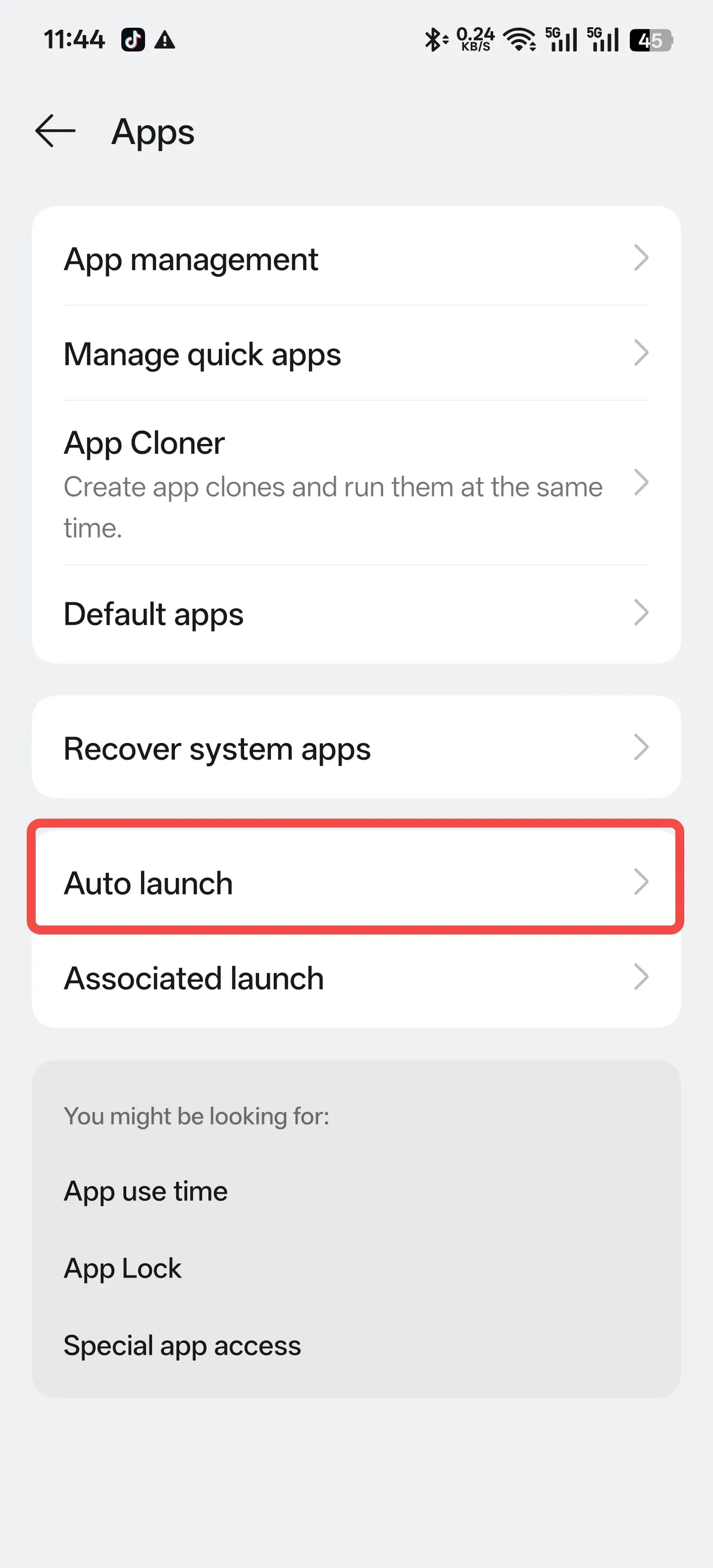
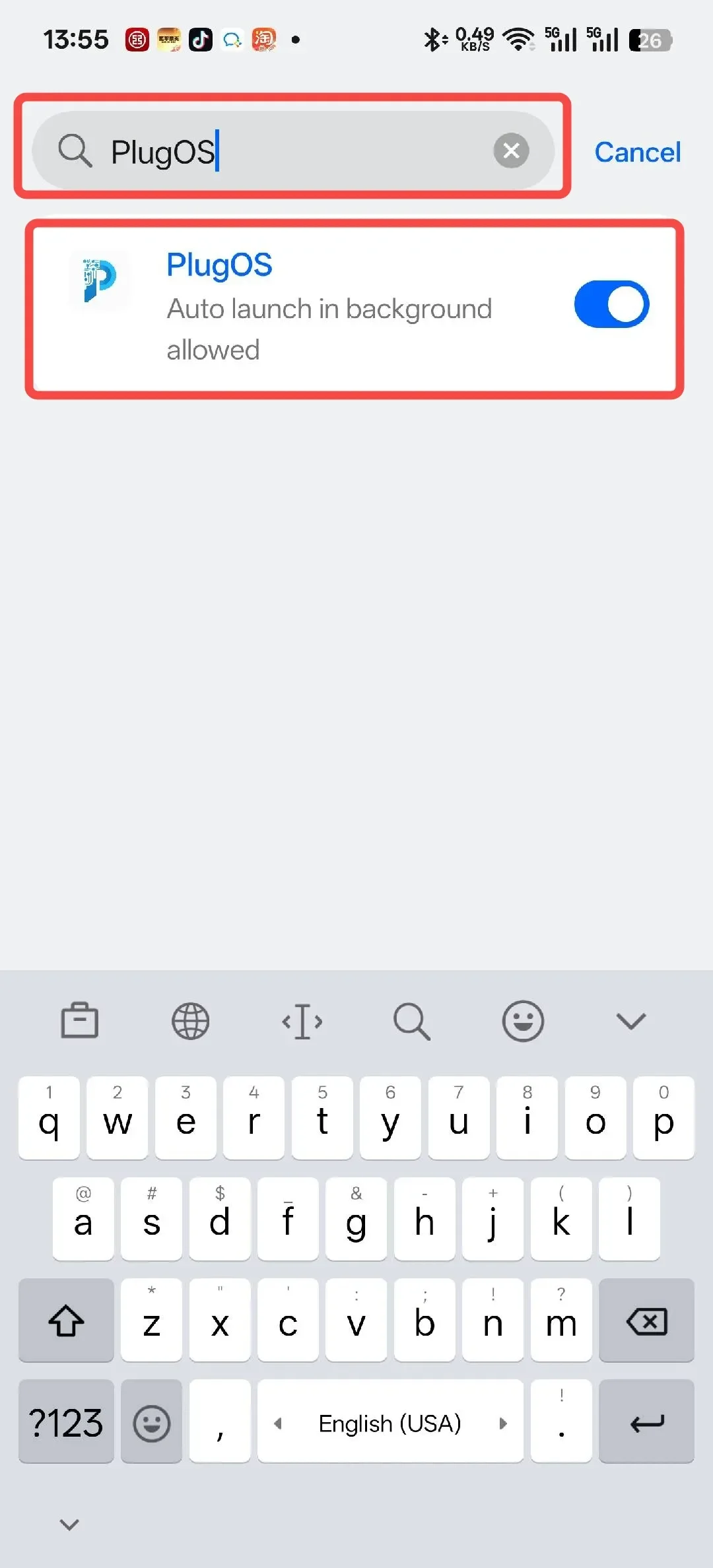
- Enable auto-launch permission Open 【Settings】→ Search for “App management” → Tap to enter “Auto launch” → Find “PlugOS” and tap to enter → Tap to enable “Auto launch in background allowed”
- Allow background high power consumption Open 【Settings】→ Search for “APP battery management” → Find “PlugOS” and tap to enter → Select “Allow background activity” → Tap “Allow”
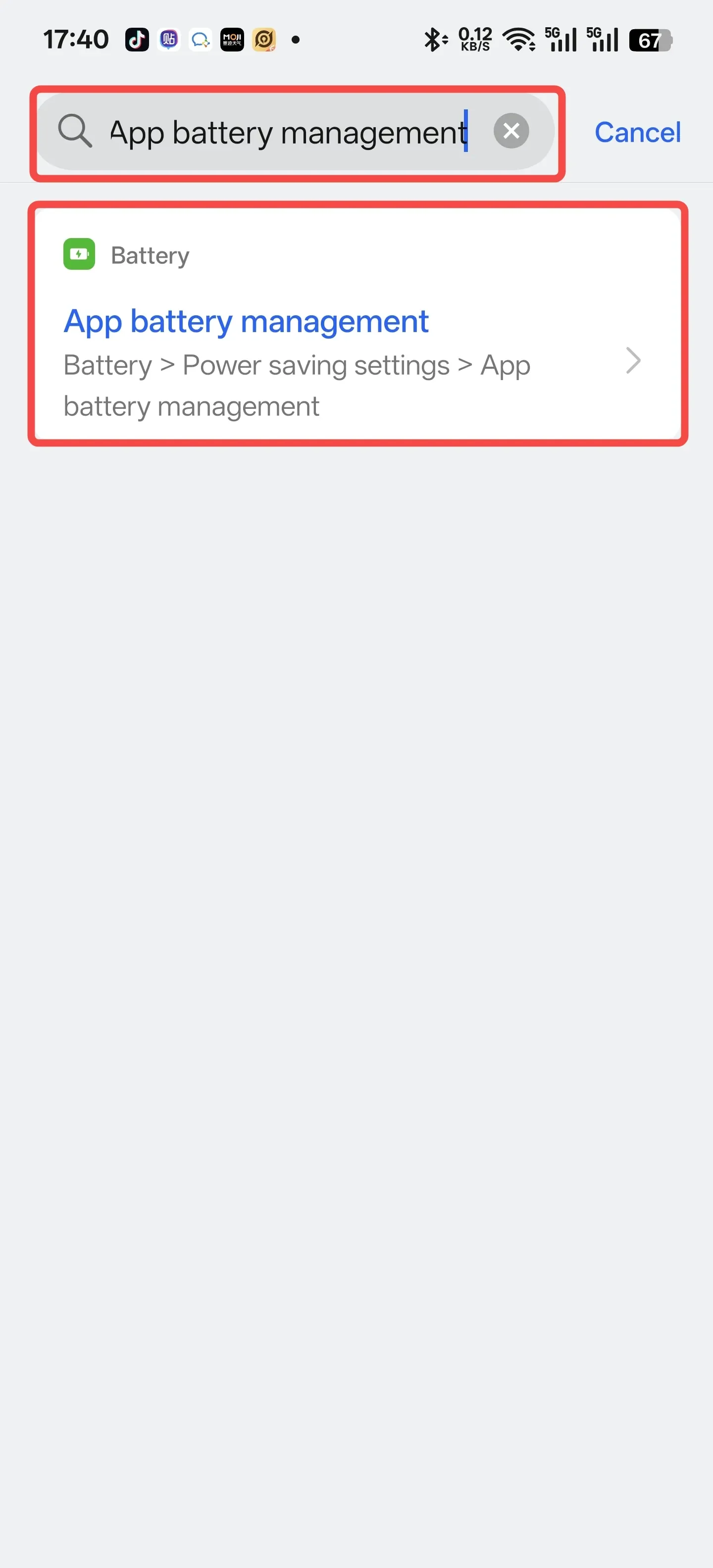
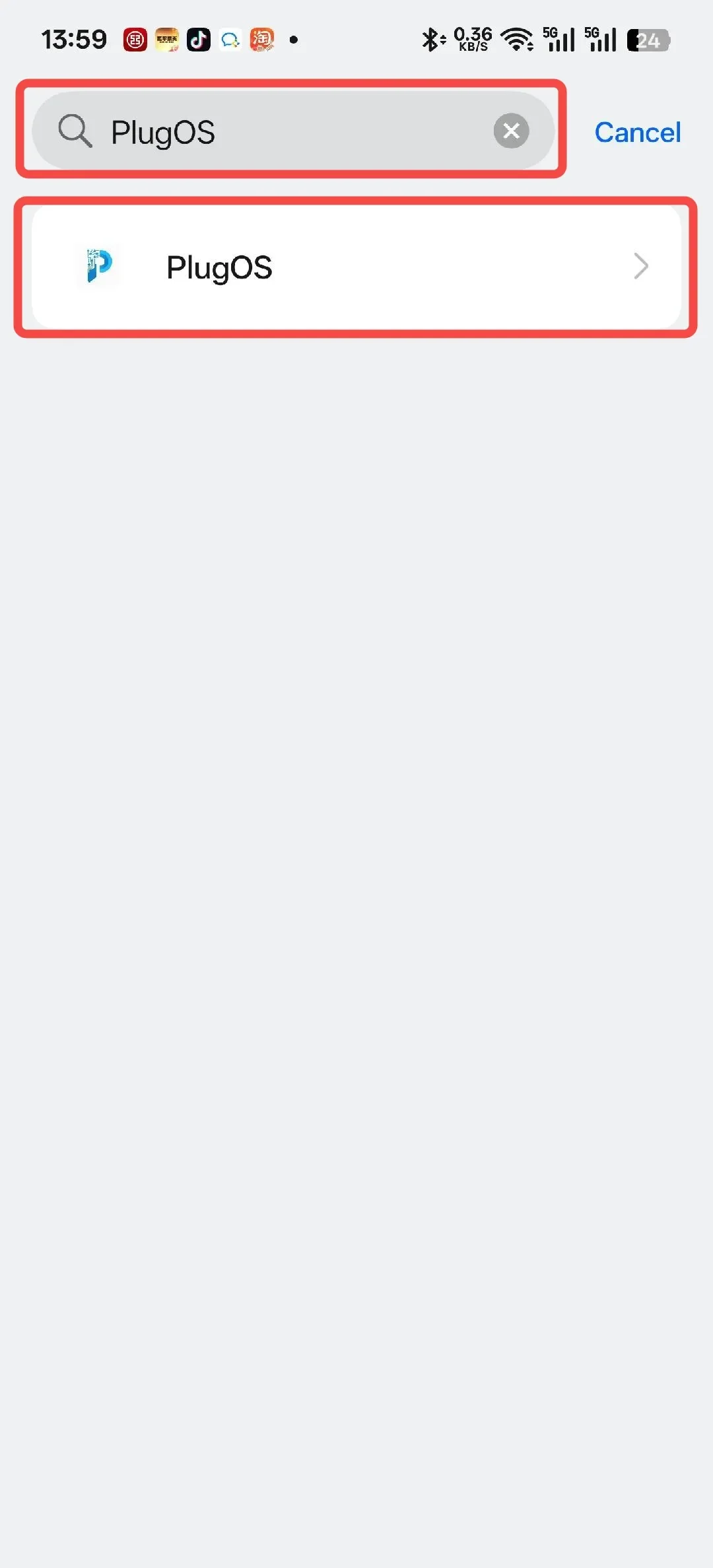
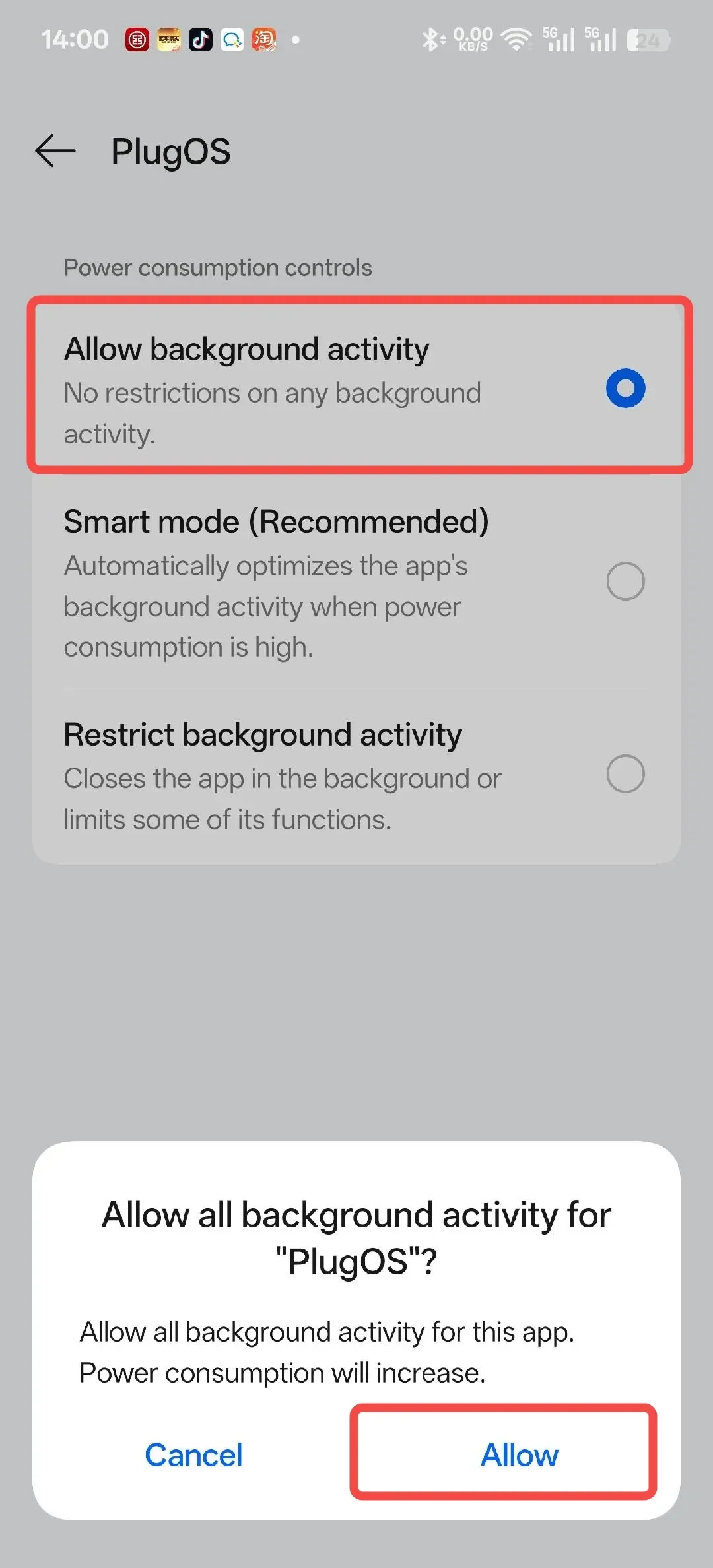
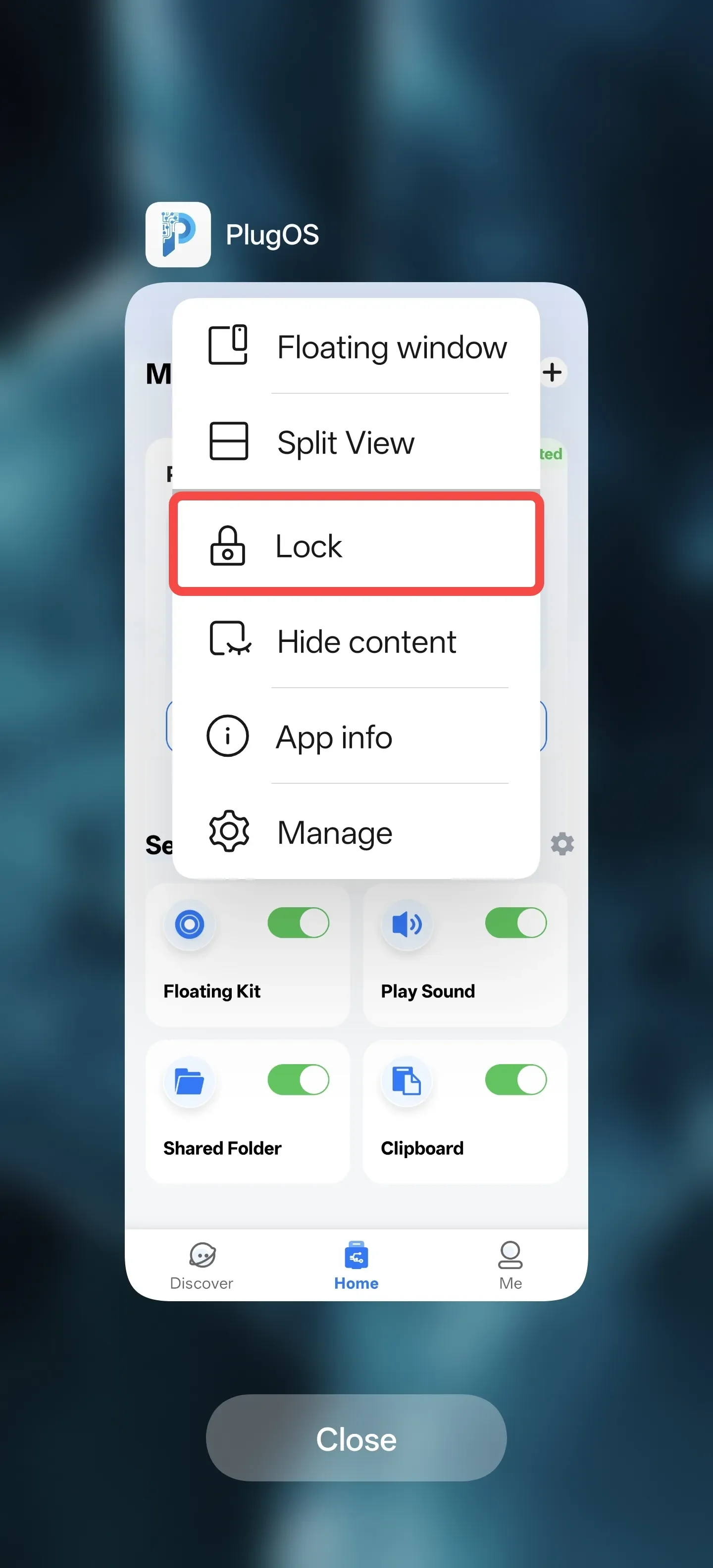
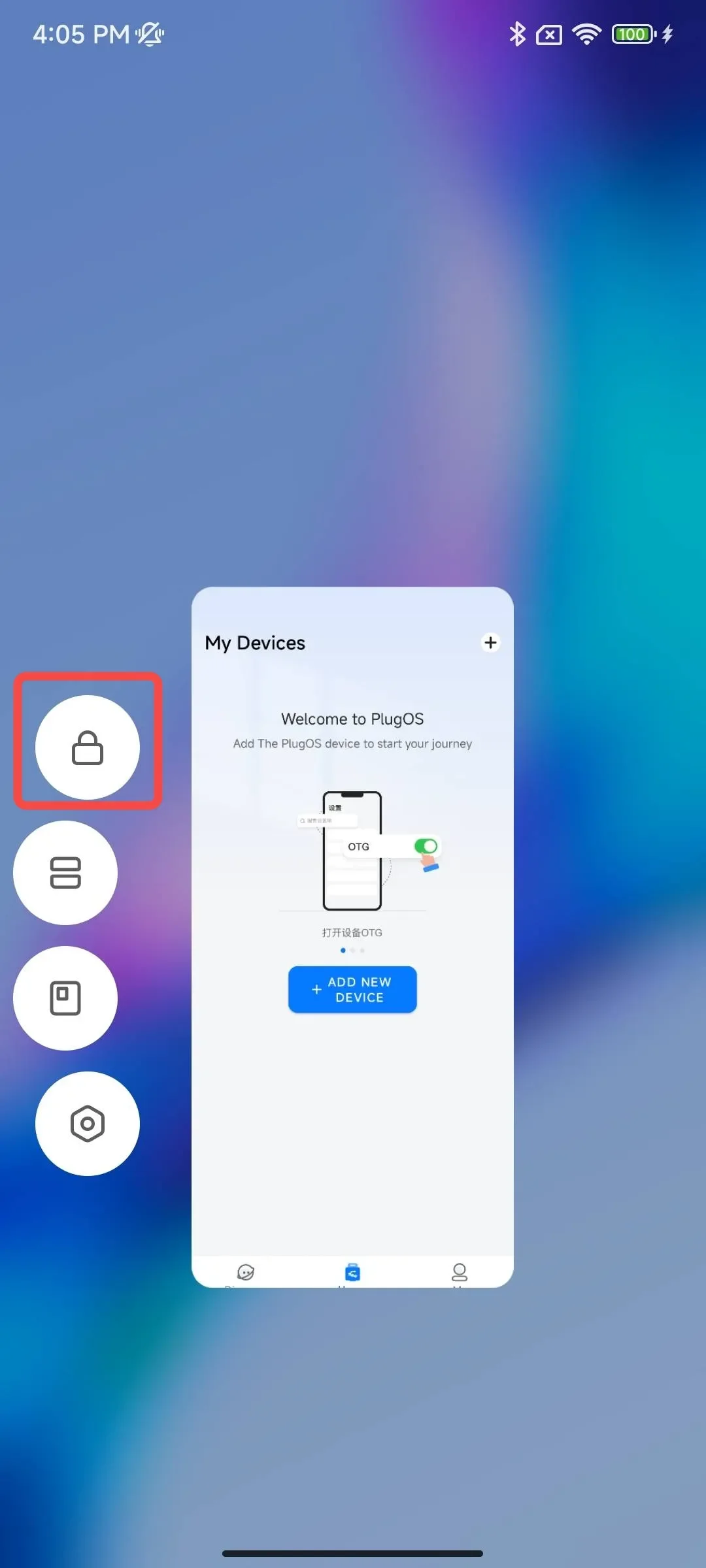
- Lock app in background Swipe up from the bottom of the screen to open the recent apps screen → Tap the icon above “PlugOS” → Tap “Lock”
3. Xiaomi/Redmi Phones
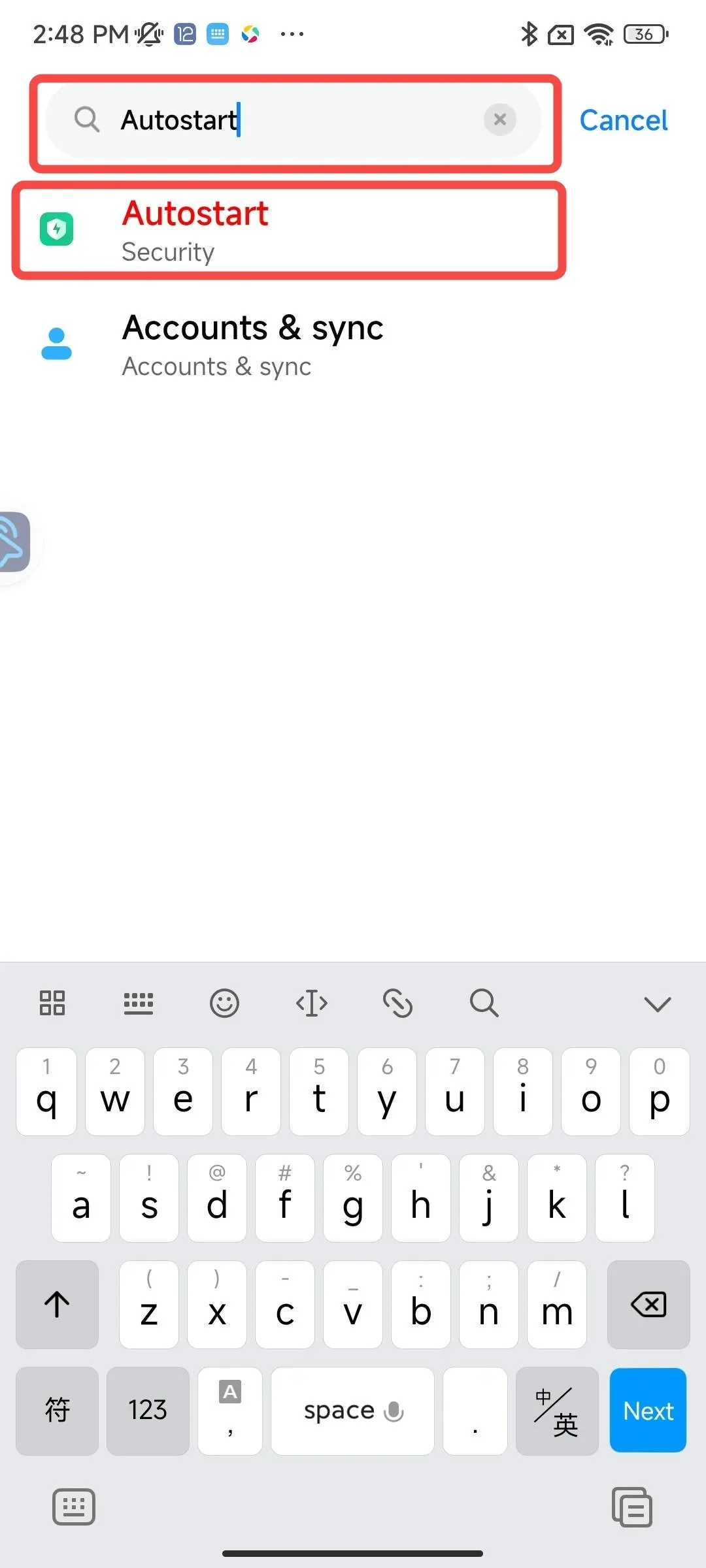
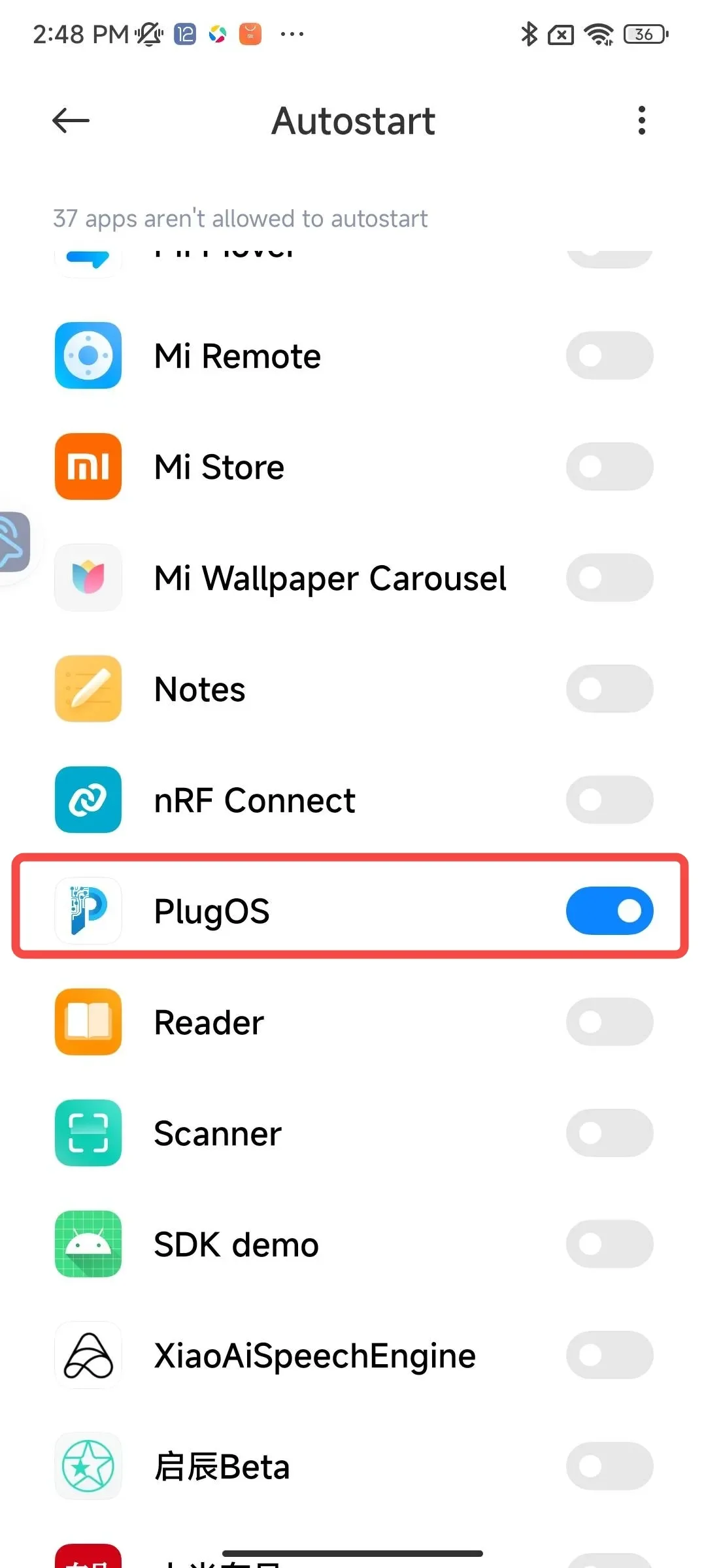
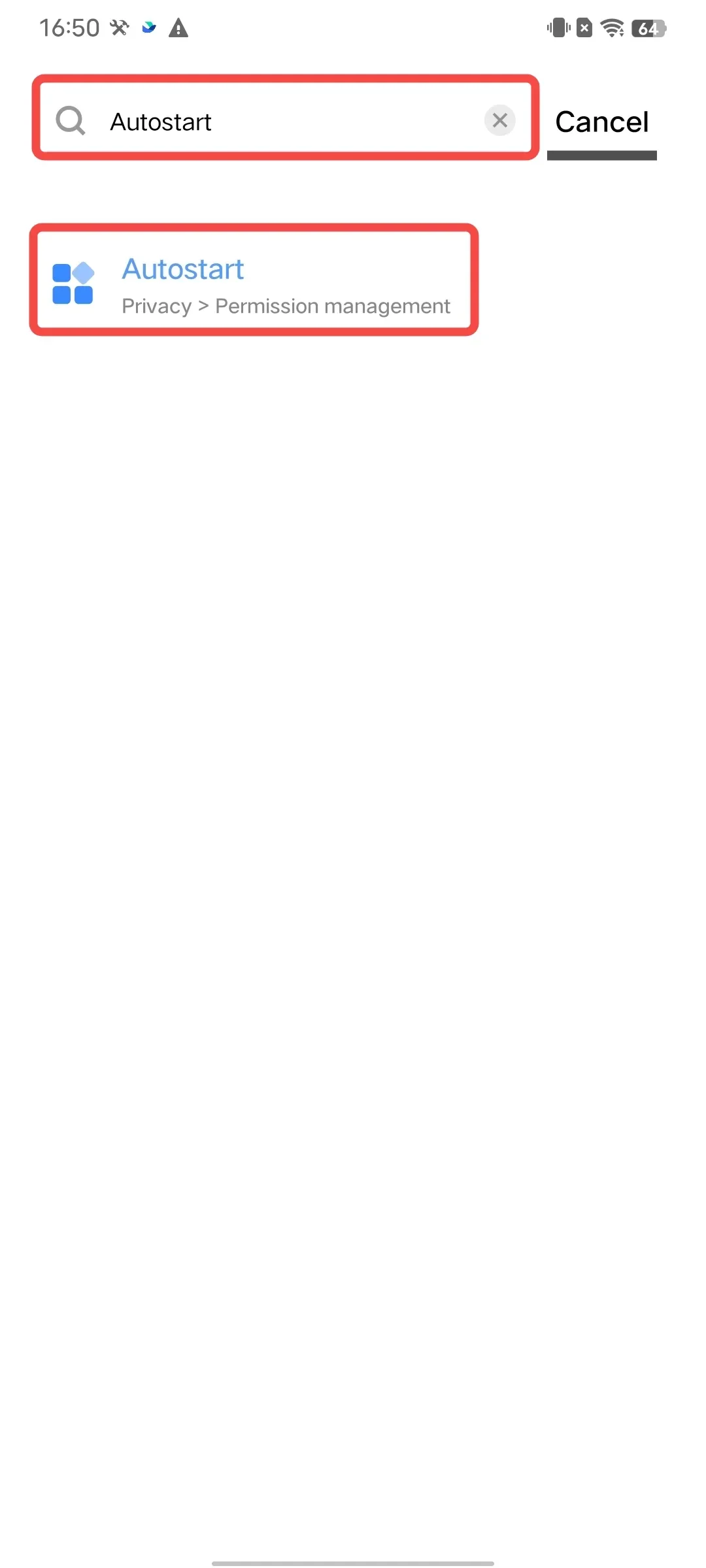
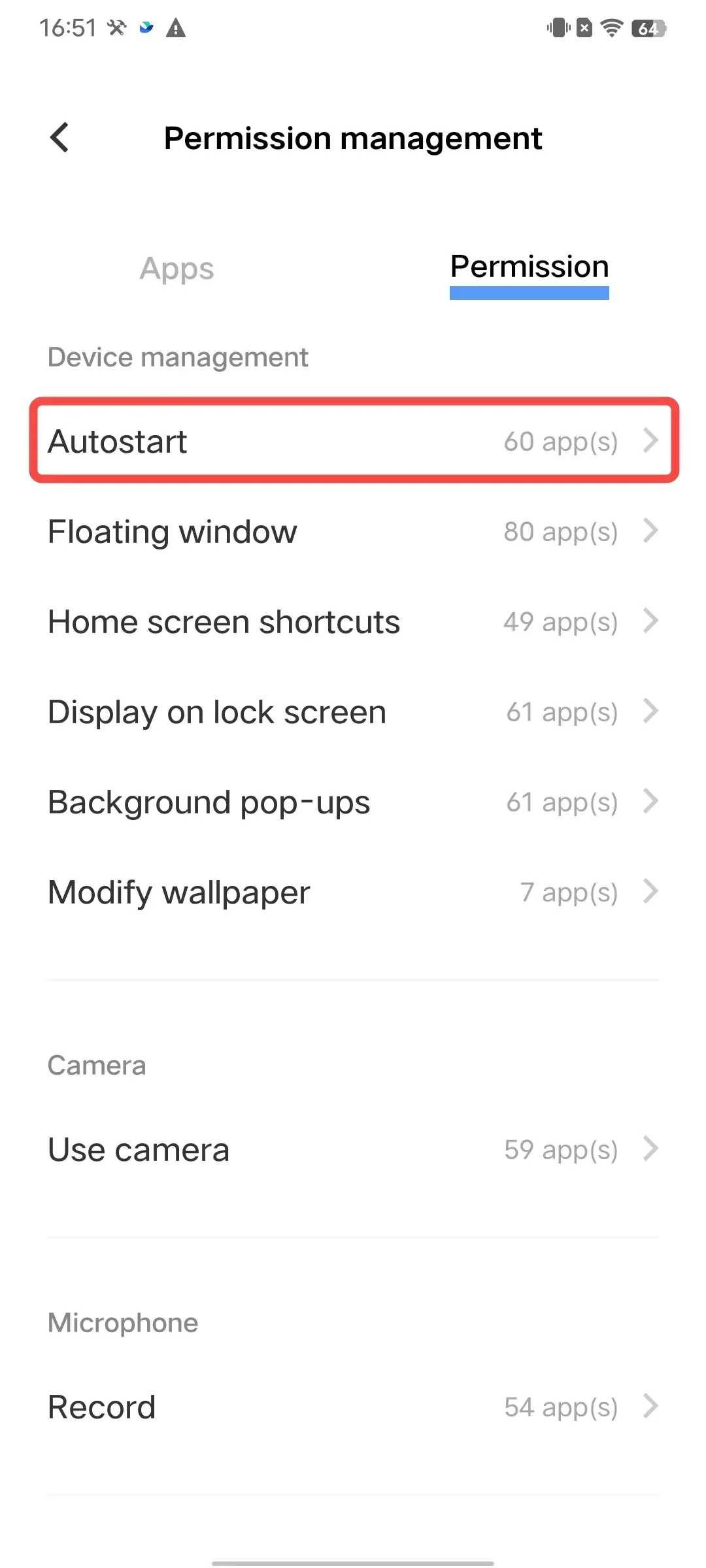
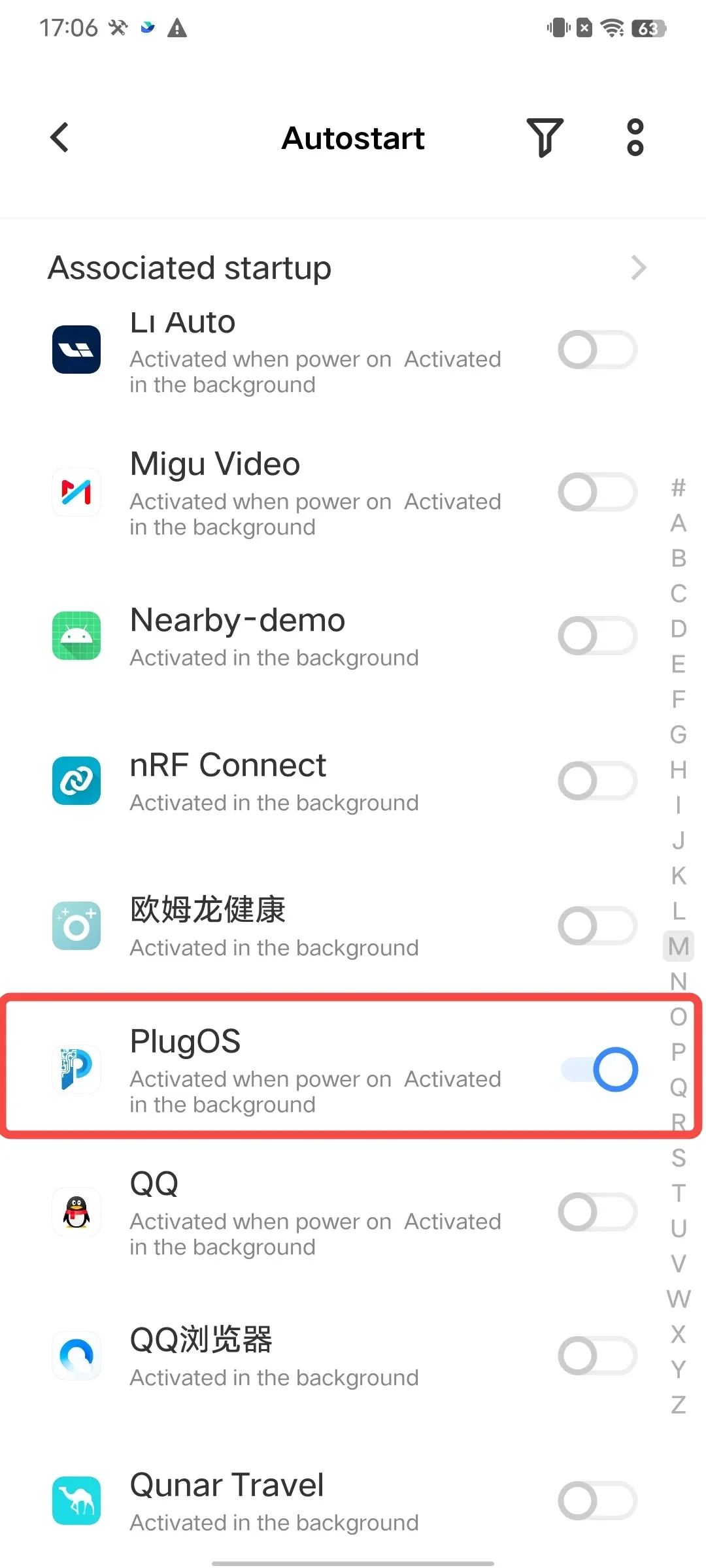
- Enable auto-start permission Open 【Settings】→ Search for “Autostart” → Tap to enter “Autostart” → Find “PlugOS” and toggle the switch to enable
- Set unlimited battery usage Open 【Settings】→ Search for “Battery” → Tap the settings icon in the top right corner → Enter 【APP battery saver】→ Search for “PlugOS” → Select “No restrictions”
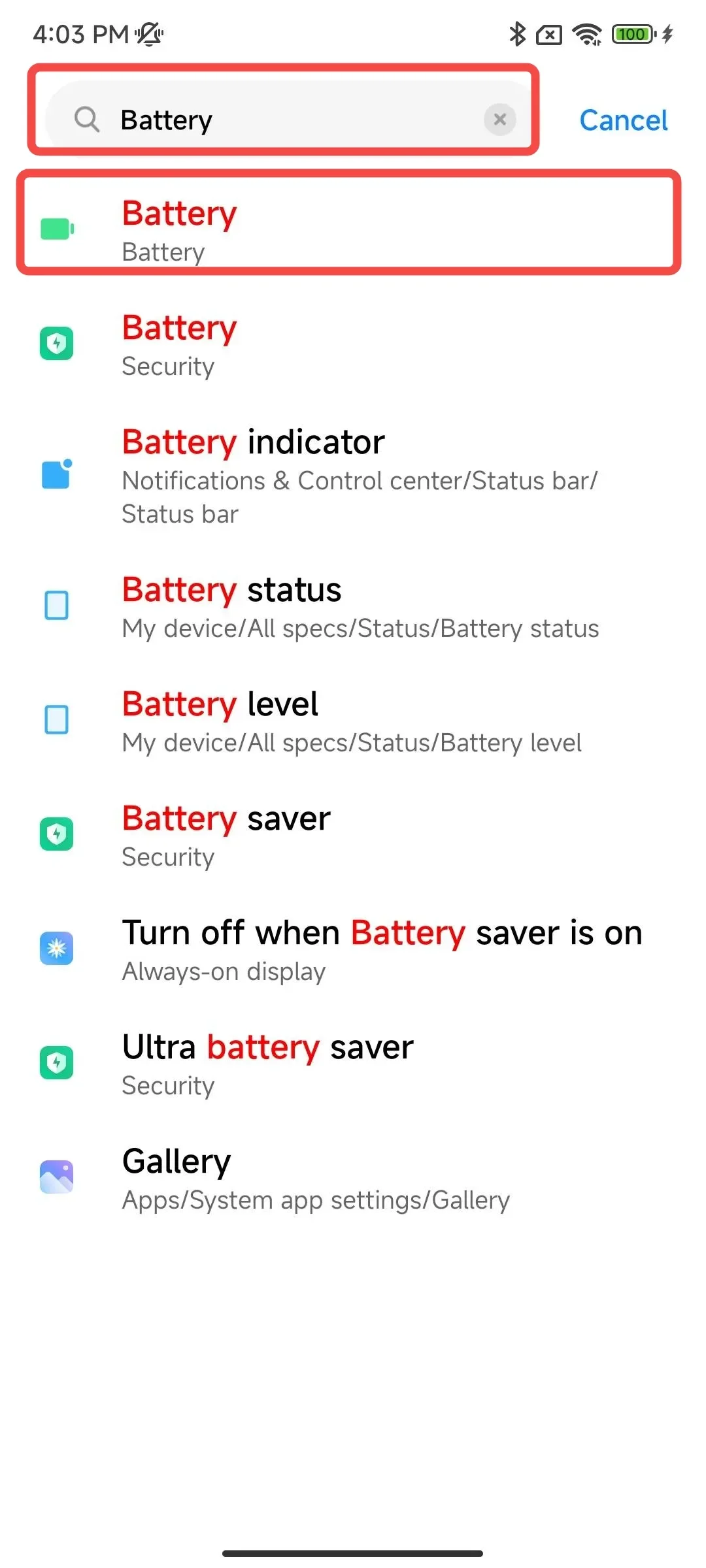
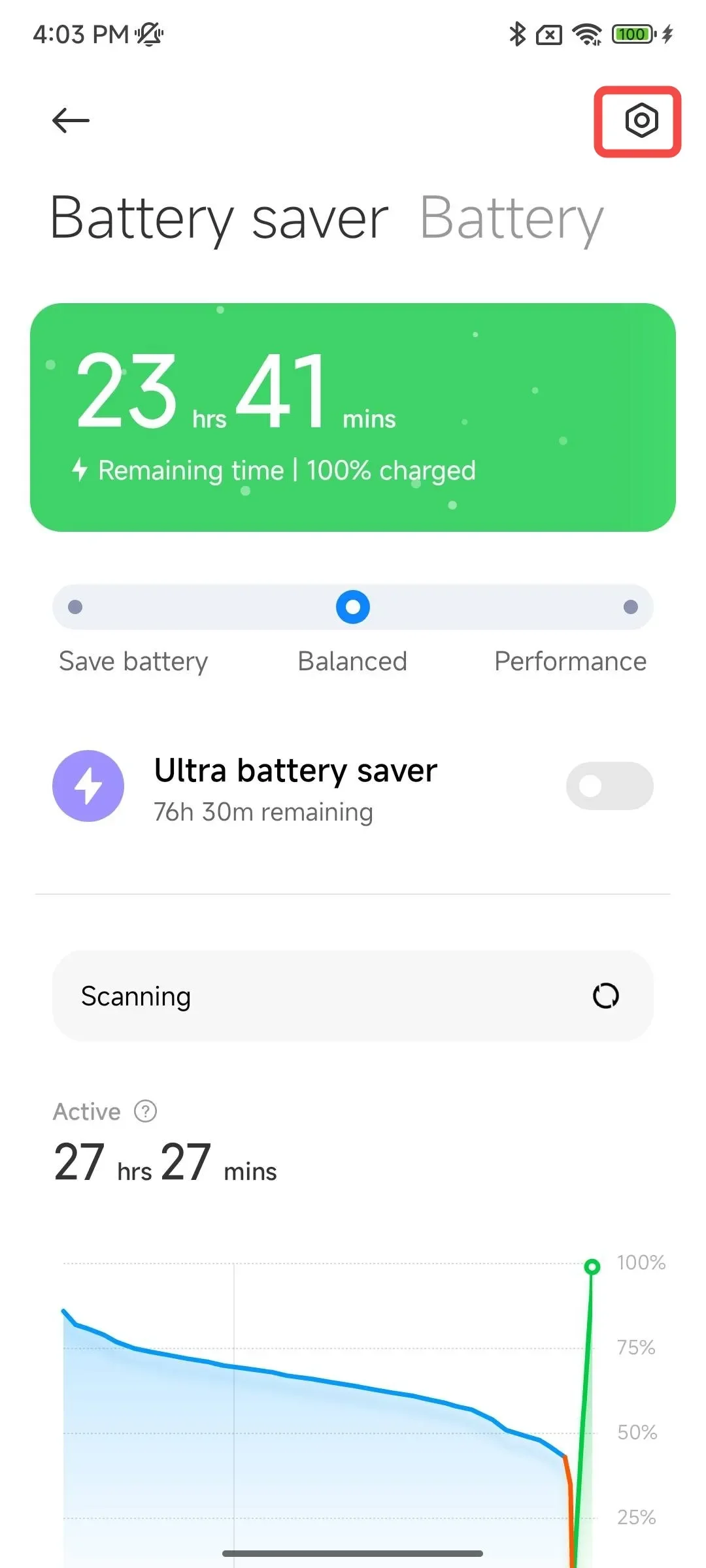
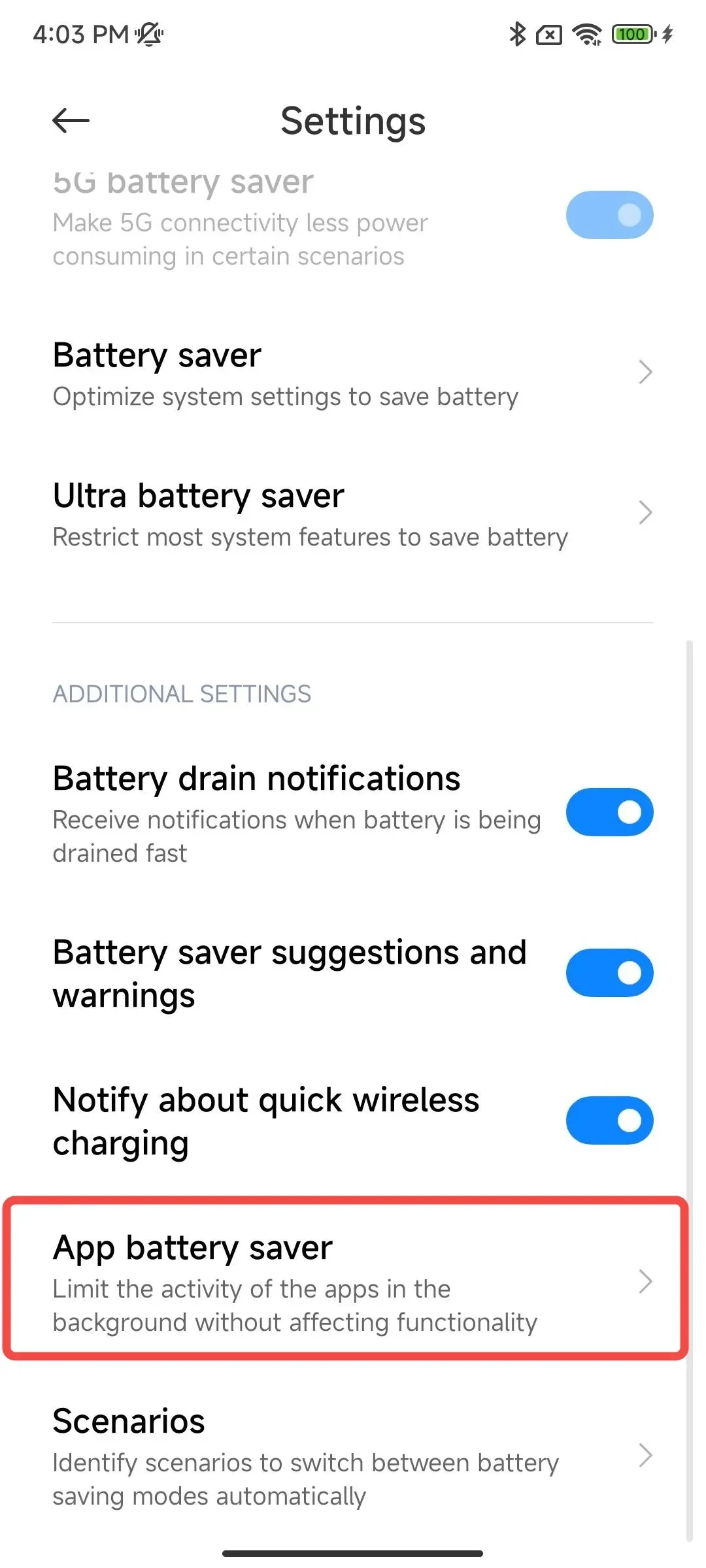
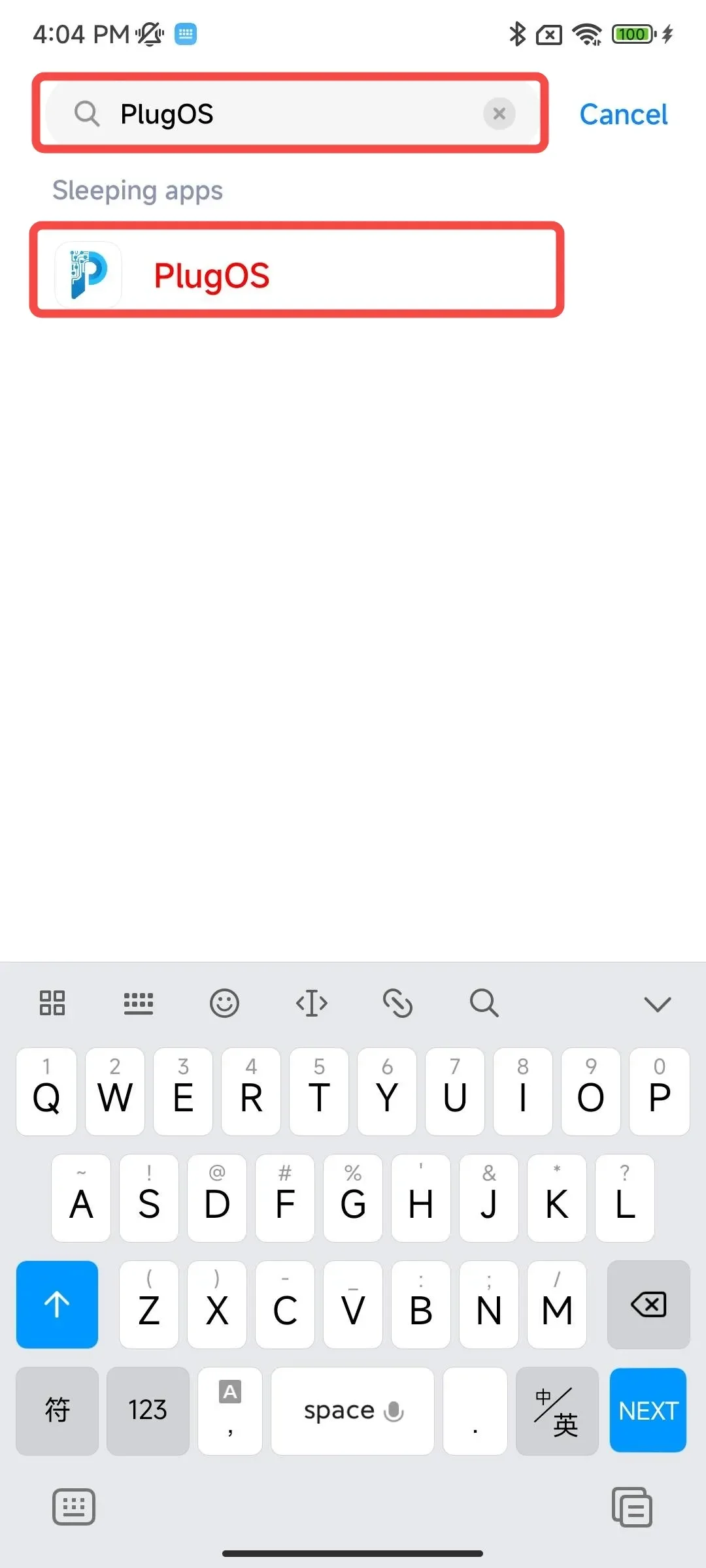
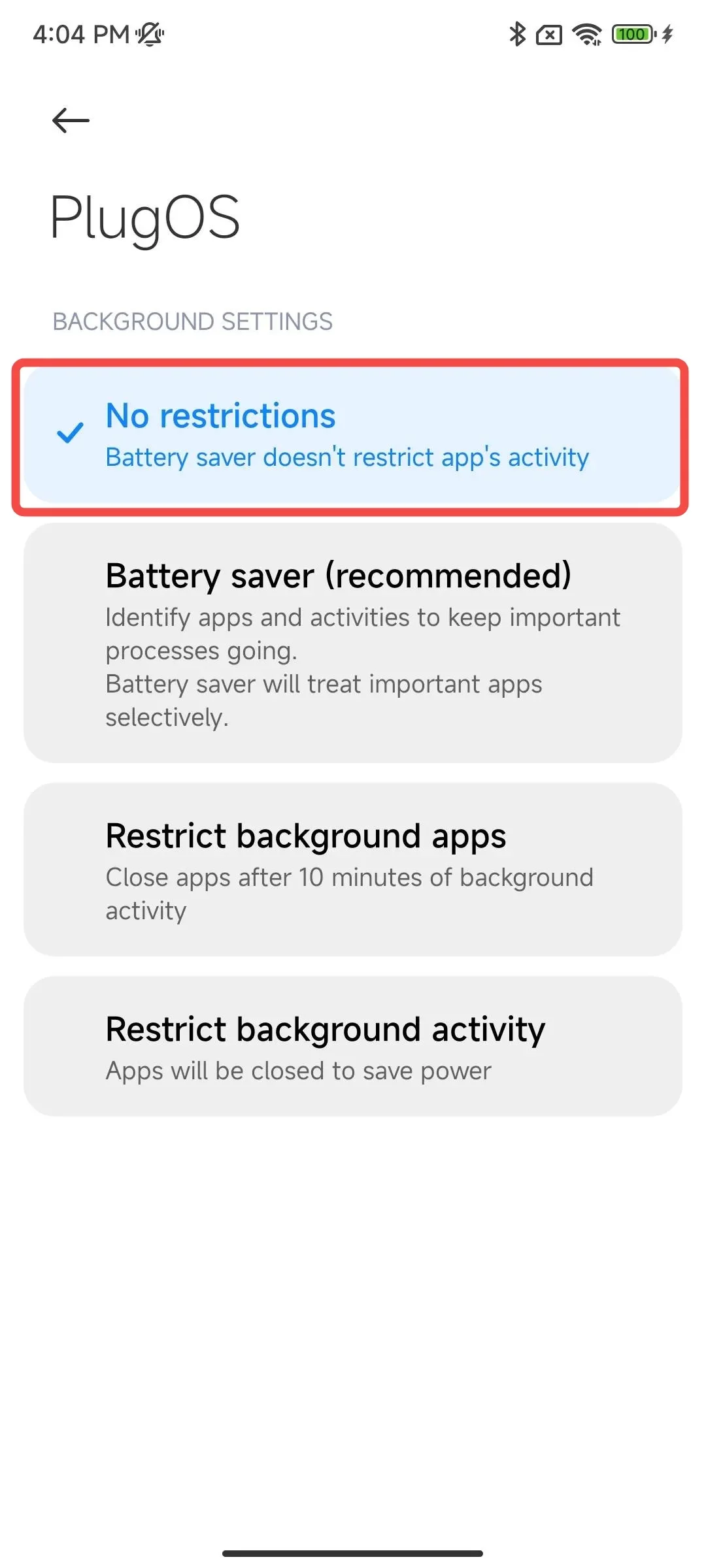
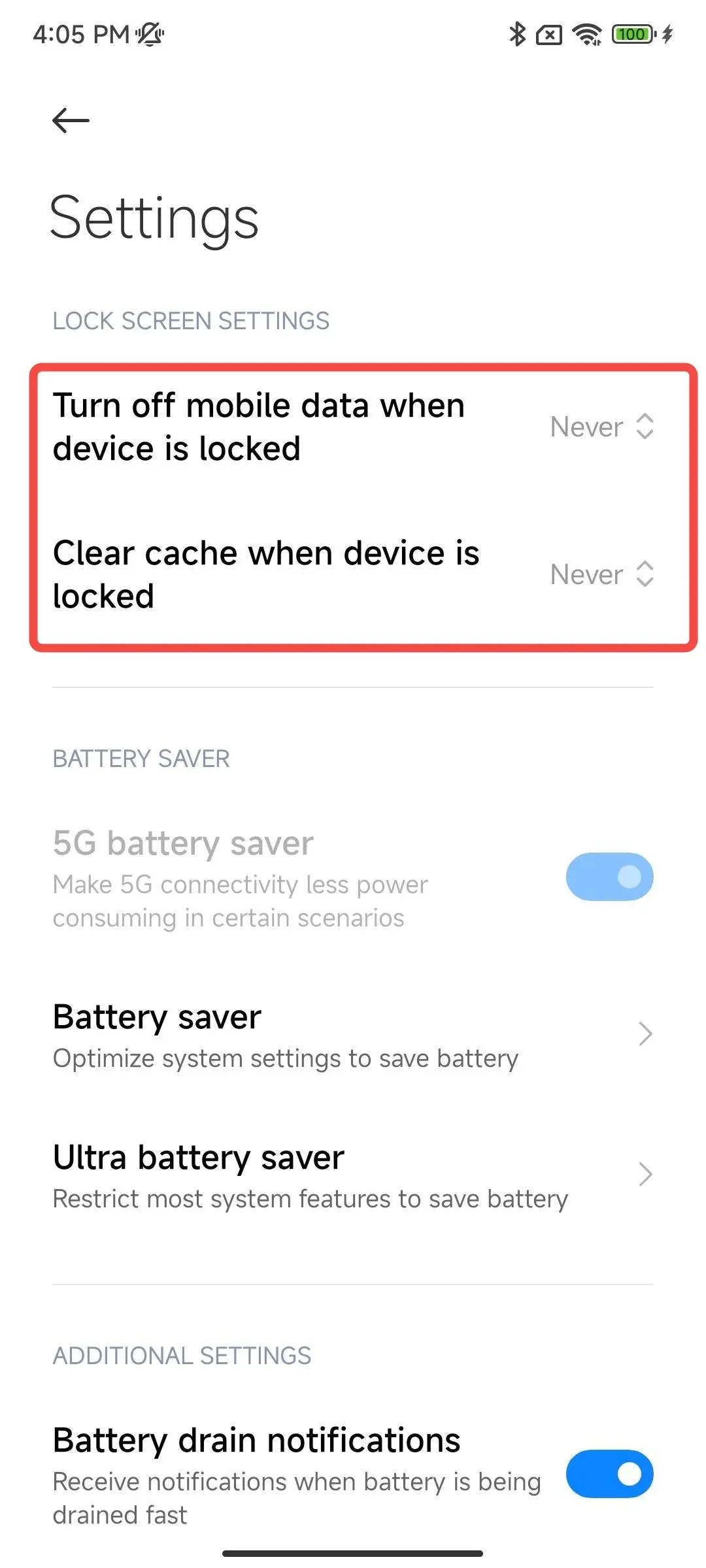
- Set never disconnect data and never clear memory when locked Open 【Settings】→ Search for “Battery” → Tap the settings icon in the top right corner → Find 【Turn off mobile data when device is locked】【Clear cache when device is locked】→ Set to “Never”
- Lock app in background Swipe up from the bottom of the screen to open the recent apps screen → Long press “PlugOS” → Tap “Lock”
4. vivo/iQOO Phones
- Enable auto-start permission Open 【Settings】→ Search for “Autostart” → Tap to enter “Autostart” → Find “PlugOS” and tap to enter → Toggle the switch to enable
- Allow high background power consumption Open 【Settings】→ Search for “Background power consumption management” → Find “PlugOS” and tap to enter → Select “High background power usage”
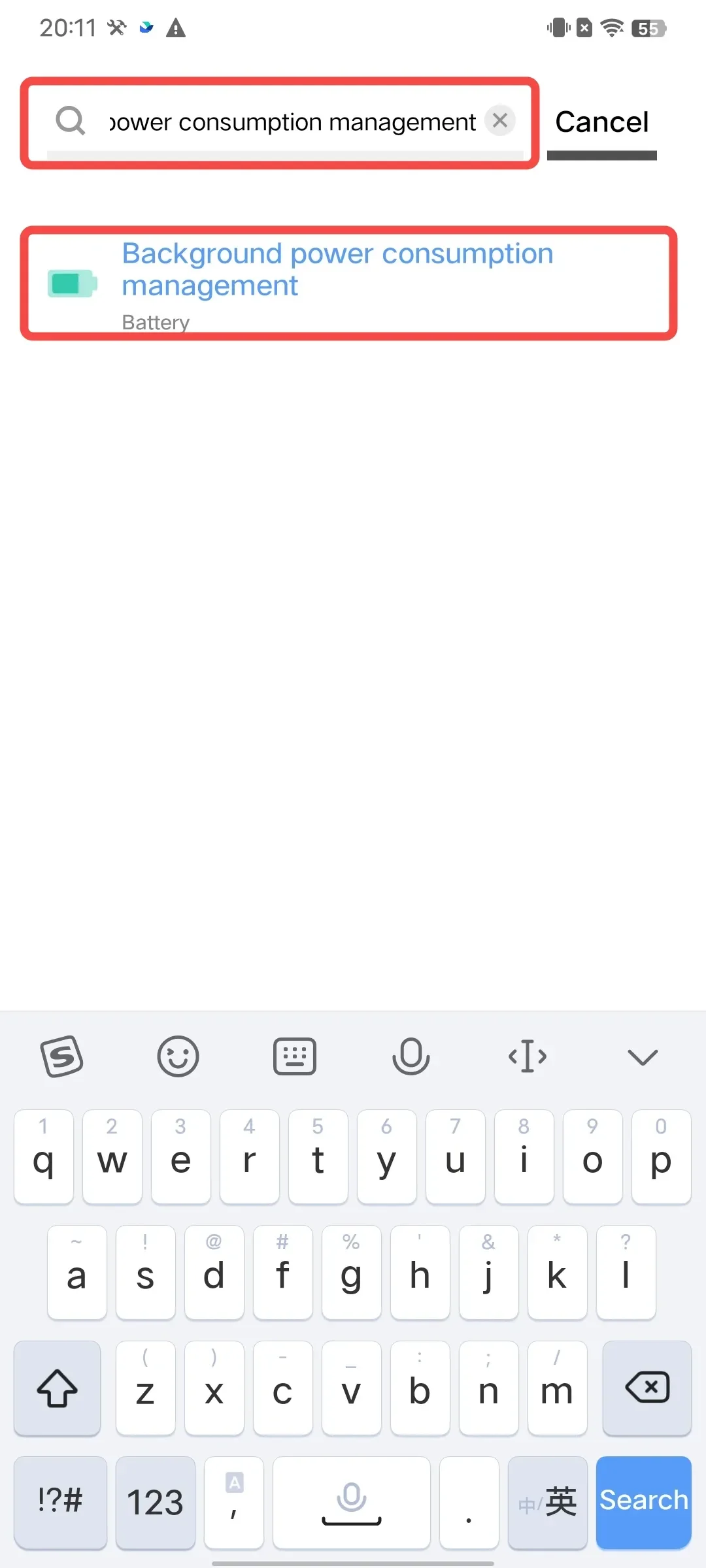
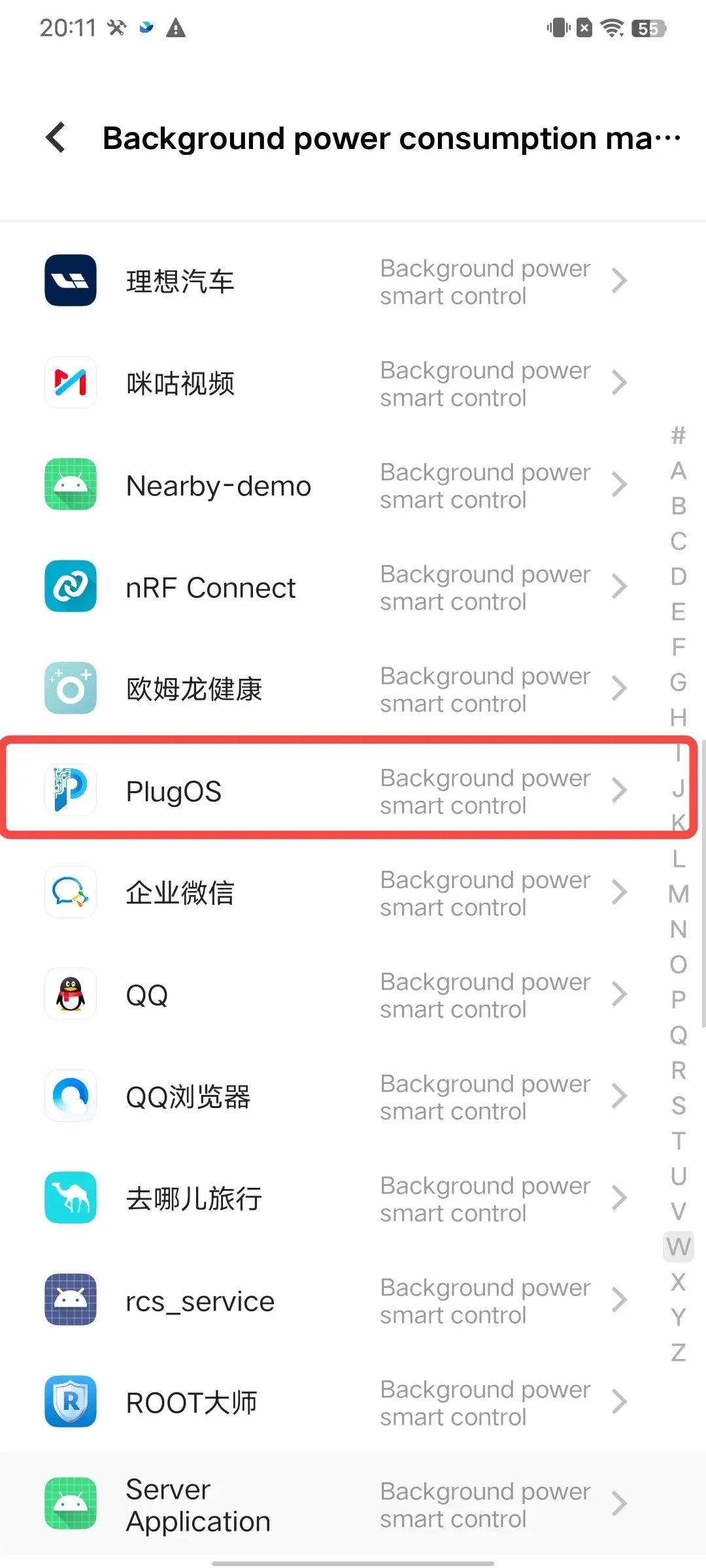
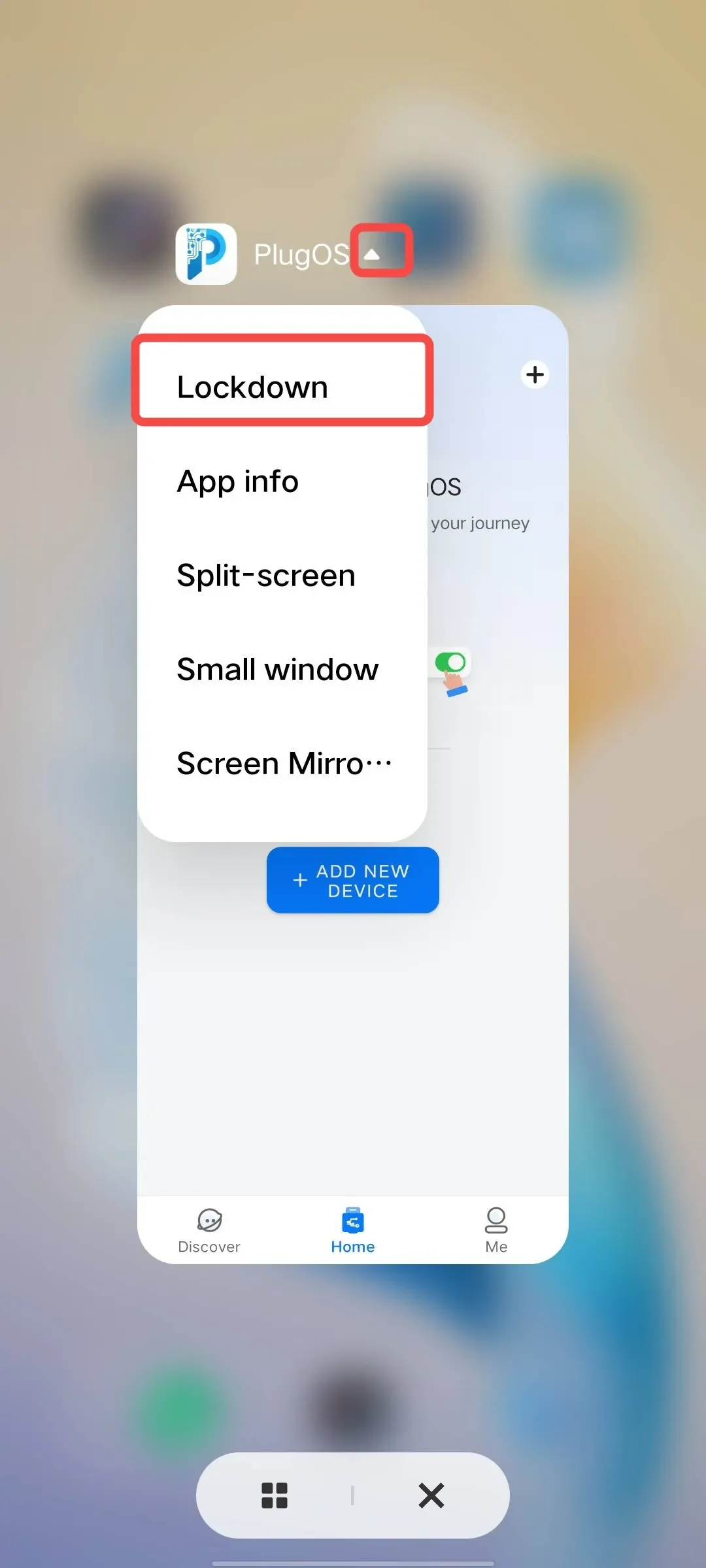
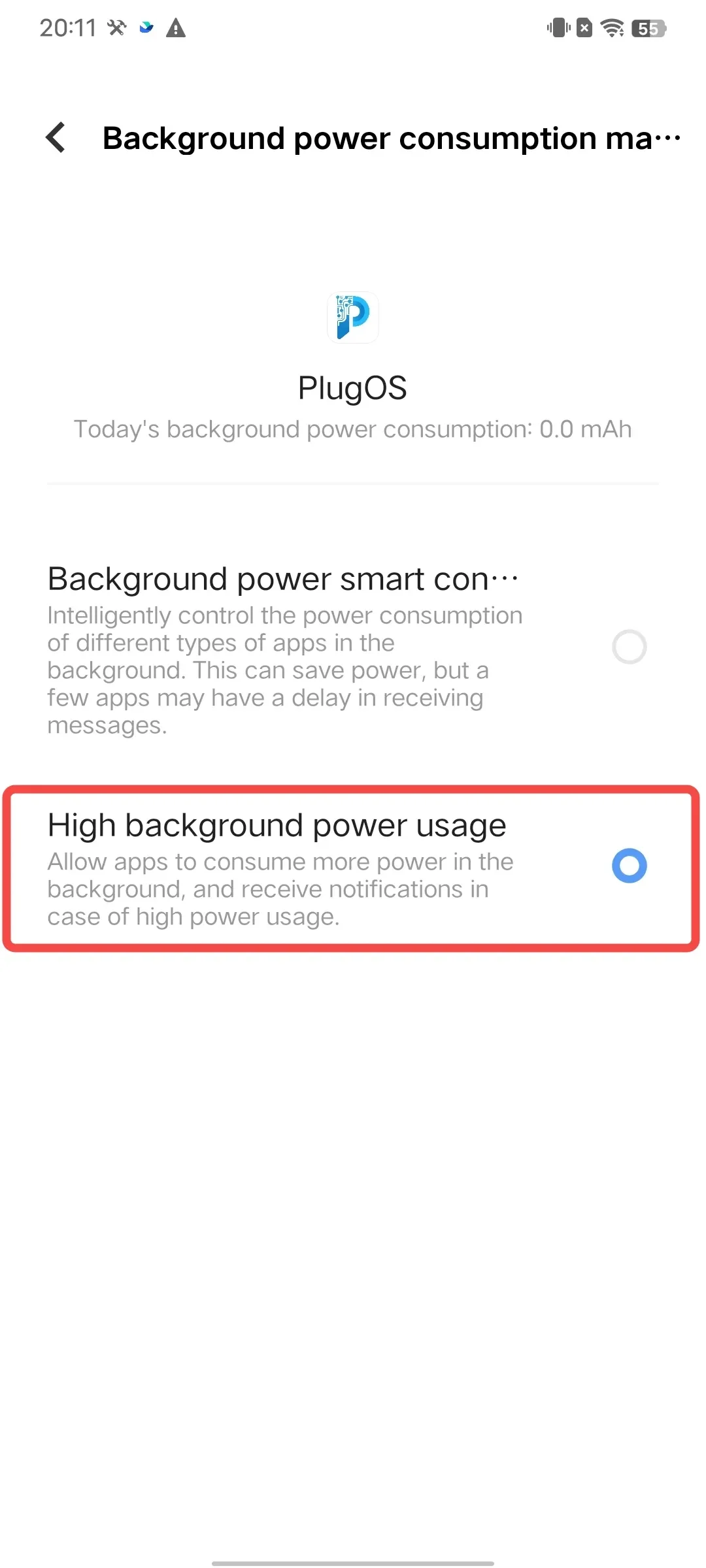 3. Lock app in background Swipe up from the bottom of the screen to open the recent apps screen → Tap the “▲” icon in the top right corner of “PlugOS” → Tap “Lockdown”
5. Samsung Phones
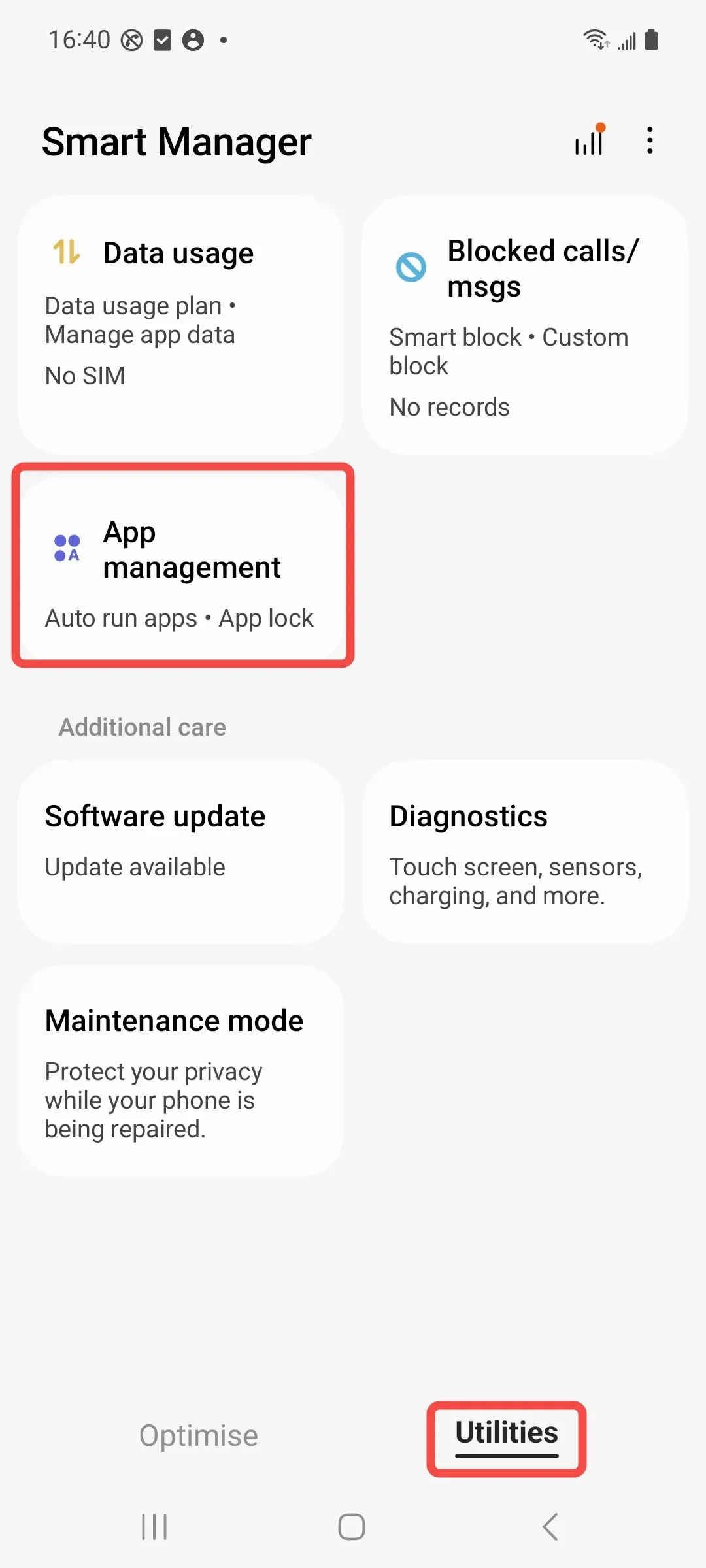
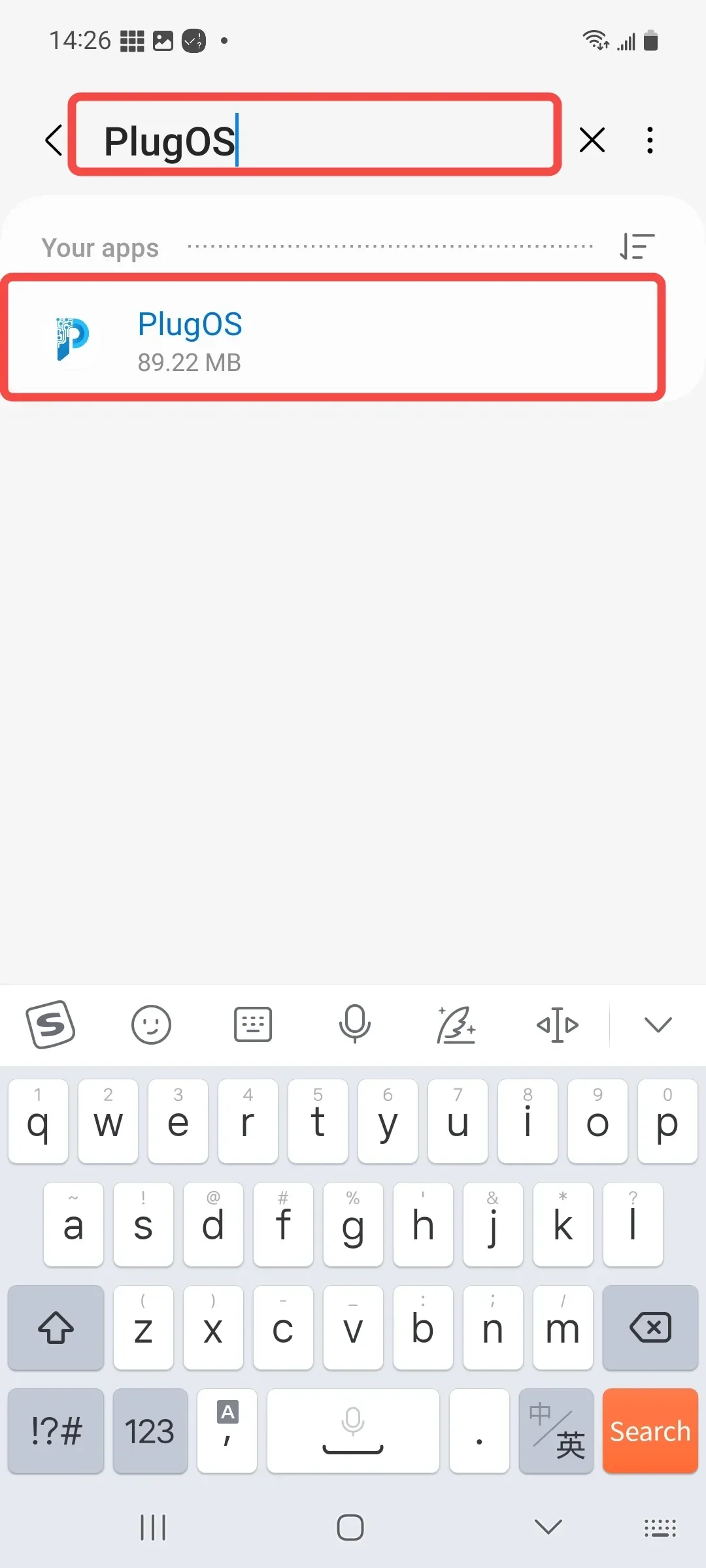
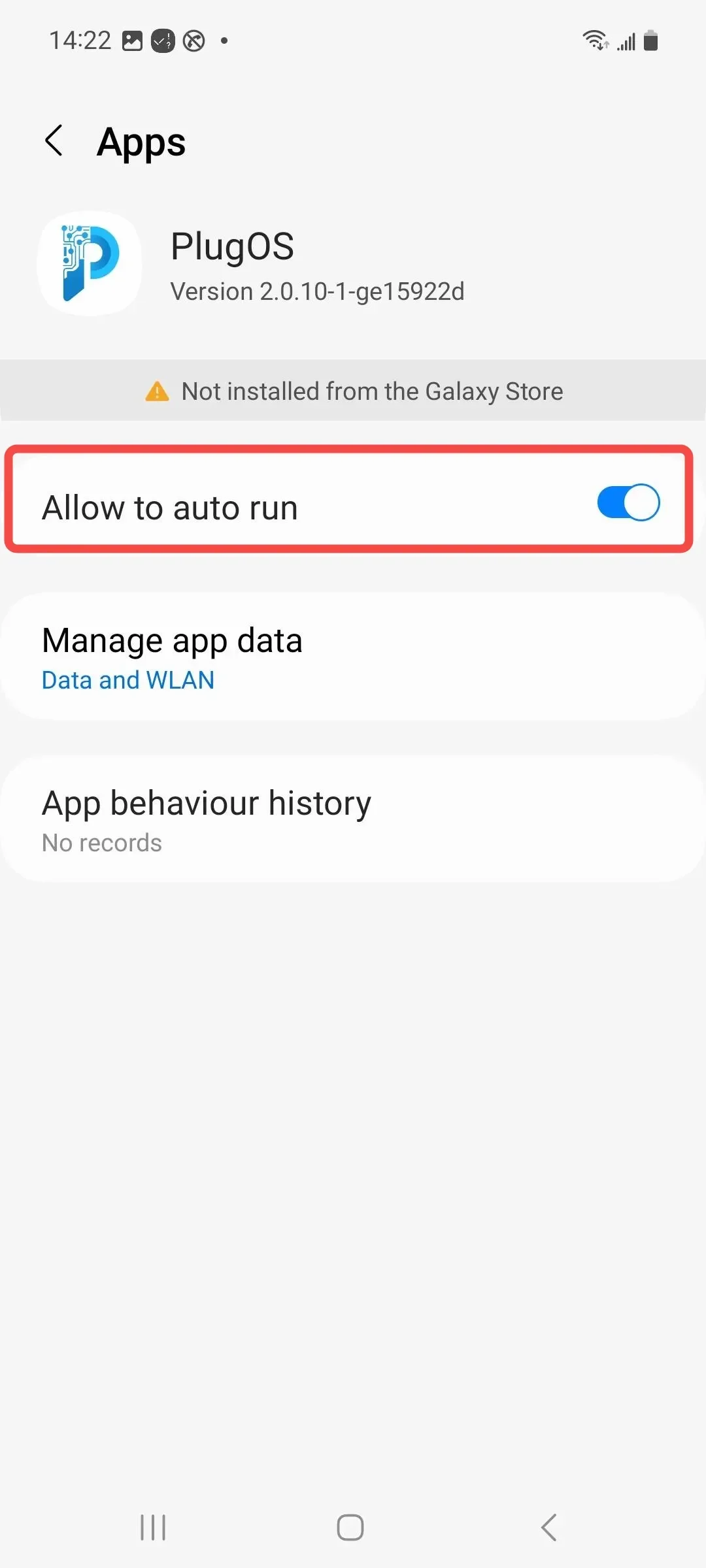
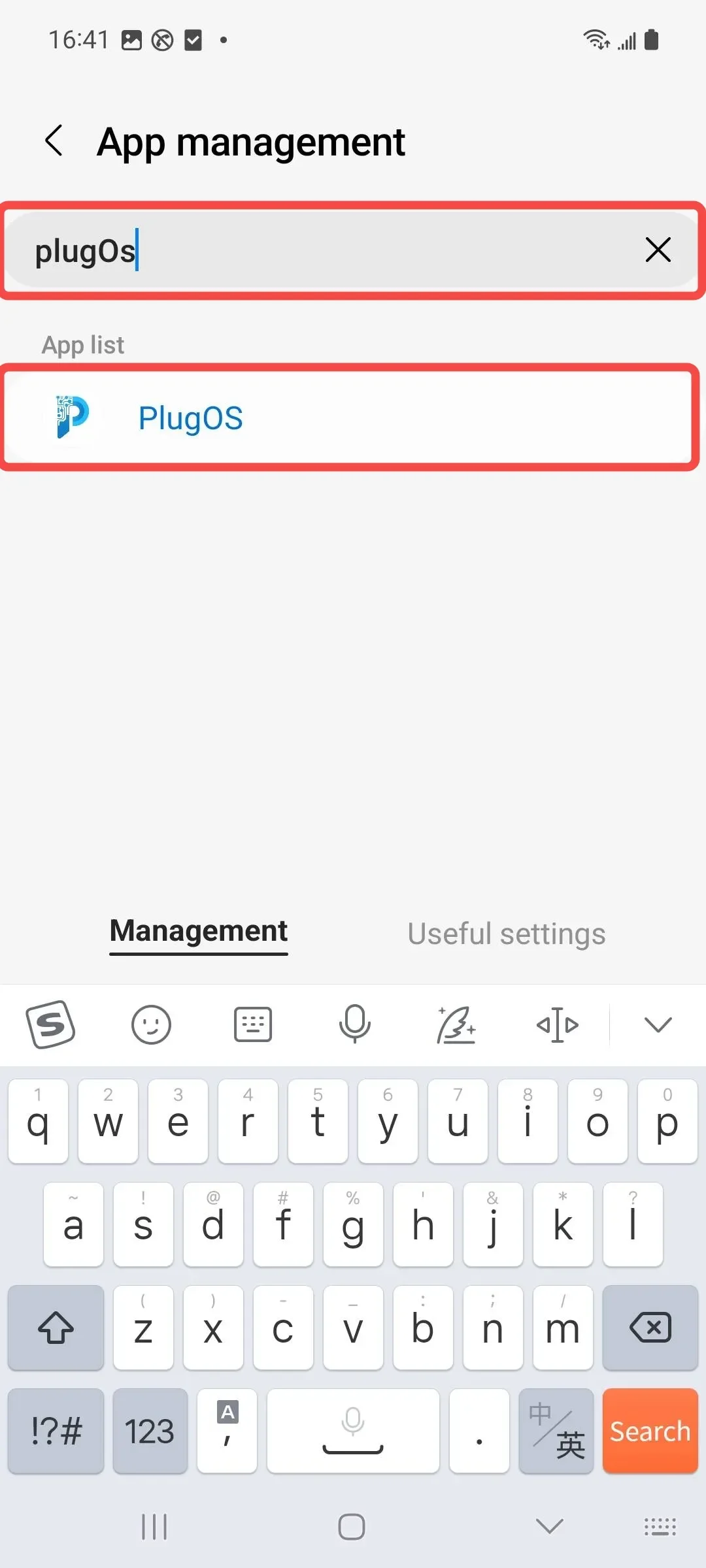
- Enable auto-launch permission Open the “Smart Manager” app → Tap to enter 【Utilities】→ Tap to enter “APP management” → Search and find “PlugOS” and tap to enter → Tap to enable “Allow to auto run”
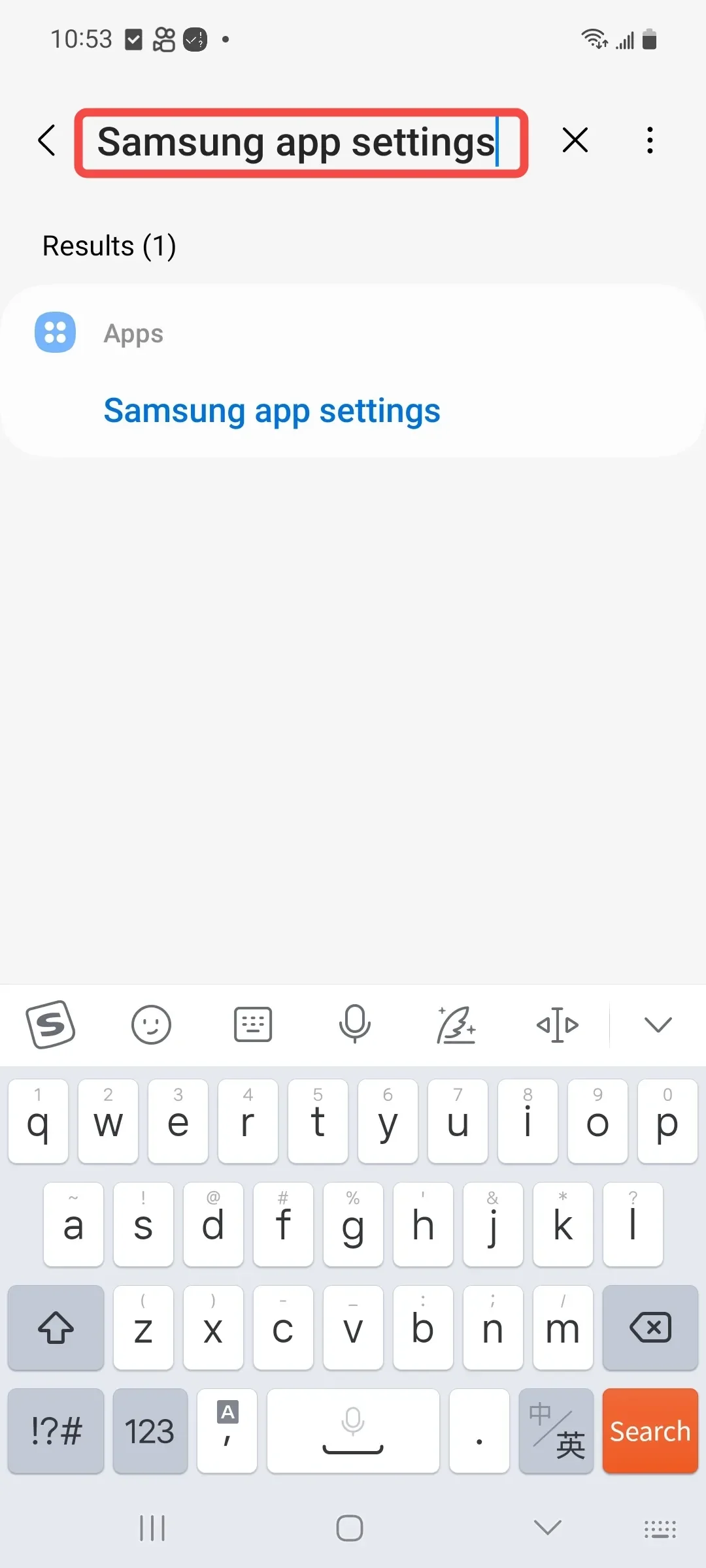
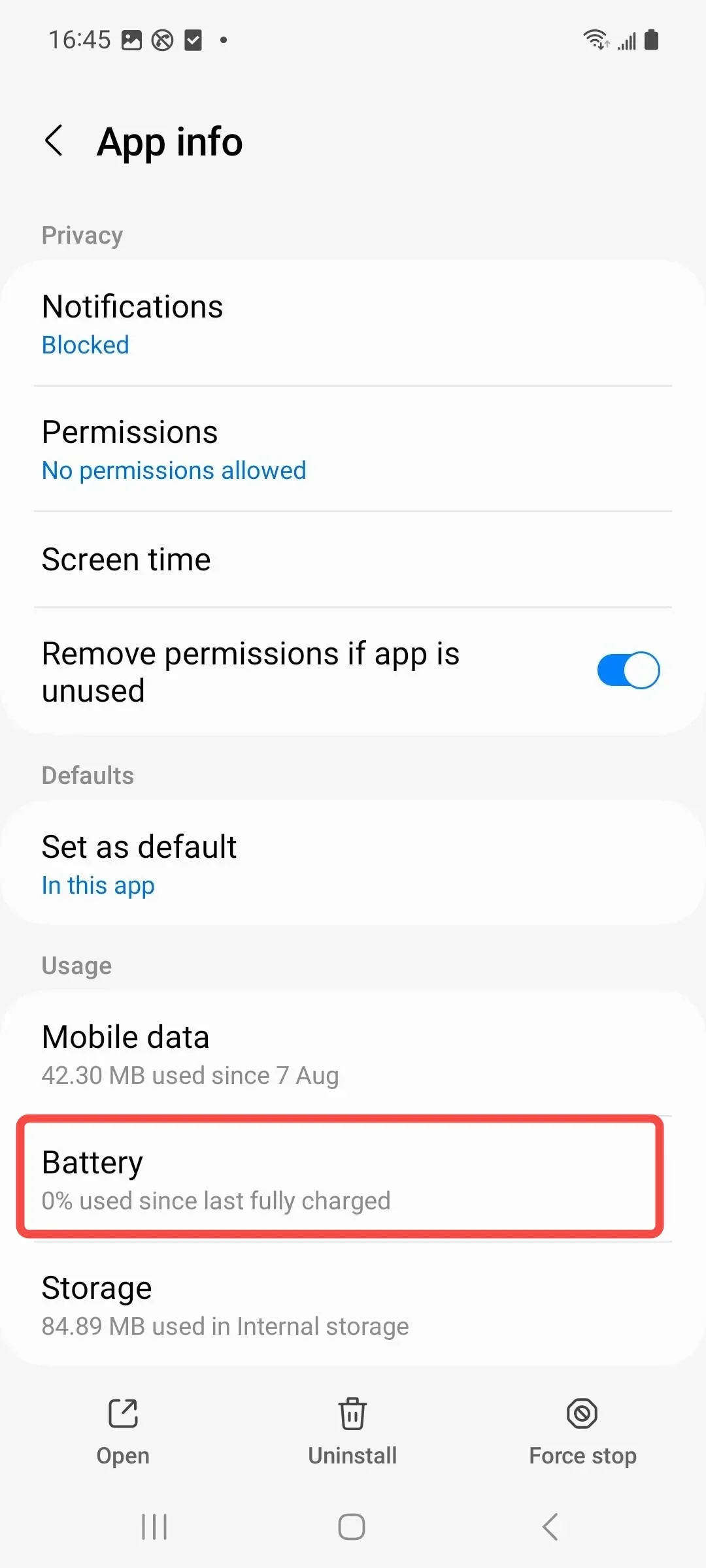
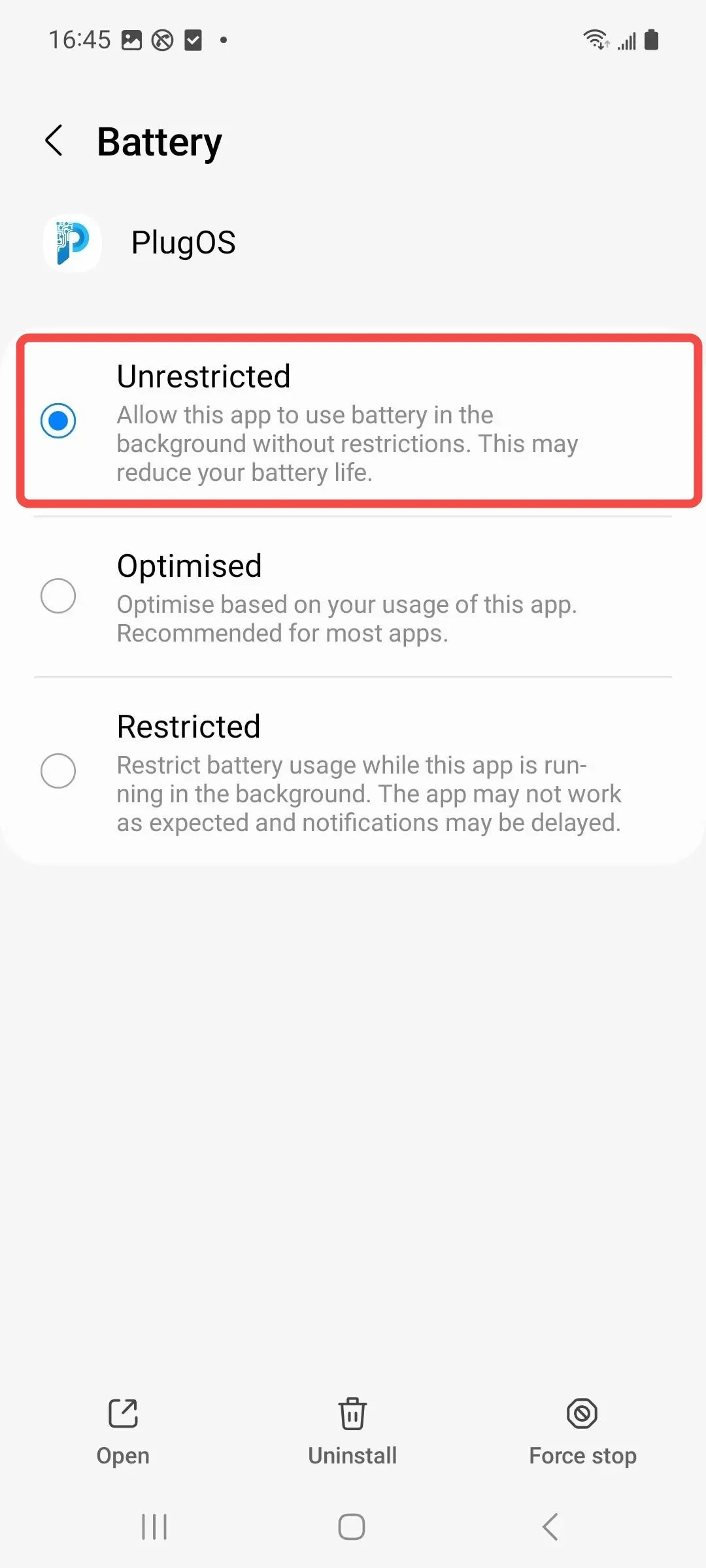
- Disable battery optimization Open 【Settings】→ Search for “Samsung app settings” → Find “PlugOS” and tap to enter → Tap “Battery” → Select “Unrestricted”
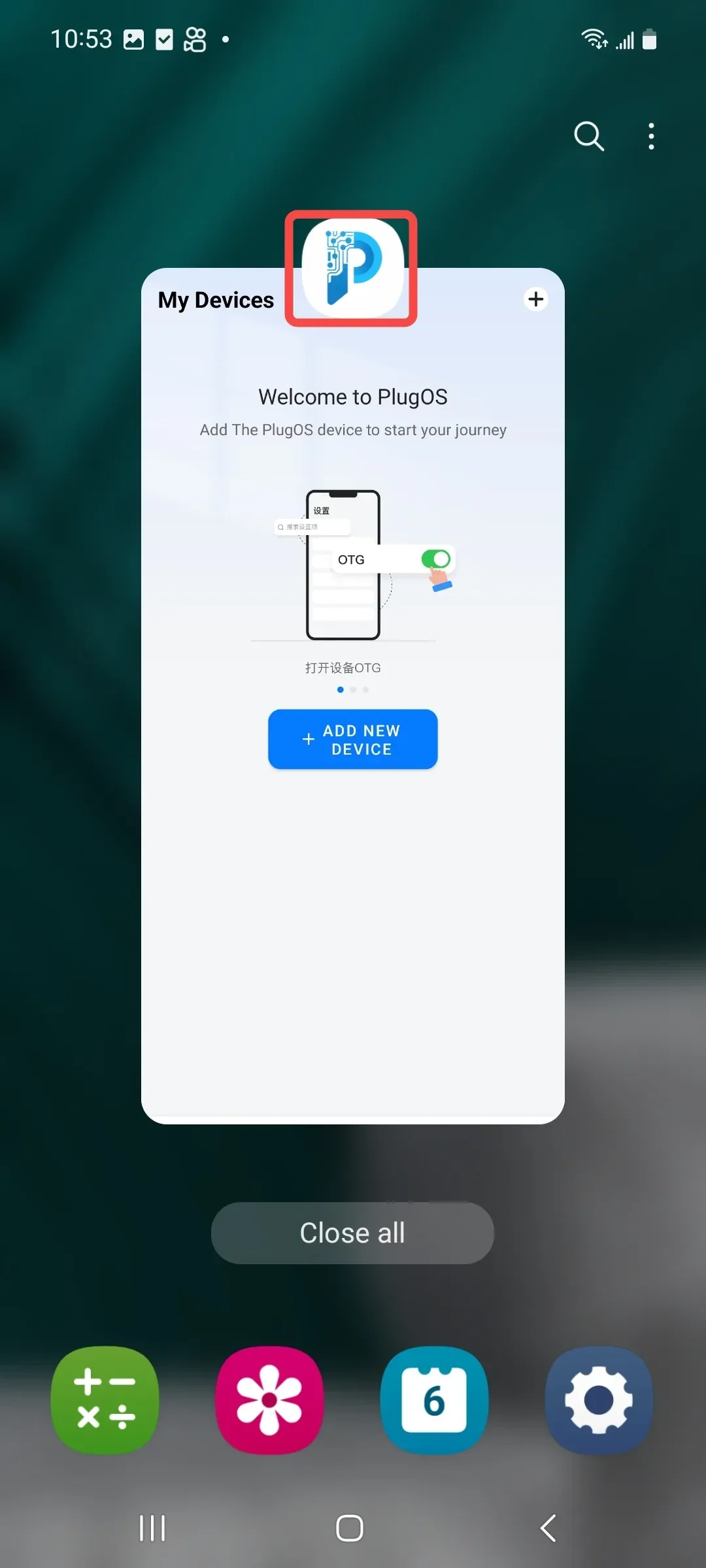
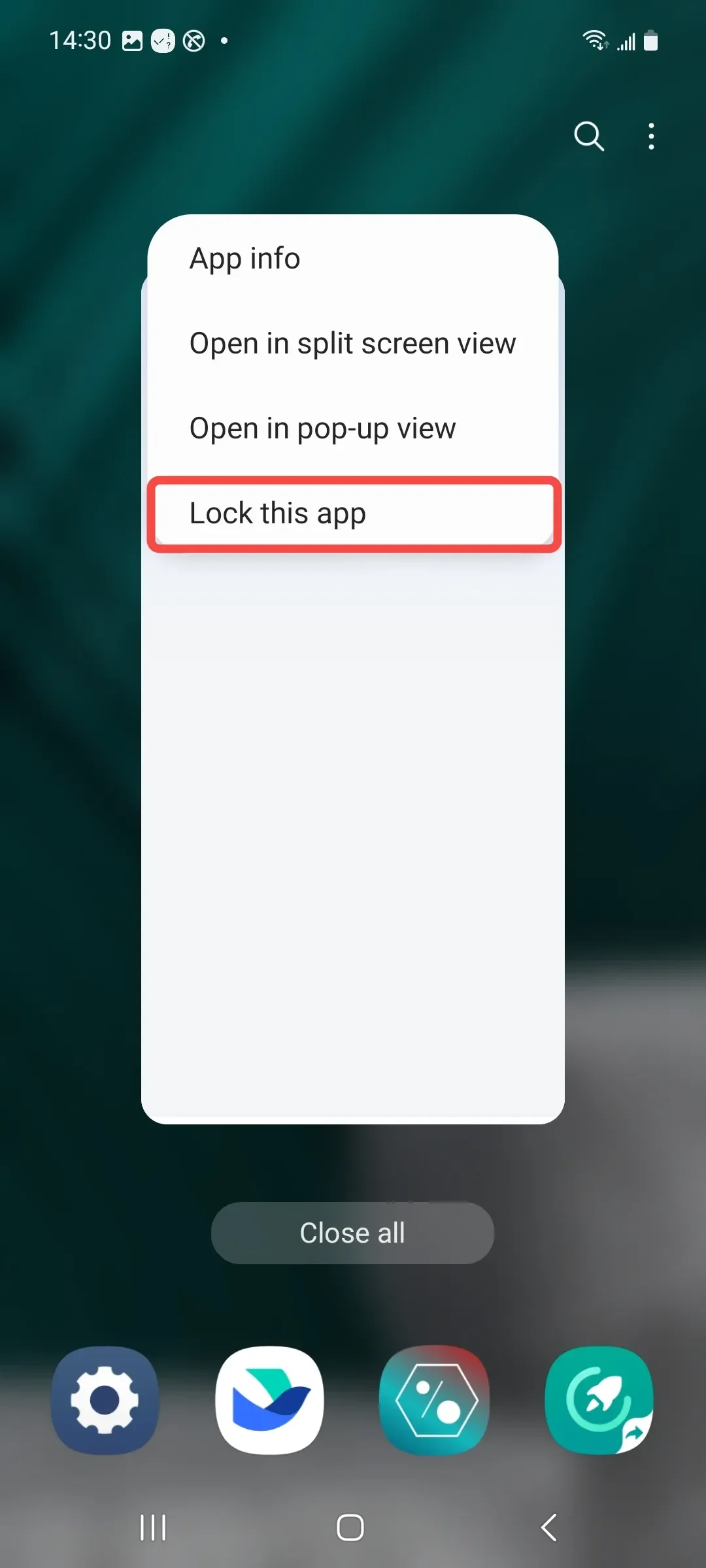
- Lock app in background Swipe up from the bottom of the screen to open the recent apps screen → Tap the icon above “PlugOS” → Tap “Lock this app”
Subscribe: Get latest security insights and exclusive updates early
 PlugMate — Smart & Portable Privacy-Controlled Device
Secure, Ad-free, Tracking-free, No Telemetry
Copyright © 2024-2026 TrustKernel
Privacy Policy | User Service Agreement