How Credits and Records Work
Conversations and other model-based features consume credits. In the English payment flow, recharge orders are paid through Stripe by entering an email address and supported card details. The amount charged and credits received are shown before checkout and should be treated as the final order information.
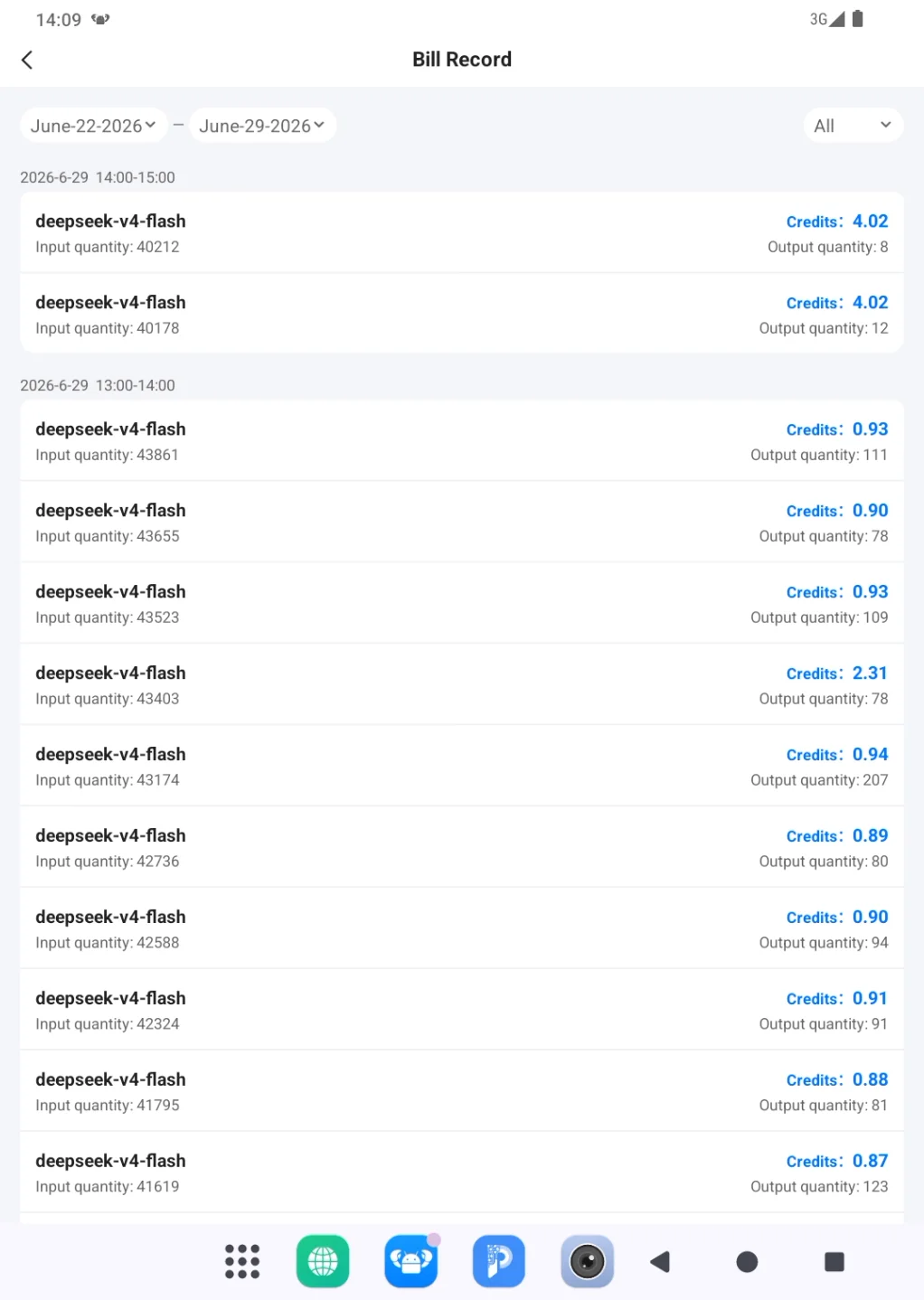
Billing confirms whether a recharge was credited to the account. Bill Record explains where credits were used, including the model, input quantity, output quantity, and credit charge for individual calls. Model multipliers affect consumption; see Account Login and Model Settings when comparing model cost and purpose.
Recharge is a payment operation. Before continuing to Stripe, review the amount, credit quantity, payment page, and account. After paying, return to PlugClaw and check the balance and recharge record before attempting another payment.
Recharge Credits Through Stripe
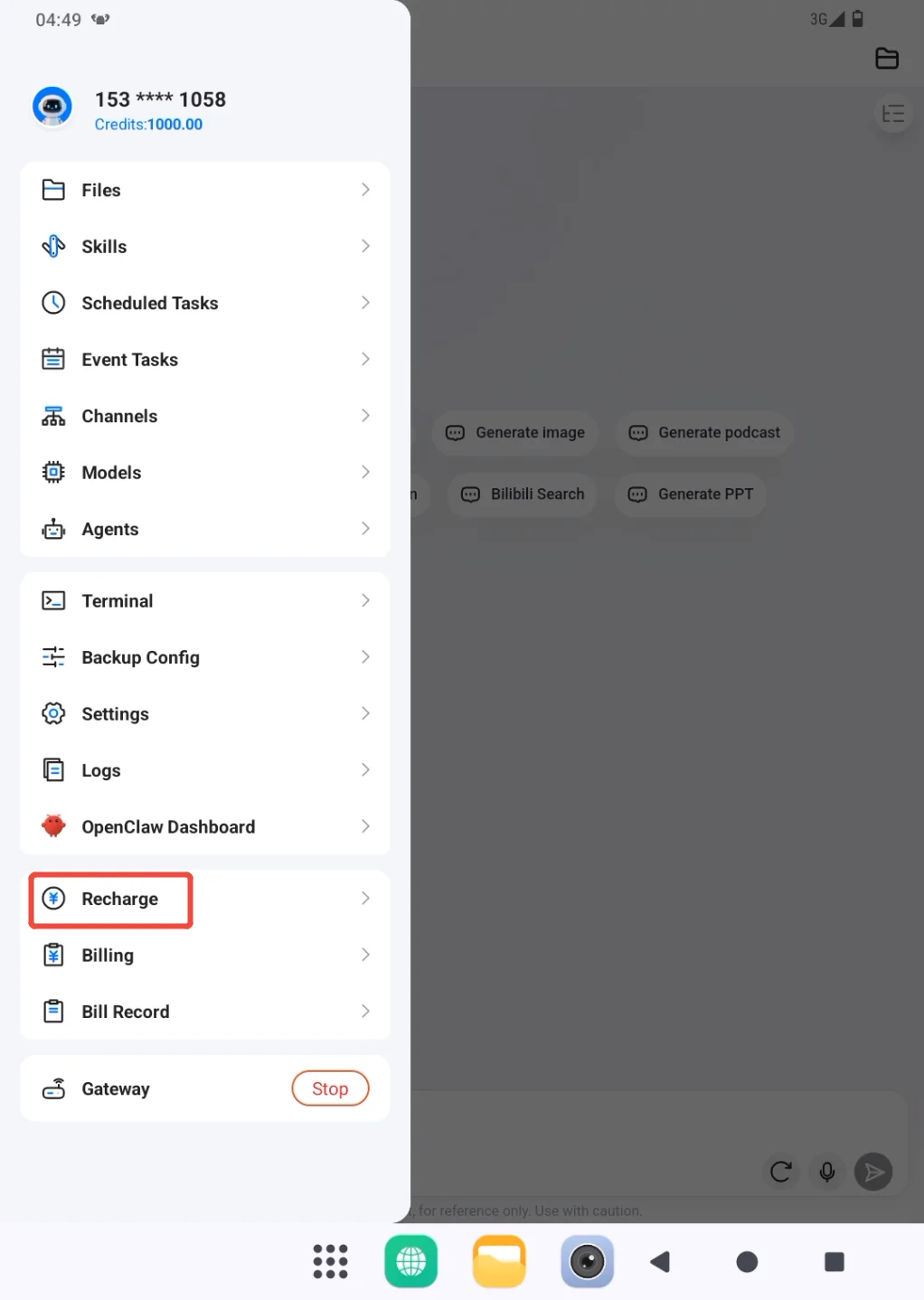
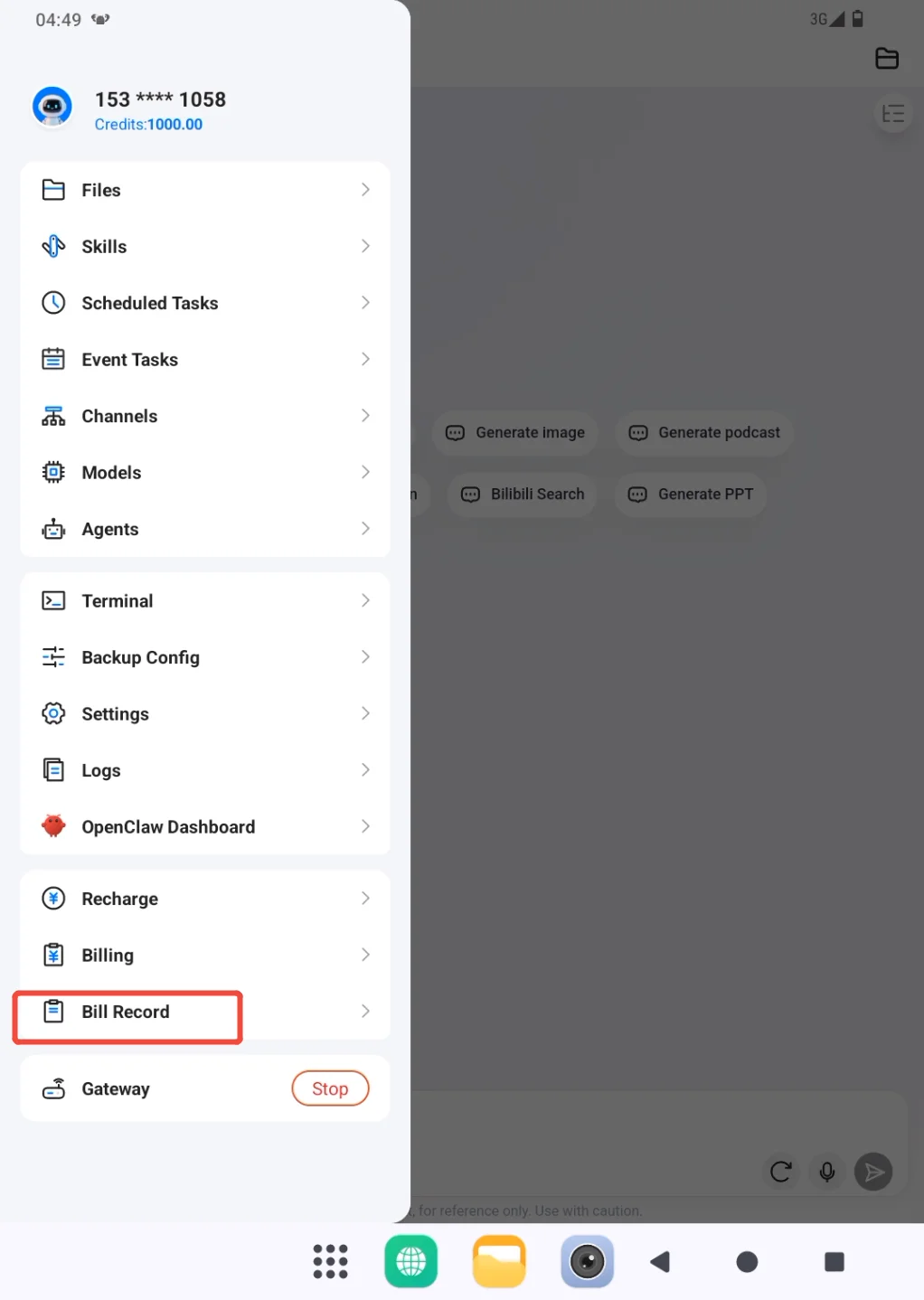
- Open the sidebar from the profile entry and go to Recharge.
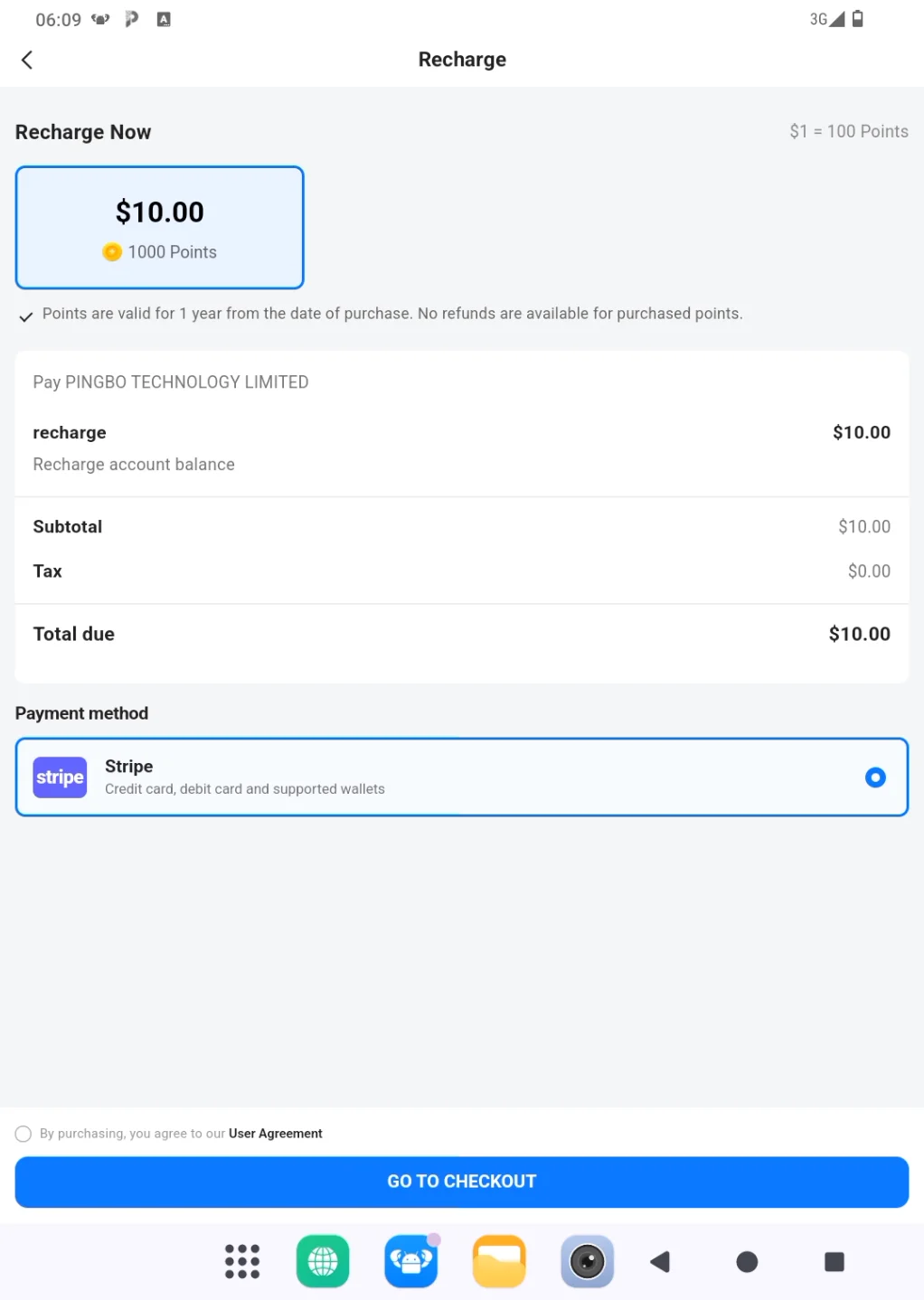
- Select the recharge amount and review the order summary. Confirm that the amount and number of credits are correct, choose Stripe, read and accept the User Agreement, then continue with GO TO CHECKOUT.
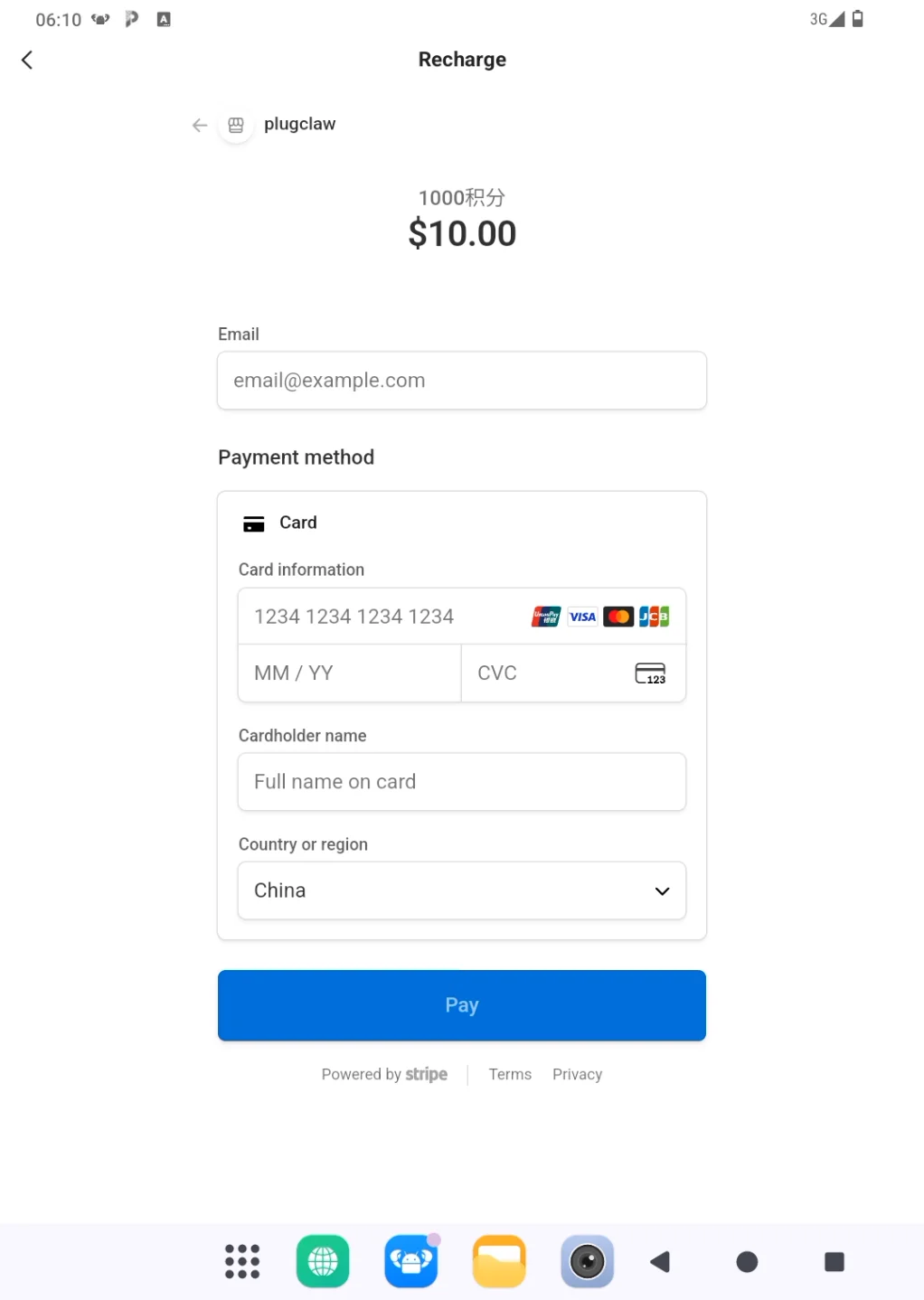
- On the Stripe checkout page, verify the merchant and amount again. Enter the email address, supported card information, cardholder name, and country or region, then choose Pay. Use a trusted network and do not share the card details or checkout page with another person.
After payment, return to PlugClaw and check whether the credit balance has increased. If it has not updated immediately, wait briefly and review the payment record before trying again.
Check Recharge and Credit Usage
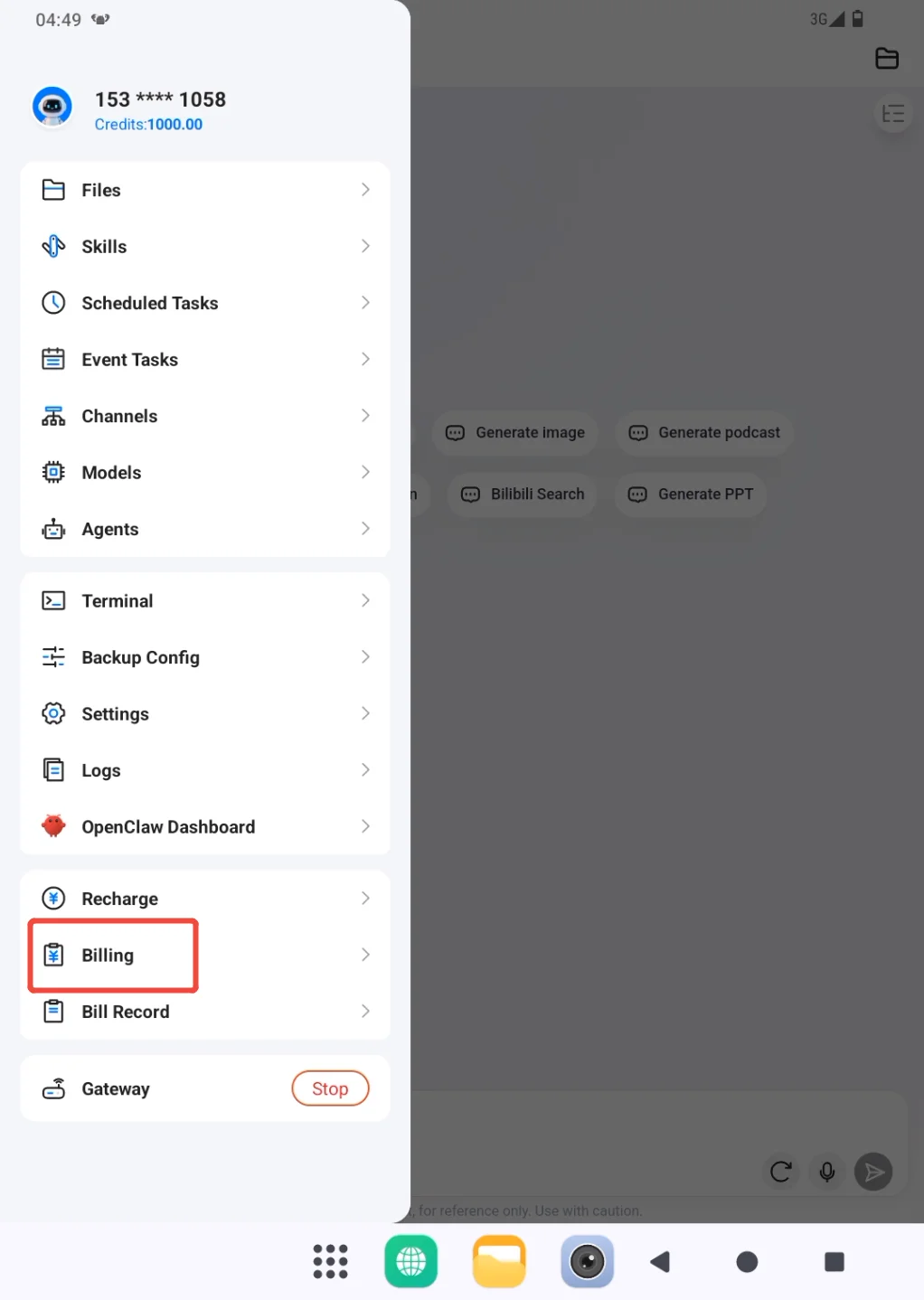
Open the sidebar and go to Billing to review recharge orders and confirm whether the latest payment was credited successfully.
Open Bill Record when you need to understand credit consumption.
Filter the page by date range or type as needed. Each record identifies the model, input quantity, output quantity, and credits charged, which helps show which tasks and models account for most usage.
If the card was charged but the recharge record remains missing, keep the Stripe receipt, payment time, and order details, then report the issue through Settings > Feedback. Do not make a second payment merely to test whether the first one worked.
 PlugOS — Privacy isn't an option. It's the foundation
Secure, Ad-free, Tracking-free, No Telemetry
