Feature Overview
Notifications are used in PlugClaw to send reminders to the Android device, and can also be observed through partial event output in the terminal CLI.
Supported Capabilities
Android notifications can be sent from the conversation. The terminal CLI supports listening to event streams through events listen; the current examples include notification and battery_low. After an event is detected, the terminal outputs the event type, event data, and timestamp in JSON format.
Usage Examples
Send a Notification
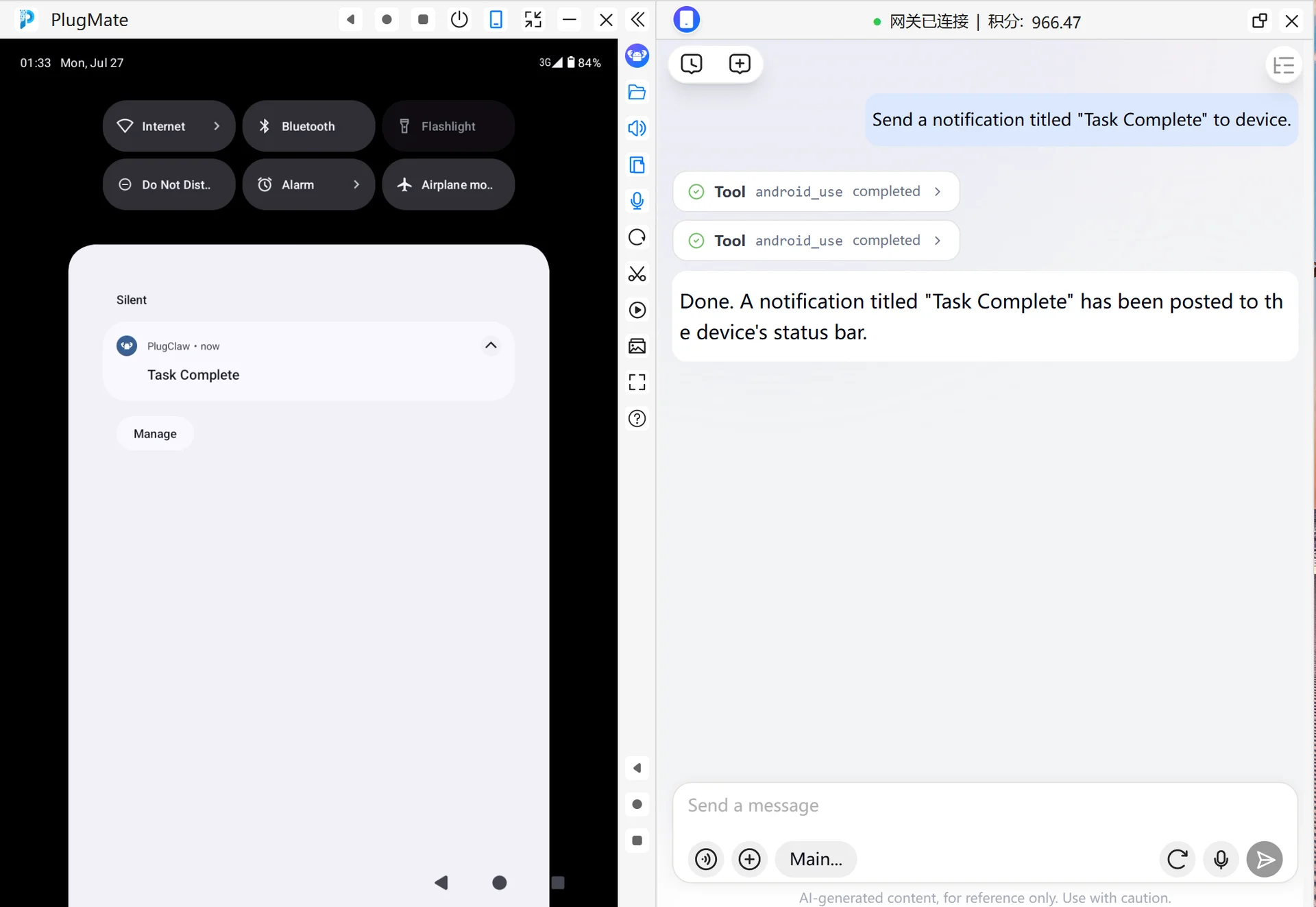
When you need to display a reminder on the device, you can send an Android notification. Describe the notification title, and add notification content if needed.
- Enter this in the PlugClaw conversation:
Send a notification titled "Task Complete".
- Pull down the device notification shade and confirm whether the notification is displayed. If you do not see it, check whether the device allows the app to send notifications.
Listen for Notification Events Through the Terminal CLI
When you need to observe whether the device has received notification events, start event listening in the terminal. This is a terminal CLI usage. Listening results are printed in the terminal and do not automatically appear in the conversation window.
- Run this in the terminal:
android-use-cli events listen notification
- Keep the command running. After a notification event is received, the terminal outputs a JSON line containing the event type, event data, and timestamp. When testing is complete, press
Ctrl+Cto stop listening.
 PlugOS — Privacy isn't an option. It's the foundation
Secure, Ad-free, Tracking-free, No Telemetry
