directory
- Go to Discord Developer Portal → Applications → New Application
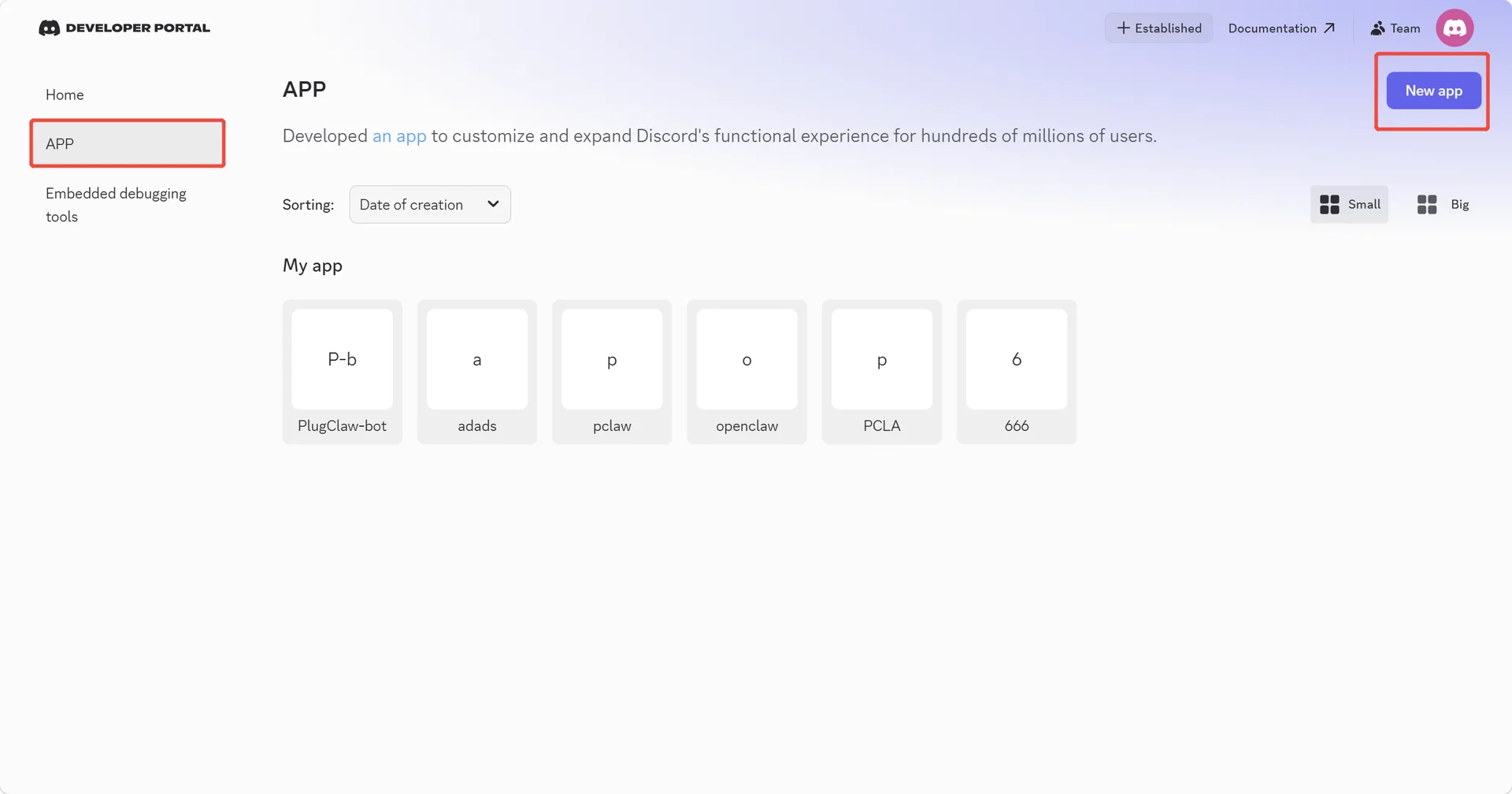
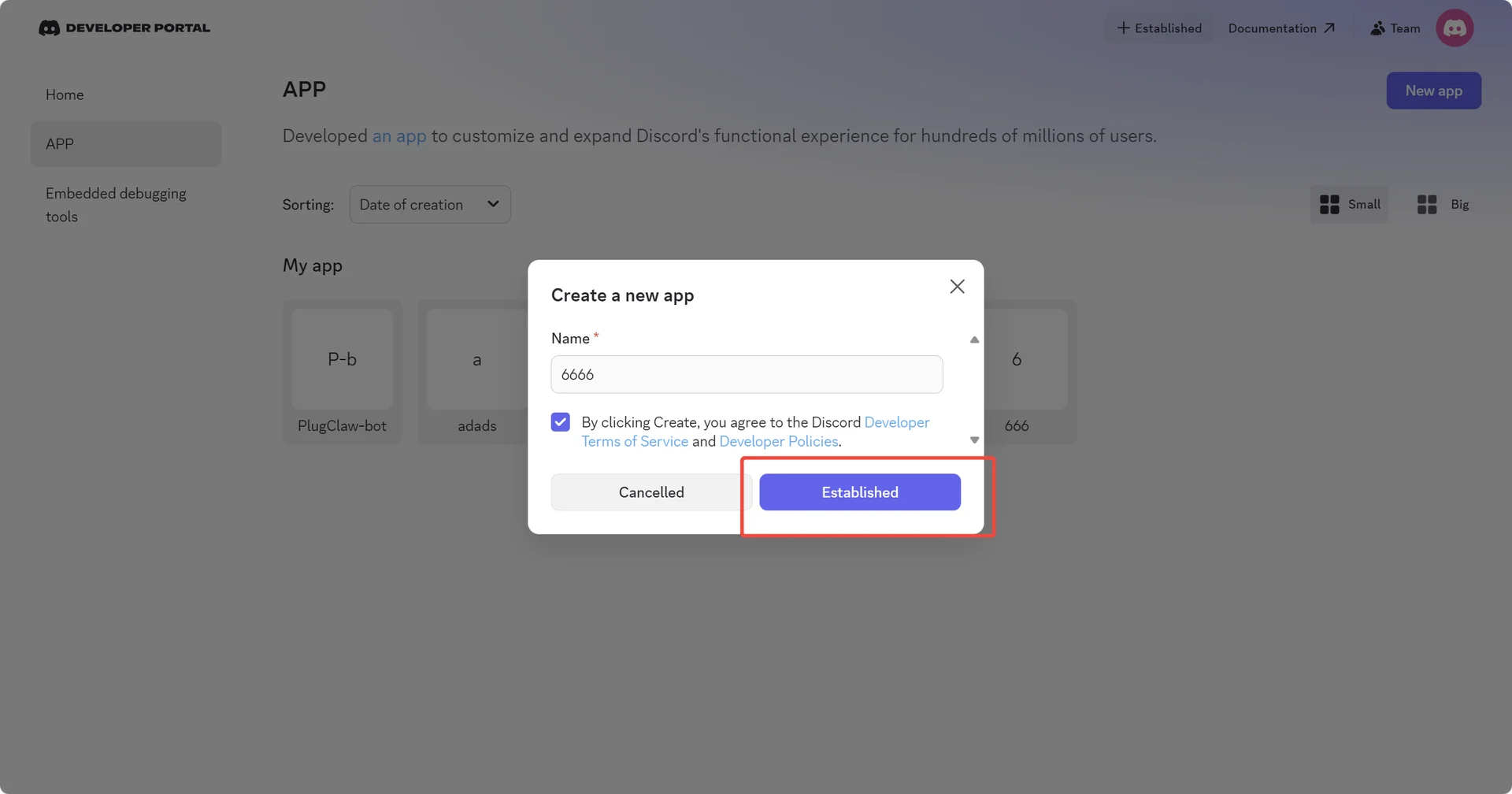
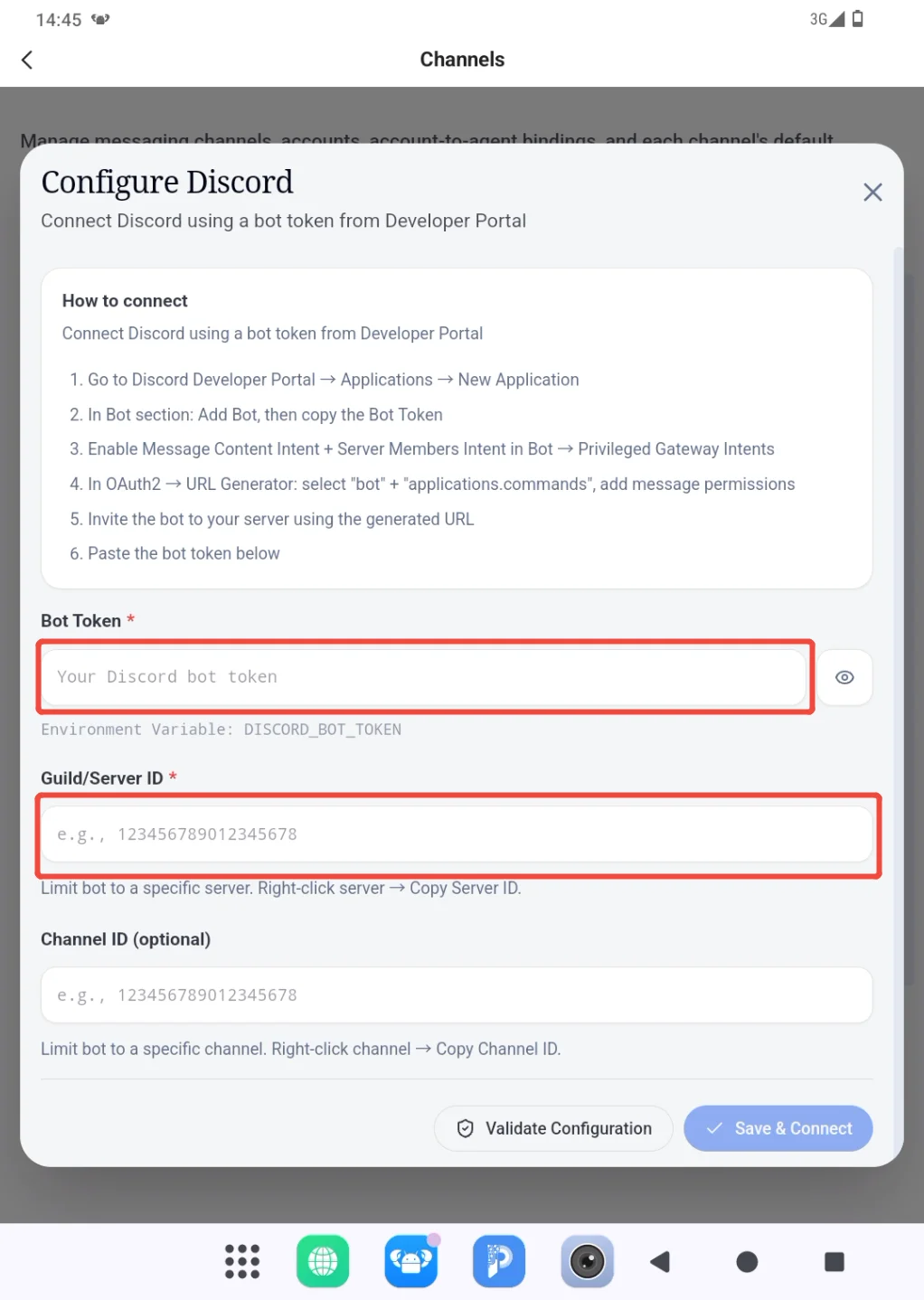
- In Bot section: Add Bot, then copy the Bot Token to the product page and fill in the target server ID.
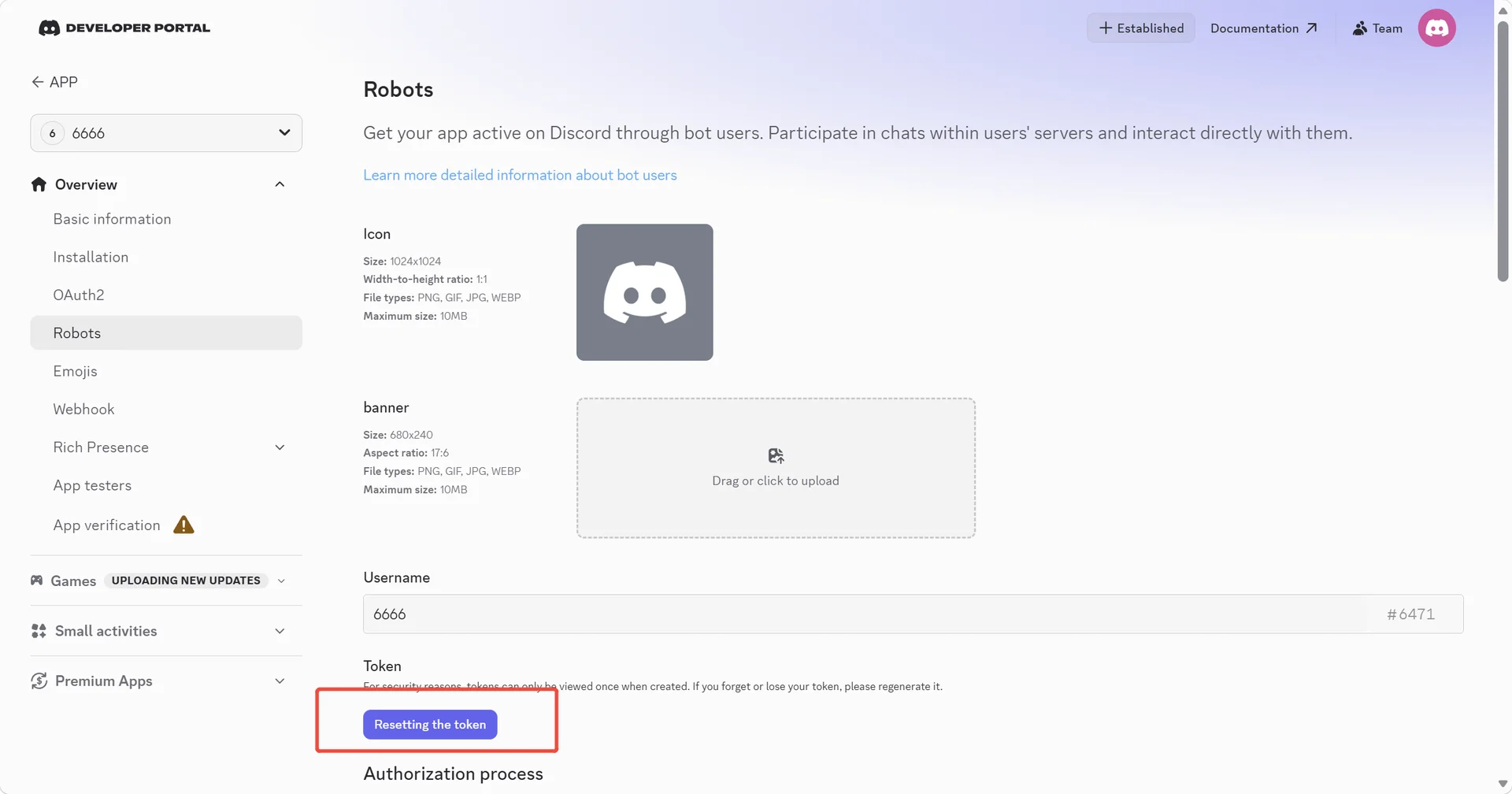
Bot Token
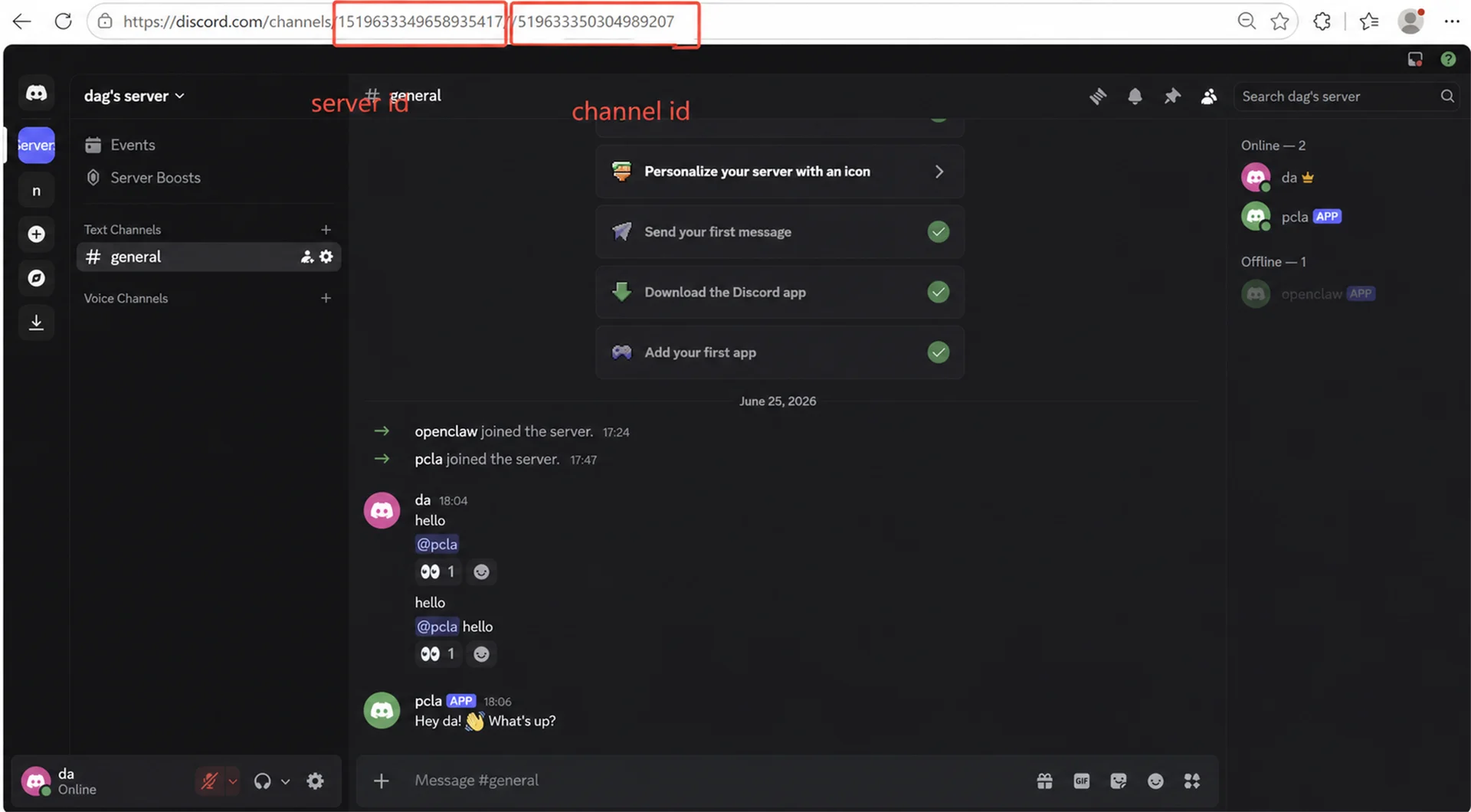
Server ID & Channel ID
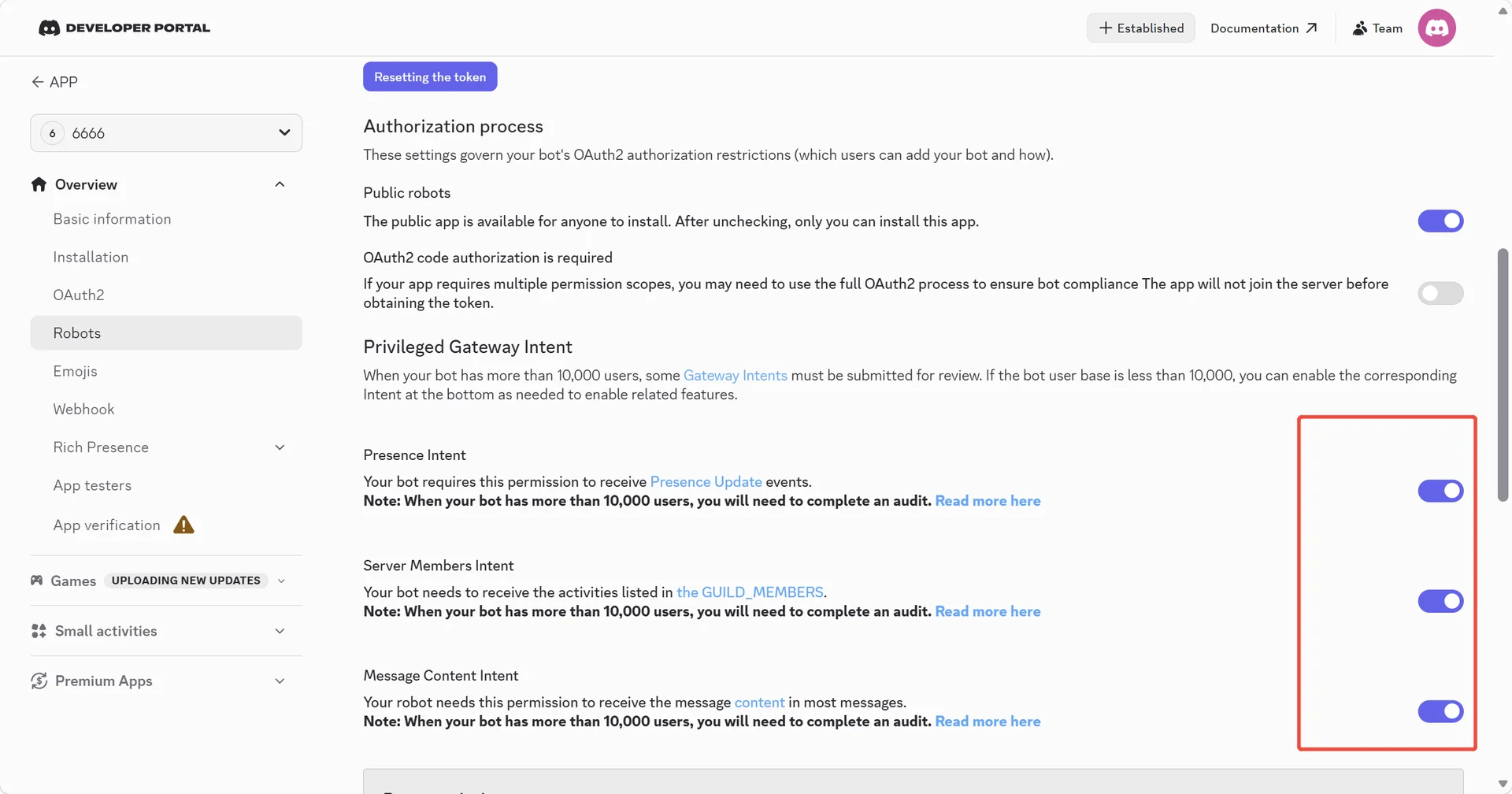
- Enable Message Content Intent + Server Members Intent in Bot → Privileged Gateway Intents
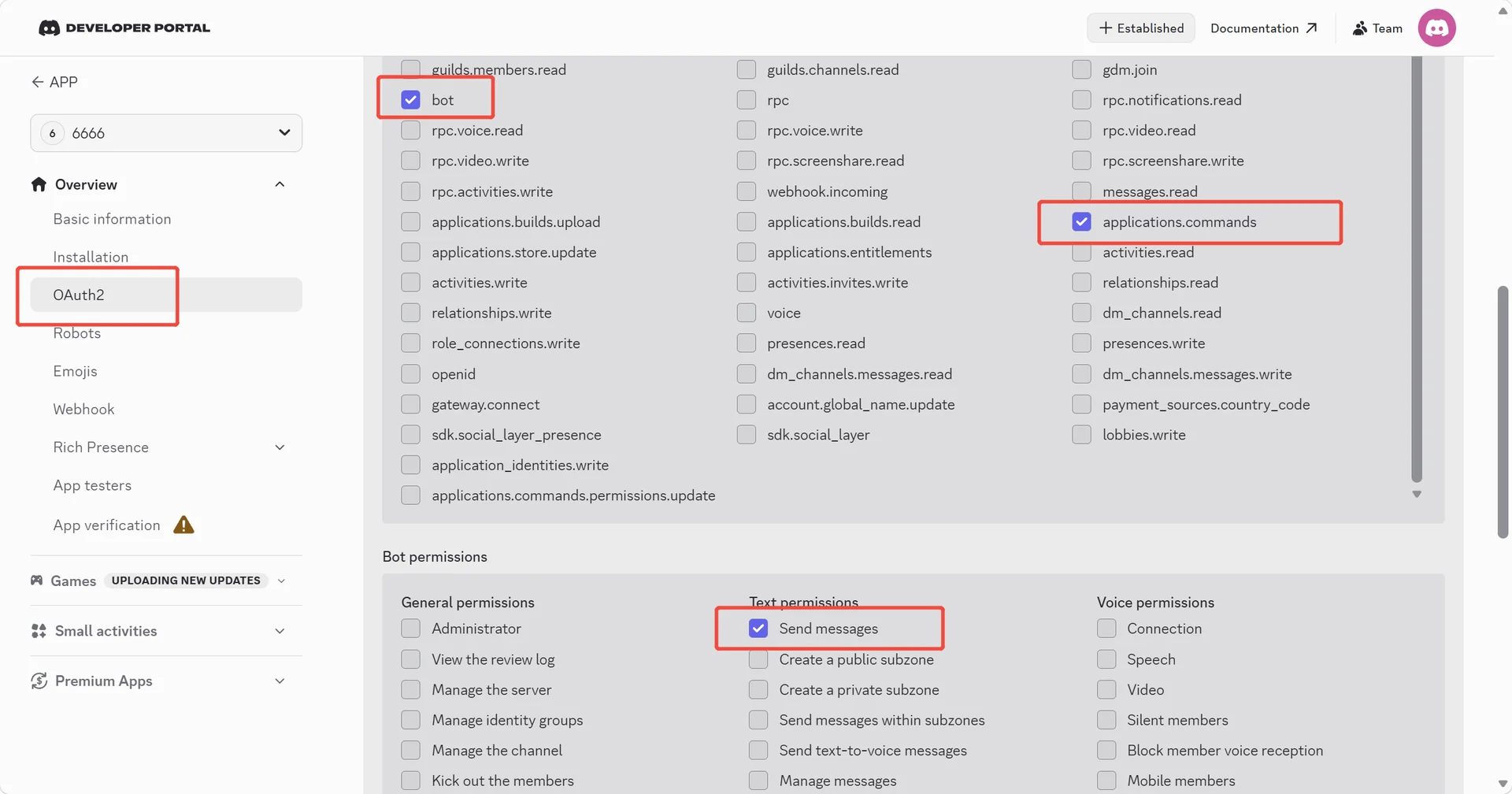
- In OAuth2 → URL Generator: select "bot" + "applications.commands", add message permissions
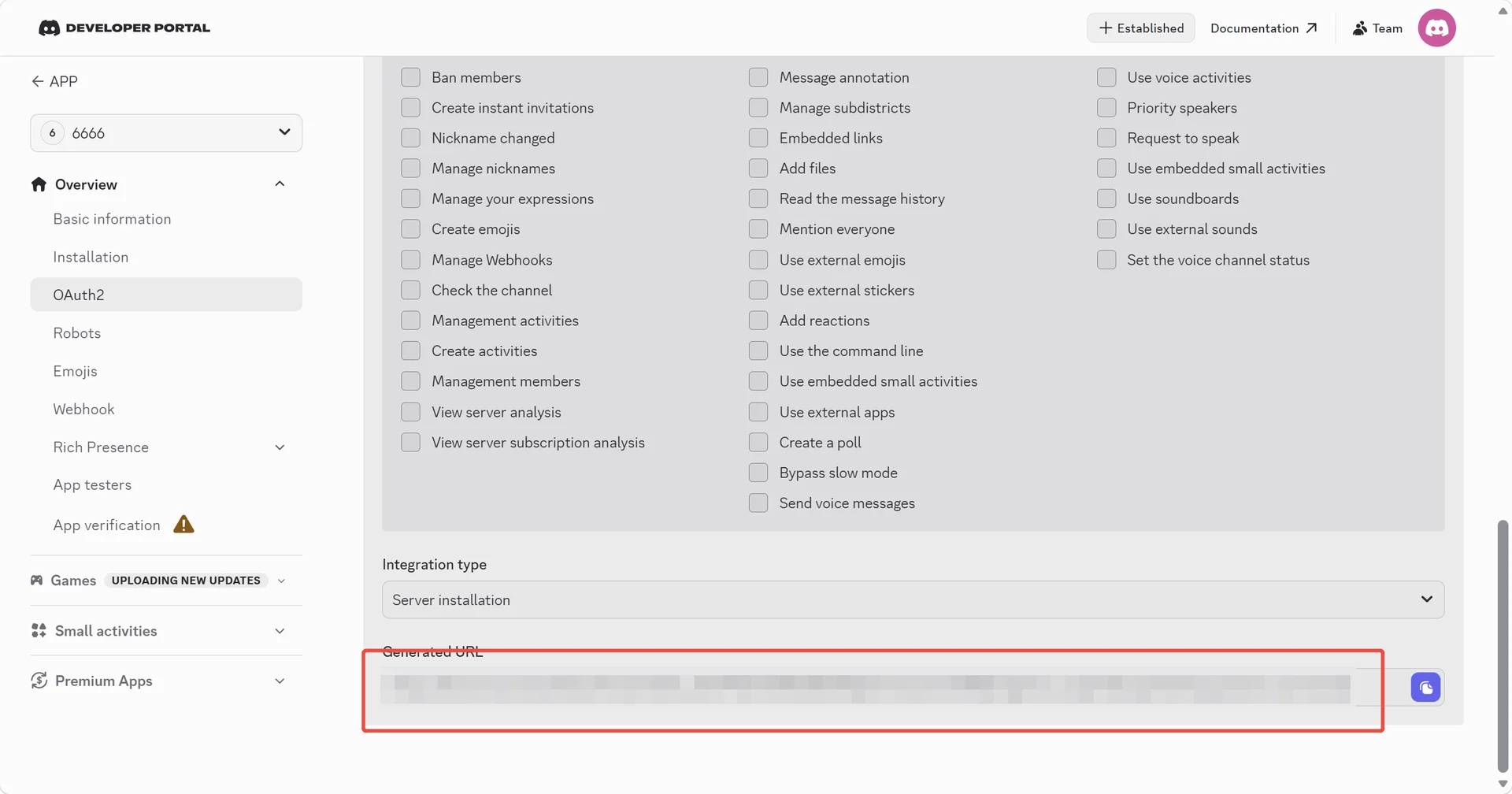
- Invite the bot to your server using the generated URL
Subscribe: Get latest security insights and exclusive updates early
 PlugOS — Privacy isn't an option. It's the foundation
Secure, Ad-free, Tracking-free, No Telemetry
Copyright © 2024-2026 TrustKernel
Privacy Policy | User Service Agreement