directory
English Guide
Step 1: Create a bot
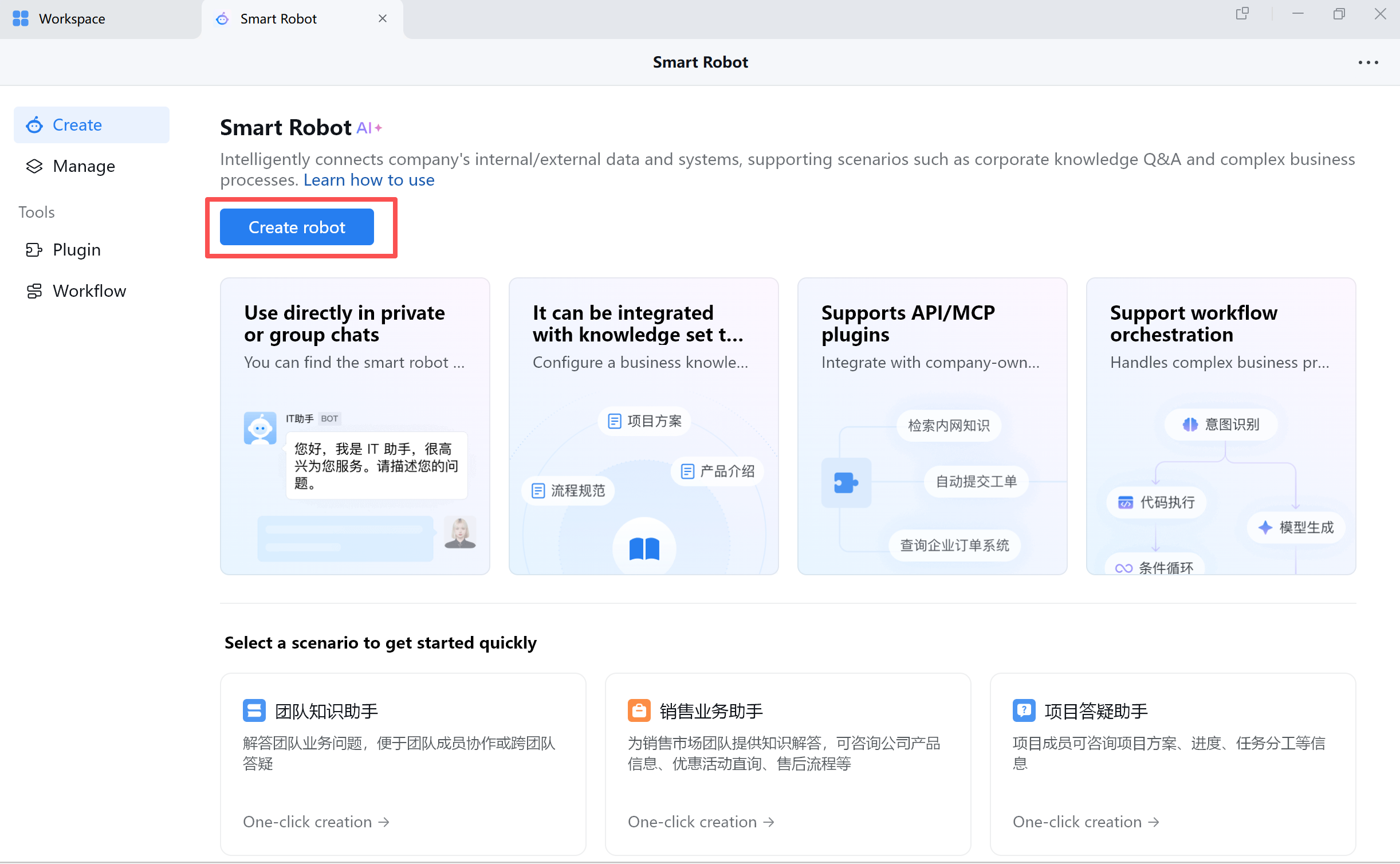
In the WeCom desktop client, go to Workspace, click Intelligent Bot, then click Create Bot. Choose API mode to create the bot.
Note: WeCom must be upgraded to the latest version.
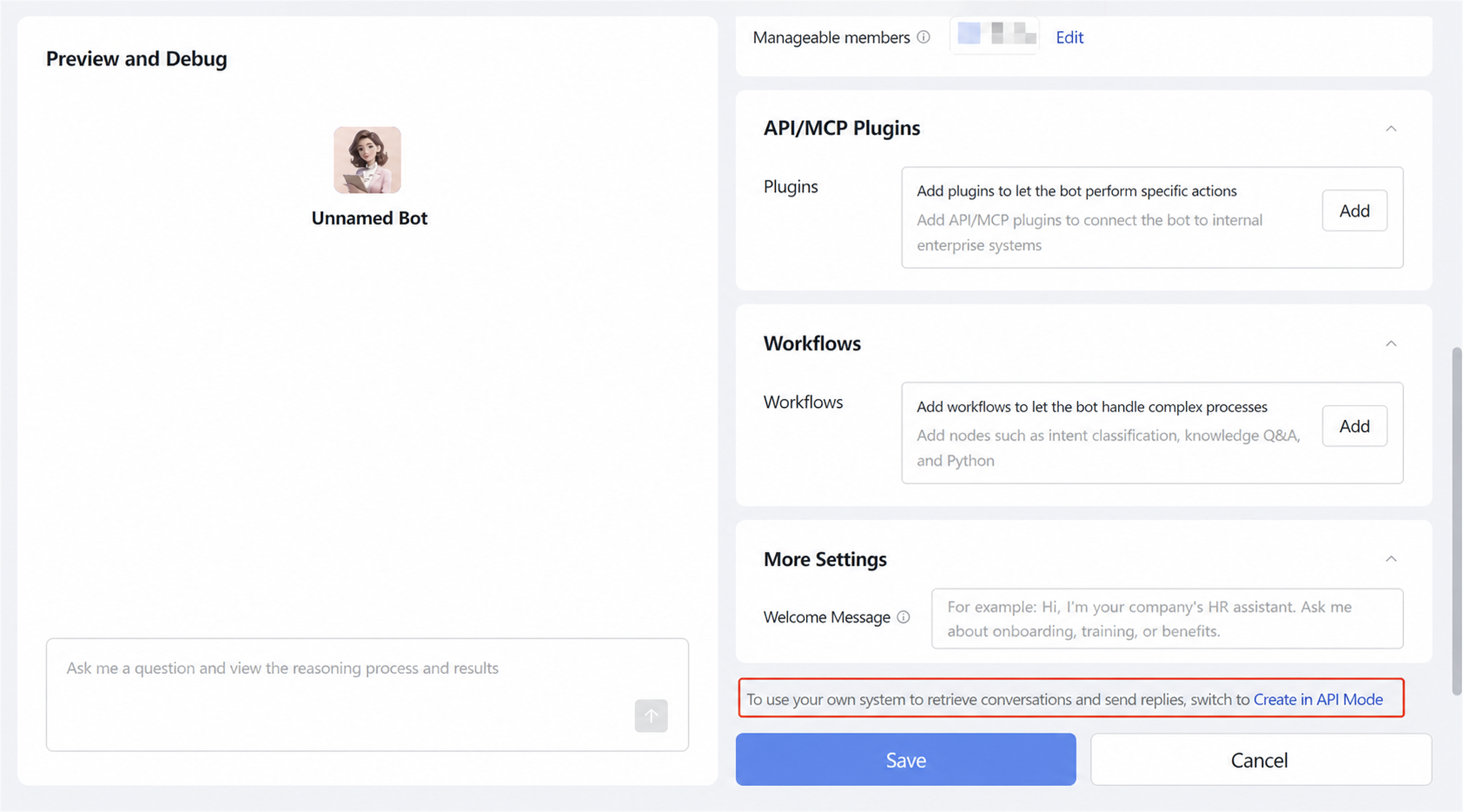
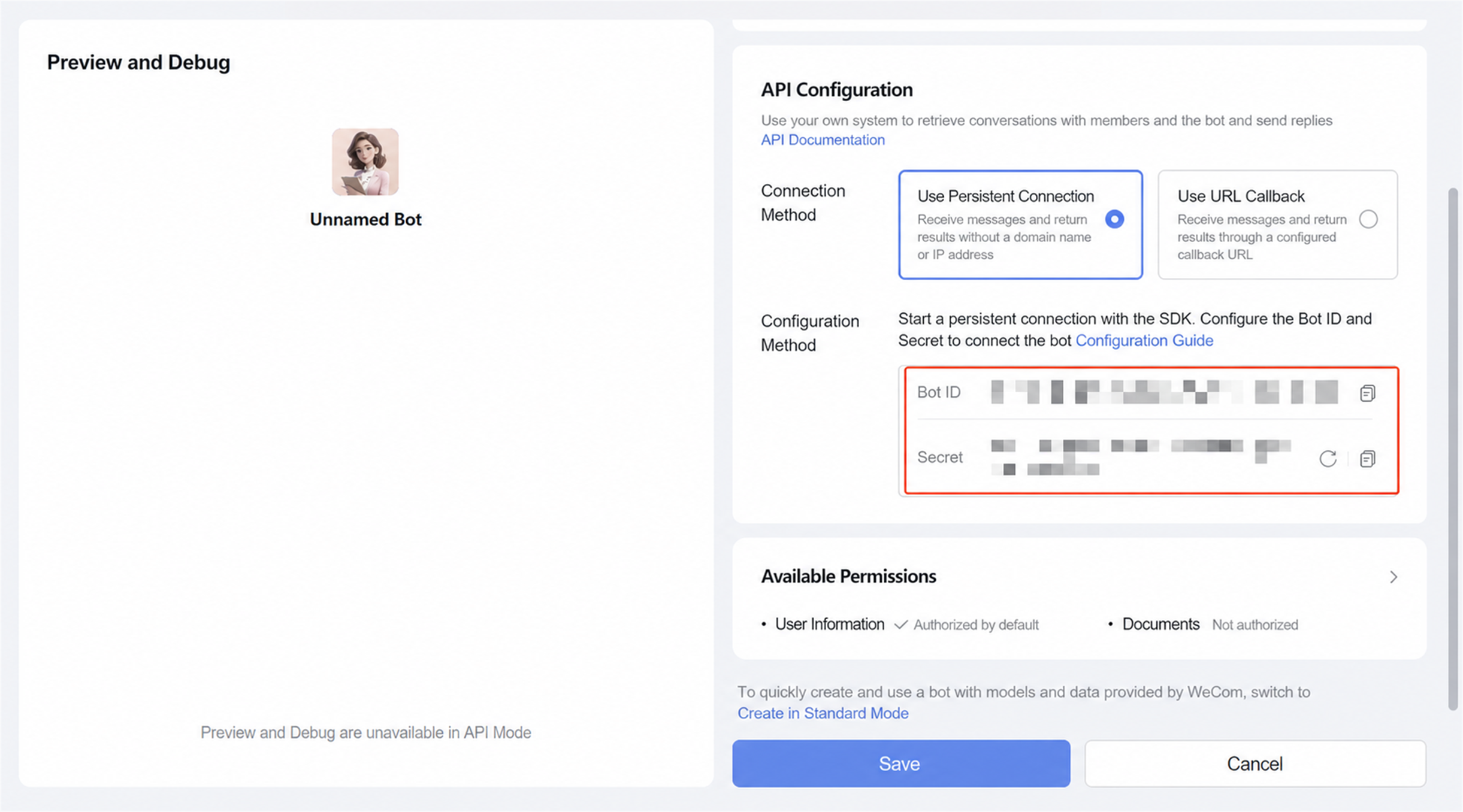
Choose Persistent Connection as the creation method, then obtain the Bot ID and Secret.
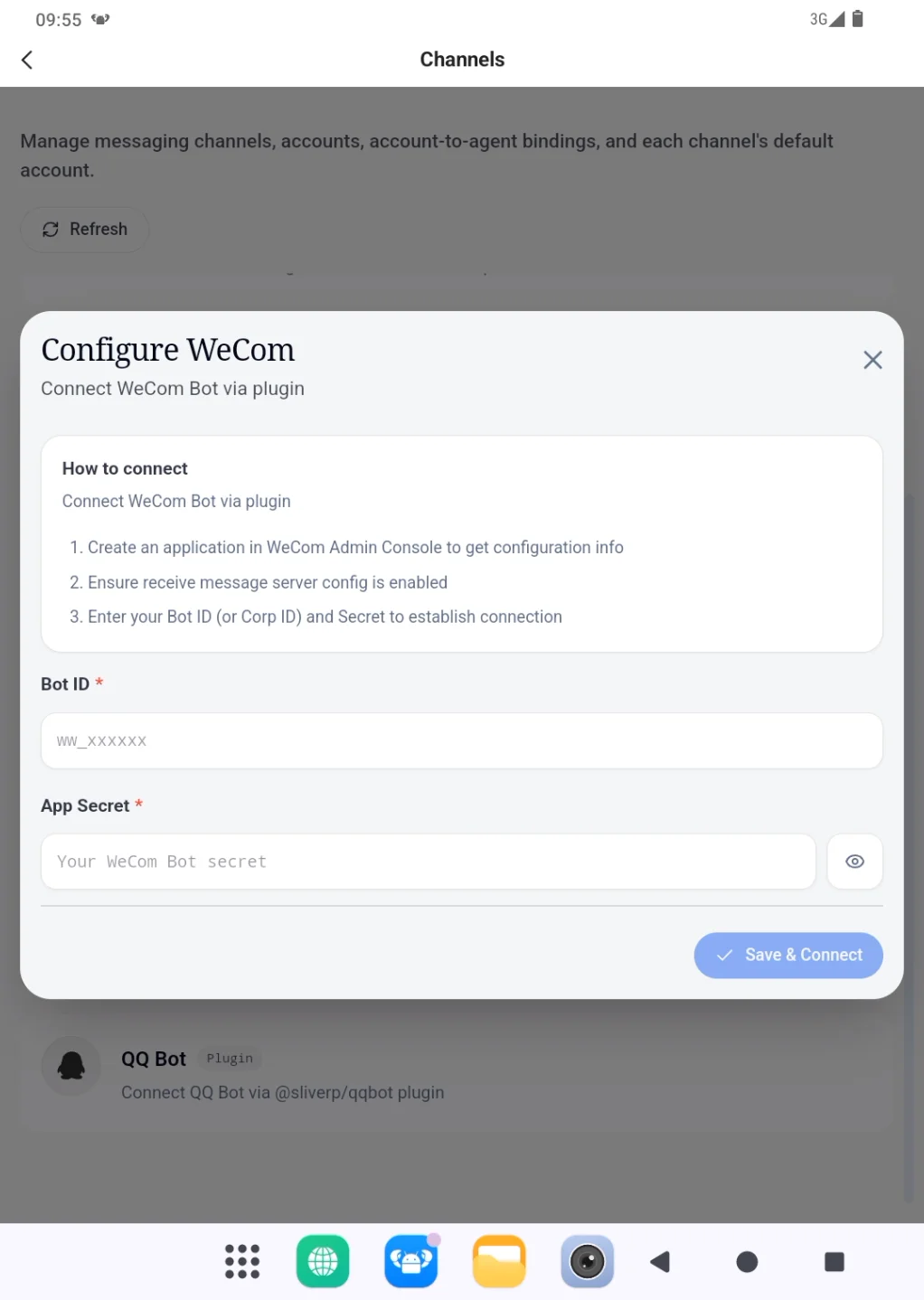
Step 2: Add the WeCom bot in PlugClaw
Subscribe: Get latest security insights and exclusive updates early
 PlugOS — Privacy isn't an option. It's the foundation
Secure, Ad-free, Tracking-free, No Telemetry
Copyright © 2024-2026 TrustKernel
Privacy Policy | User Service Agreement