Overview
Dreaming is PlugClaw's advanced memory-consolidation feature. When enabled, it reviews recent conversations and short-term memory on a schedule, identifies recurring and stable information that may be useful in future tasks, and promotes qualifying content into long-term memory.
Long-term memory helps PlugClaw carry important context into later conversations, such as ongoing projects, established preferences, and requirements mentioned repeatedly. Enabling Dreaming does not make every conversation part of long-term memory immediately. Consolidation happens during a scheduled run, and what is retained depends on the available conversations and the selection process. It is therefore normal for the Dreaming page to remain empty for a while after the feature is enabled.
Dreaming is useful when PlugClaw is used continuously and needs to retain stable context over time. It can remain disabled for temporary conversations or when recent memory should not be consolidated automatically. Dreaming can be enabled, disabled, and checked directly from a conversation. Open the Dreaming page or edit the configuration file only when you need to inspect its records or adjust its schedule.
Check Dreaming Status
Enter the following command in a PlugClaw conversation:
/dreaming status
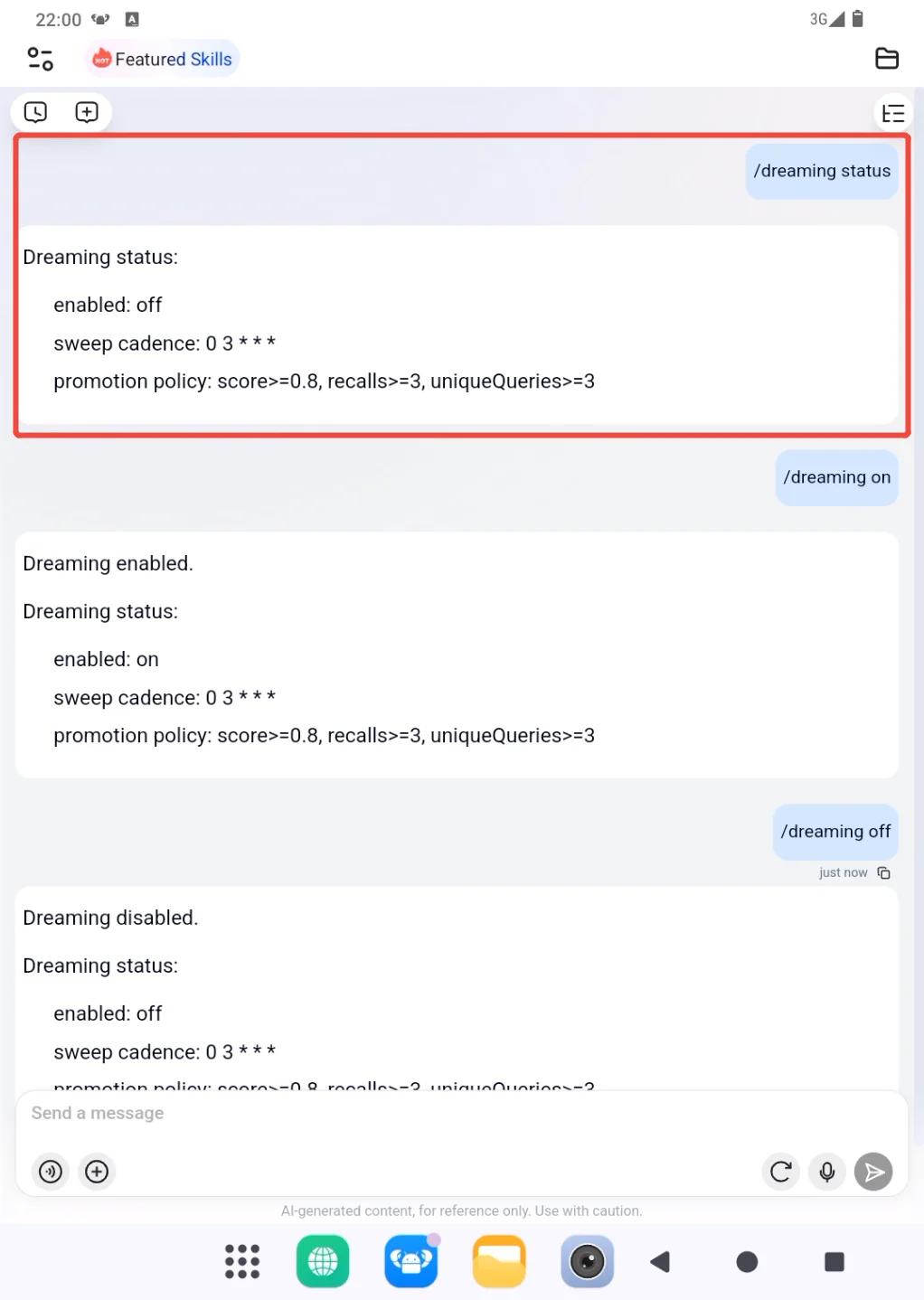
The enabled field shows whether Dreaming is currently active:
enabled: on
This means Dreaming is enabled. If the result shows enabled: off, Dreaming is disabled.
The sweep cadence field shows when automatic consolidation runs. For example:
sweep cadence: 0 3 * * *
This schedule runs once a day at 3:00 AM. It describes the run schedule; it does not mean that every run will create new long-term memory.
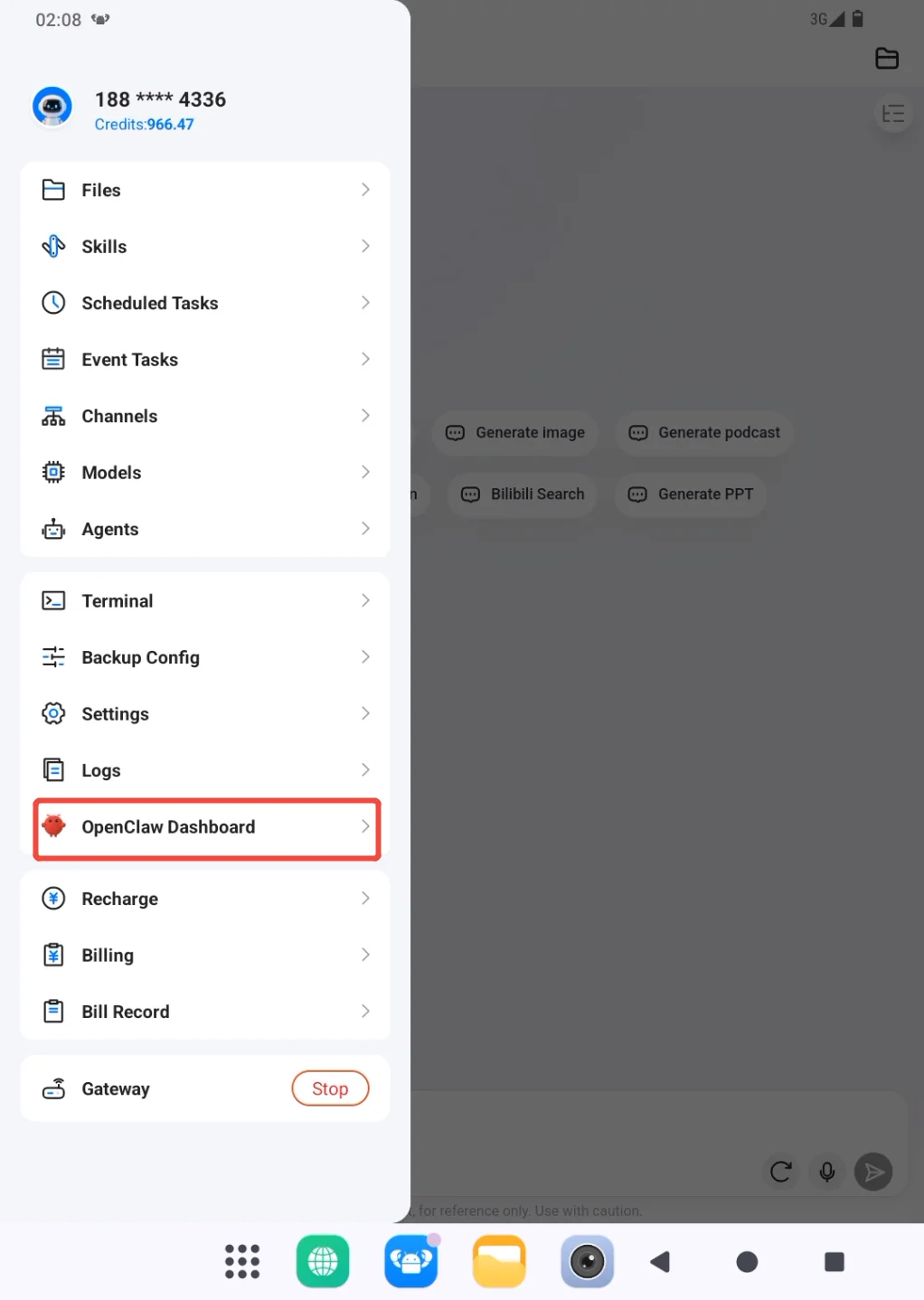
You can also check the status through the interface. Open OpenClaw Dashboard from the PlugClaw sidebar, expand the sidebar in OpenClaw Control, and open Dreaming.
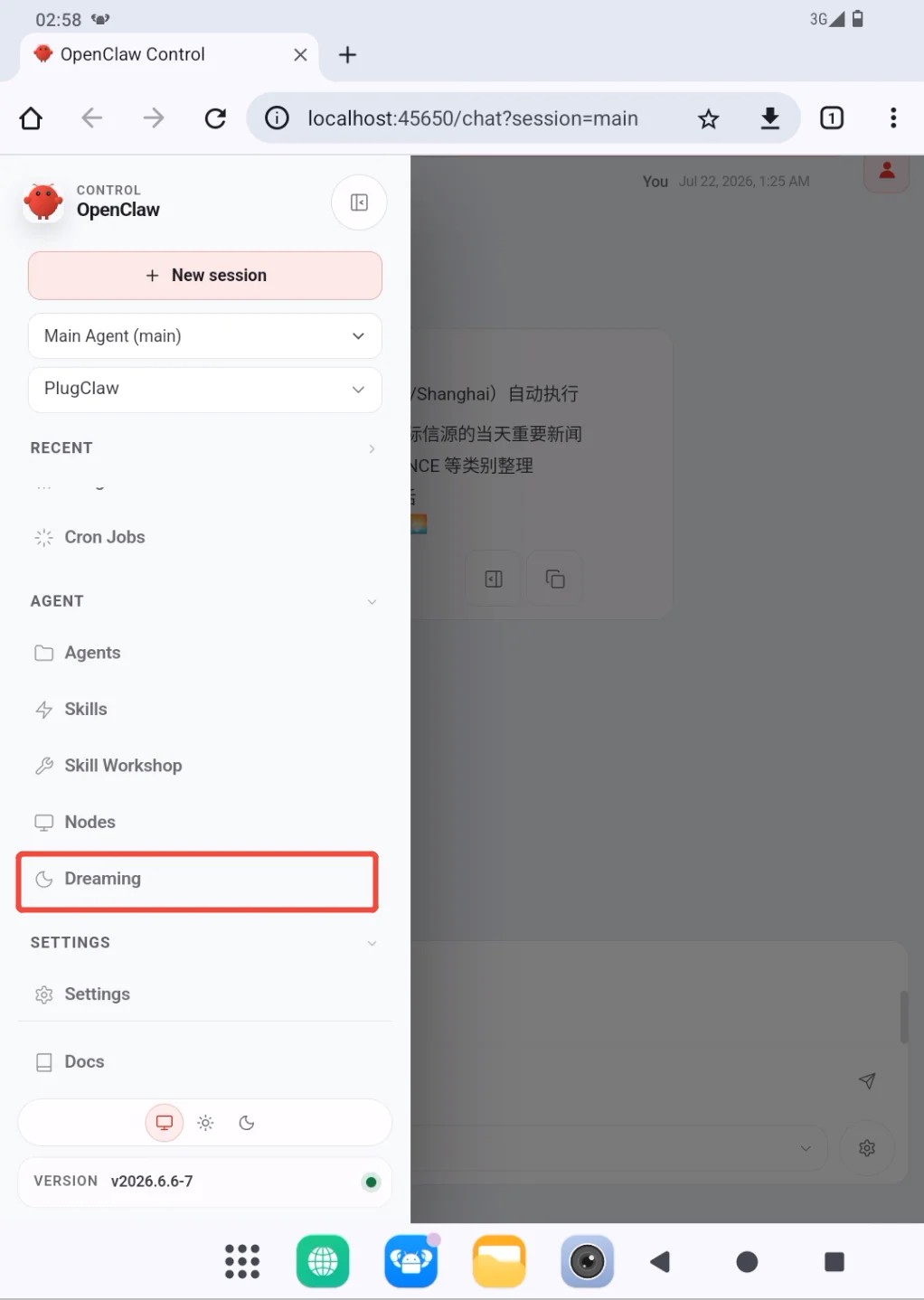
The Dreaming page shows the current run state and any content that has already been consolidated. If Dreaming was enabled recently, or if no recent information qualifies, the page may show an idle state or no records.

Enable or Disable Dreaming
To enable Dreaming, enter:
/dreaming on
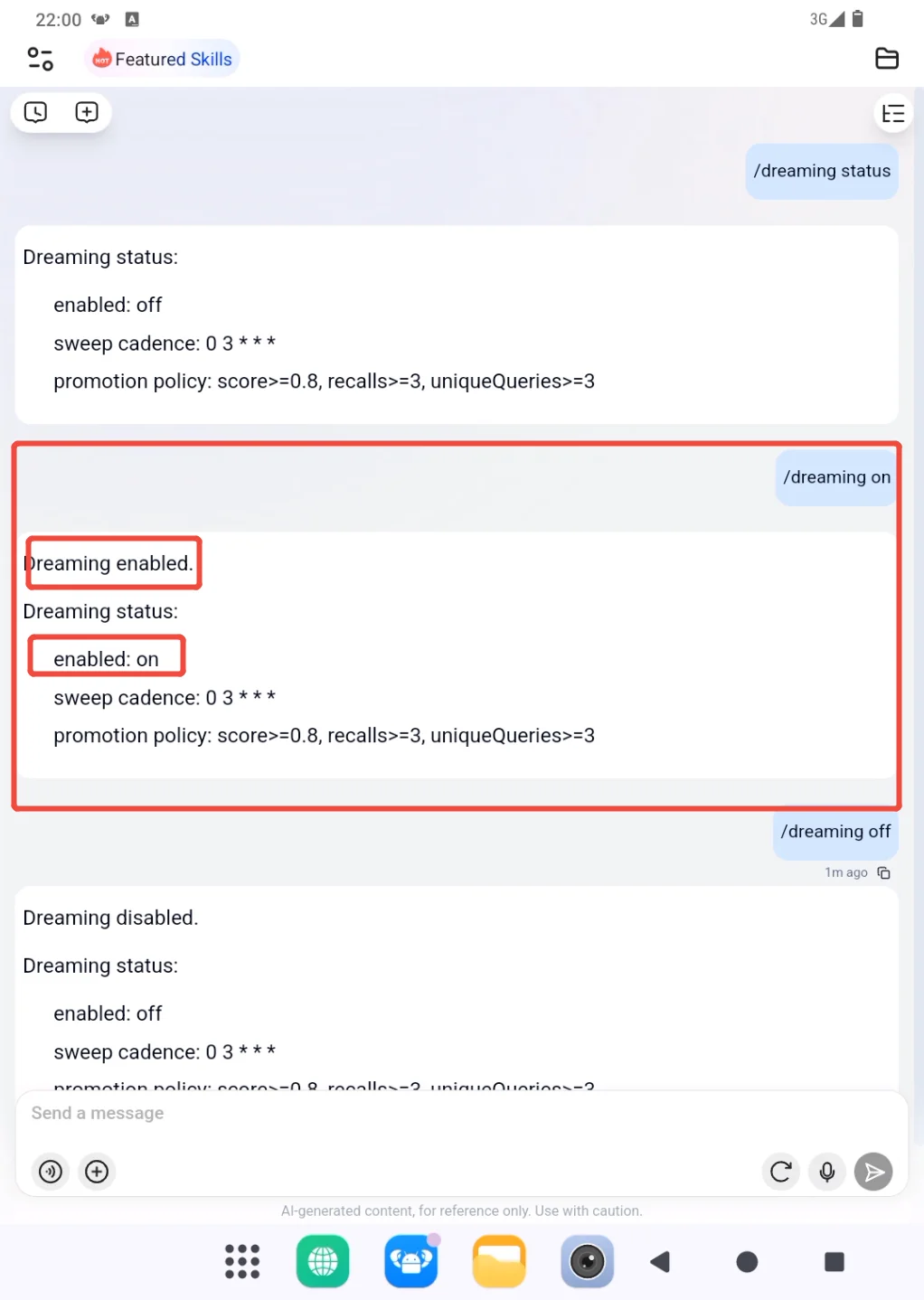
The following result confirms that Dreaming is enabled:
Dreaming enabled.
enabled: on
To disable Dreaming, enter:
/dreaming off
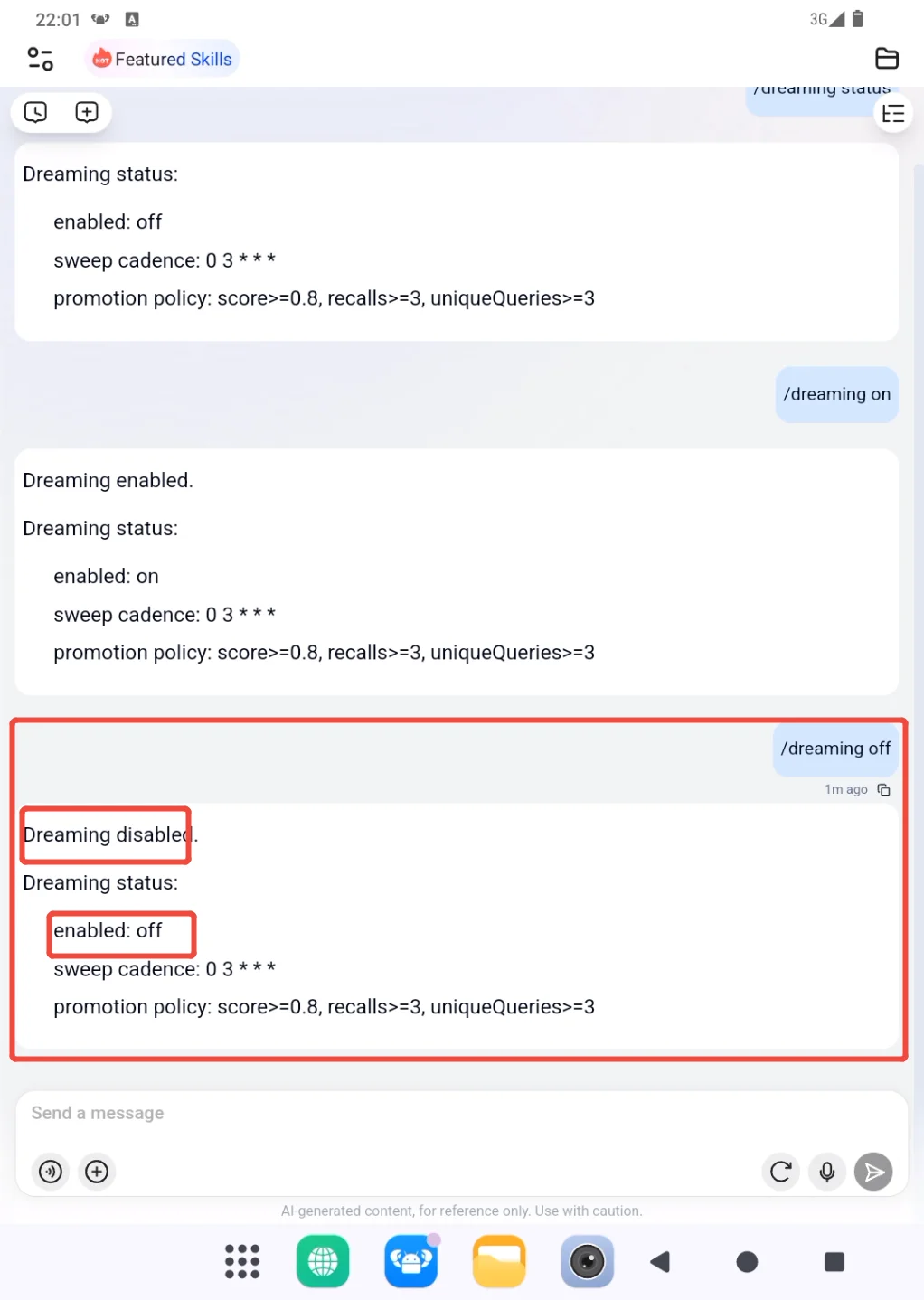
Dreaming disabled. together with enabled: off confirms that Dreaming is disabled. Scheduled consolidation stops, but records that were created previously are not automatically removed by this command.
Dreaming can also be controlled through its configuration file. The conversation commands are sufficient in most cases. Edit openclaw.json only when configuration needs to be maintained centrally or when a trusted technical procedure specifically requires it.
Back up the existing file first. Merge the following dreaming block into the current configuration; do not replace the entire openclaw.json file with this example:
{
  "plugins": {
    "entries": {
      "memory-core": {
        "config": {
          "dreaming": {
            "enabled": true
          }
        }
      }
    }
  }
}
Set enabled to true to enable Dreaming or false to disable it. Save the file and restart the Gateway so PlugClaw reloads the configuration. After the restart, run /dreaming status to confirm the actual state.
View Dreaming Records
Open Diary on the Dreaming page to review the consolidation process and the content it has produced.
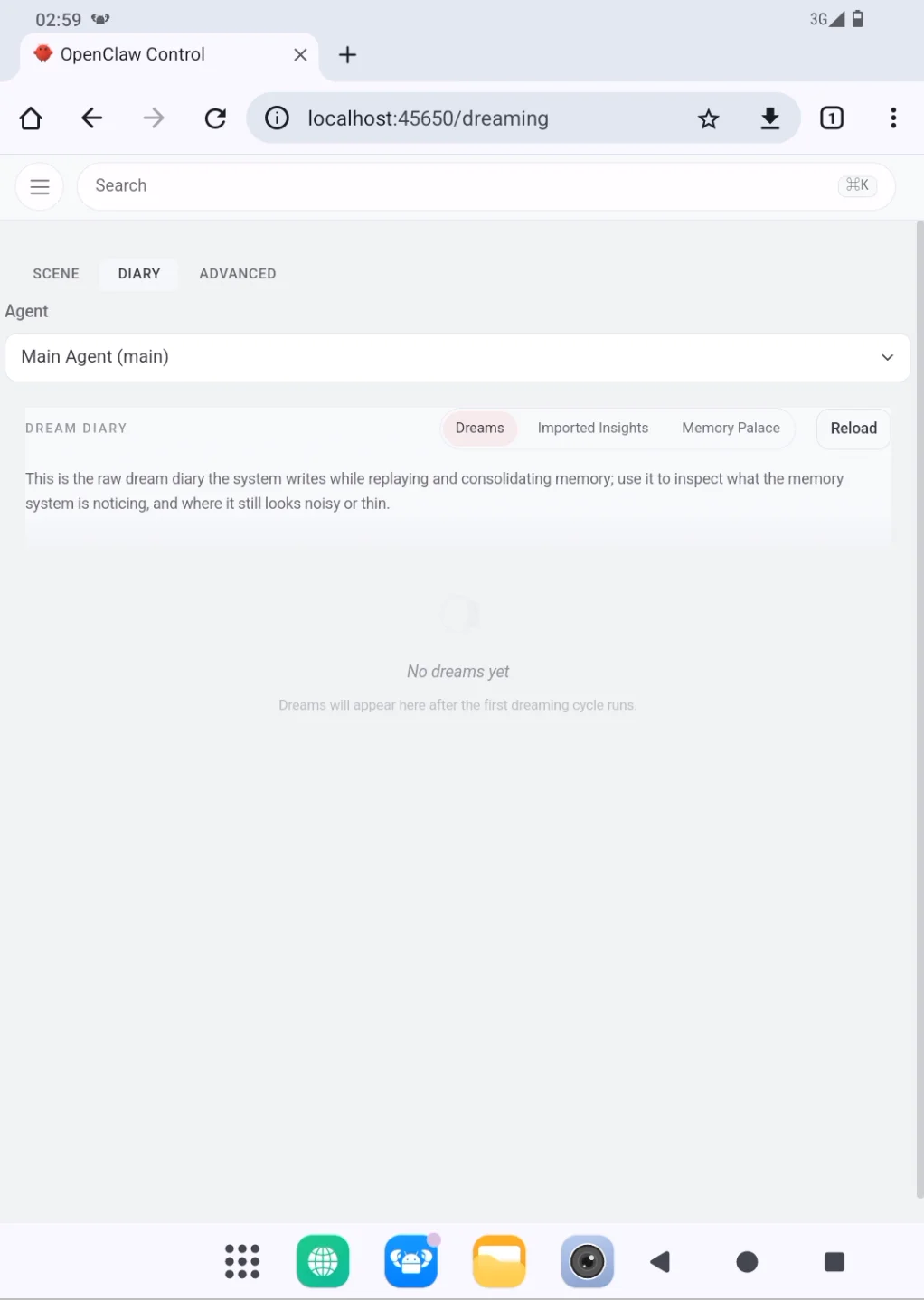
- Dreams contains the narrative Dream Diary created while the system reviews and consolidates memory. It provides a readable view of what Dreaming has recently processed.
- Imported Insights shows information and sources imported from external conversation history, allowing the source material to be reviewed before further consolidation.
- Memory Palace is provided by
memory-wiki. It is used to browse wiki content and related sources compiled from existing information, including synthesis, entity, and concept pages. It is a knowledge organization and browsing surface, not the same thing as long-term memory written by Dreaming. Content appearing here does not by itself mean that it has been stored inMEMORY.md.
Memory Palace is the name used in some versions. Its name and presentation may differ in other versions, so follow the labels shown in the current interface. Regardless of the label, this view remains separate from Dreaming's long-term-memory promotion process.
Open Advanced to inspect how content moves from candidate material toward long-term memory.
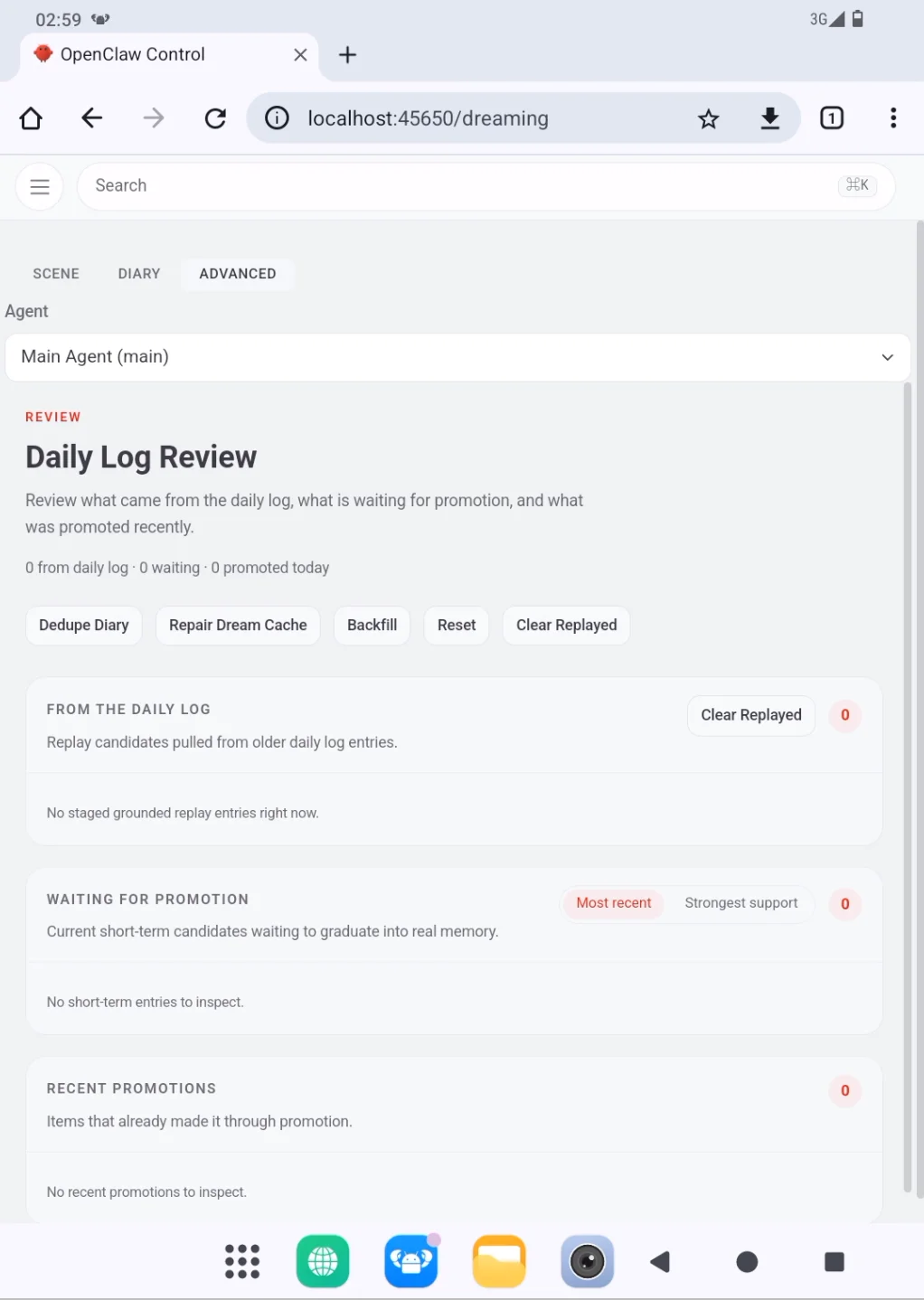
- Daily Logs shows log content used during memory consolidation.
- Waiting for Promotion shows candidates that have not yet been promoted into long-term memory.
- Recently Promoted shows content that was promoted recently.
Controls such as Deduplicate Diary, Repair Dreaming Cache, Backfill, Reset, and Clear Landed are intended for Dreaming maintenance and troubleshooting. They are not required when simply reviewing records. Reset and clearing operations may change or remove Dreaming processing data. Use them only when their impact is understood or when following trusted technical guidance, and back up relevant configuration and important data first.
Adjust the Run Frequency
The run frequency controls how often Dreaming consolidates recent memory. The default schedule is suitable for normal use and does not need to be changed without a specific reason. Running Dreaming more often does not necessarily create more useful memories.
Back up openclaw.json, then add or update frequency in the existing dreaming configuration. frequency uses a cron expression. To avoid unexpected run times when devices use different time zones, set timezone explicitly as well.
{
  "plugins": {
    "entries": {
      "memory-core": {
        "config": {
          "dreaming": {
            "enabled": true,
            "timezone": "Asia/Shanghai",
            "frequency": "0 3 * * *"
          }
        }
      }
    }
  }
}
In this example, Asia/Shanghai selects China Standard Time. Use the appropriate IANA time-zone name for other regions. Common schedule examples include:
0 3 * * *    Run every day at 3:00 AM
0 */6 * * *  Run every six hours
0 3 * * 1    Run every Monday at 3:00 AM
Save the configuration, restart the Gateway, and then run the following command in a PlugClaw conversation:
/dreaming status
If sweep cadence matches the new setting, the schedule has taken effect. If the Gateway fails to run after the change, or the expected schedule does not appear, restore the previous configuration backup and restart the Gateway instead of continuing to try uncertain cron expressions.
 PlugOS — Privacy isn't an option. It's the foundation
Secure, Ad-free, Tracking-free, No Telemetry
