1. Overview
Meeting recordings, voice memos, interviews, and training audio often contain important information that is difficult to review manually. With PlugClaw, users can turn audio into a full transcript and generate a concise summary file at the same time.
This case uses an audio file in the Downloads directory to show how PlugClaw finds the file, generates a transcript and summary, and saves the results to the Documents directory.
2. Send the Request
If the audio file is already in the Downloads directory, describe the task directly.
Example prompt:
Please check the audio files in the
downloaddirectory, transcribe them into text, and provide a brief summary.
In this case, PlugClaw finds the following audio file:
logical_mandarin_stt_summary_test.mp3
The system then generates a complete transcript and summary based on the audio content.
3. Transcript and Summary
After processing, the audio is converted into readable text and key points are extracted. The recording in this case is a product testing meeting. The summary includes test results, observed issues, follow-up plans, and action items.
Result preview:
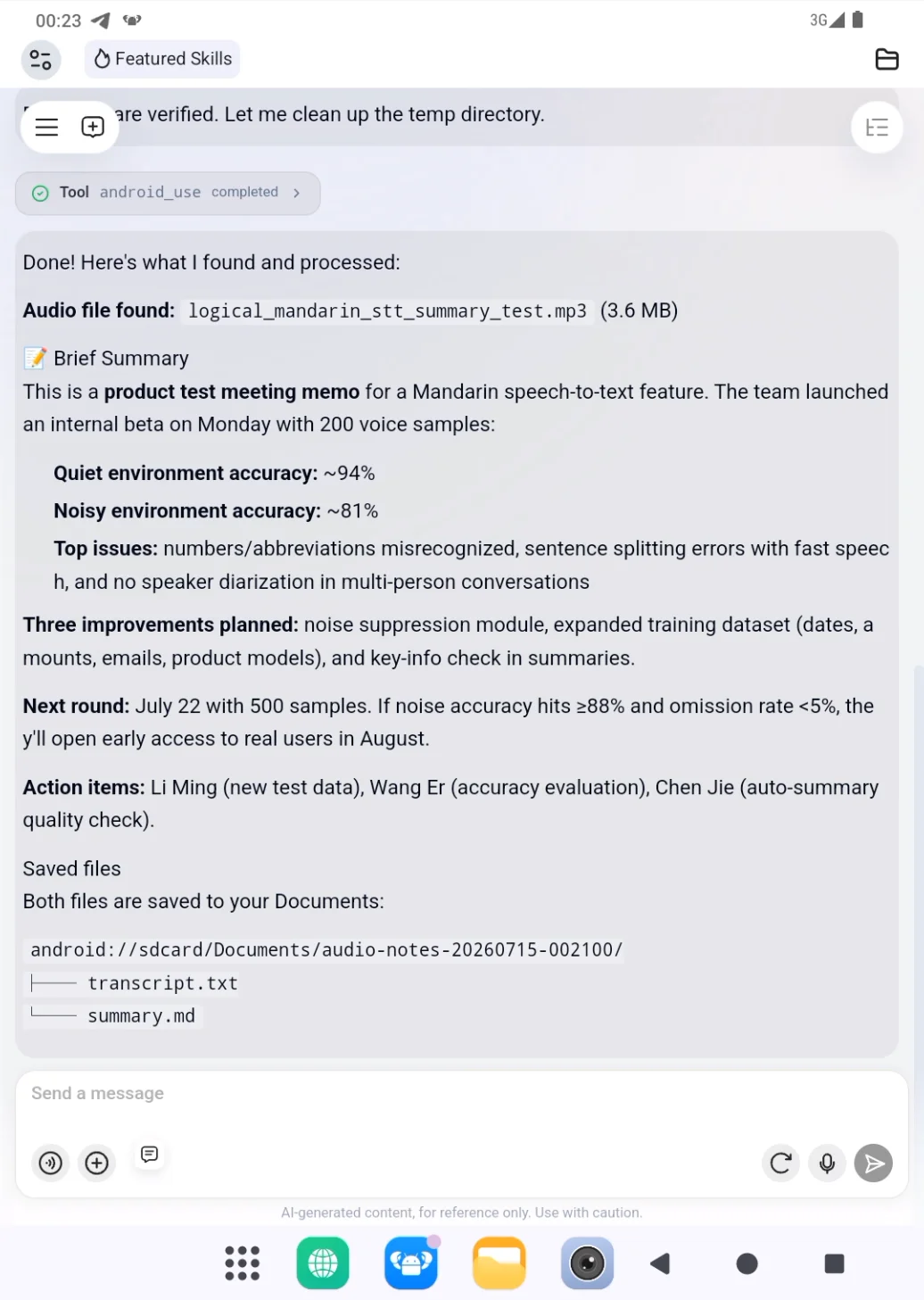
Key points extracted in the example include:
- The beta test covered
200voice samples. - Recognition accuracy was about
94%in quiet environments. - Recognition accuracy was about
81%in noisy environments. - Main issues involved numbers, abbreviations, sentence breaks during fast speech, and speaker separation in multi-person conversations.
- The next test round will expand to
500samples. - Action items have been assigned to the relevant owners.
The summary makes it possible to understand the core content without replaying the full recording.
4. Saved Files
The results are saved in a dedicated folder under Documents:
android://sdcard/Documents/audio-notes-20260715-002100/
The folder contains two files:
transcript.txt: the full transcript.summary.md: the organized summary.
Result preview:
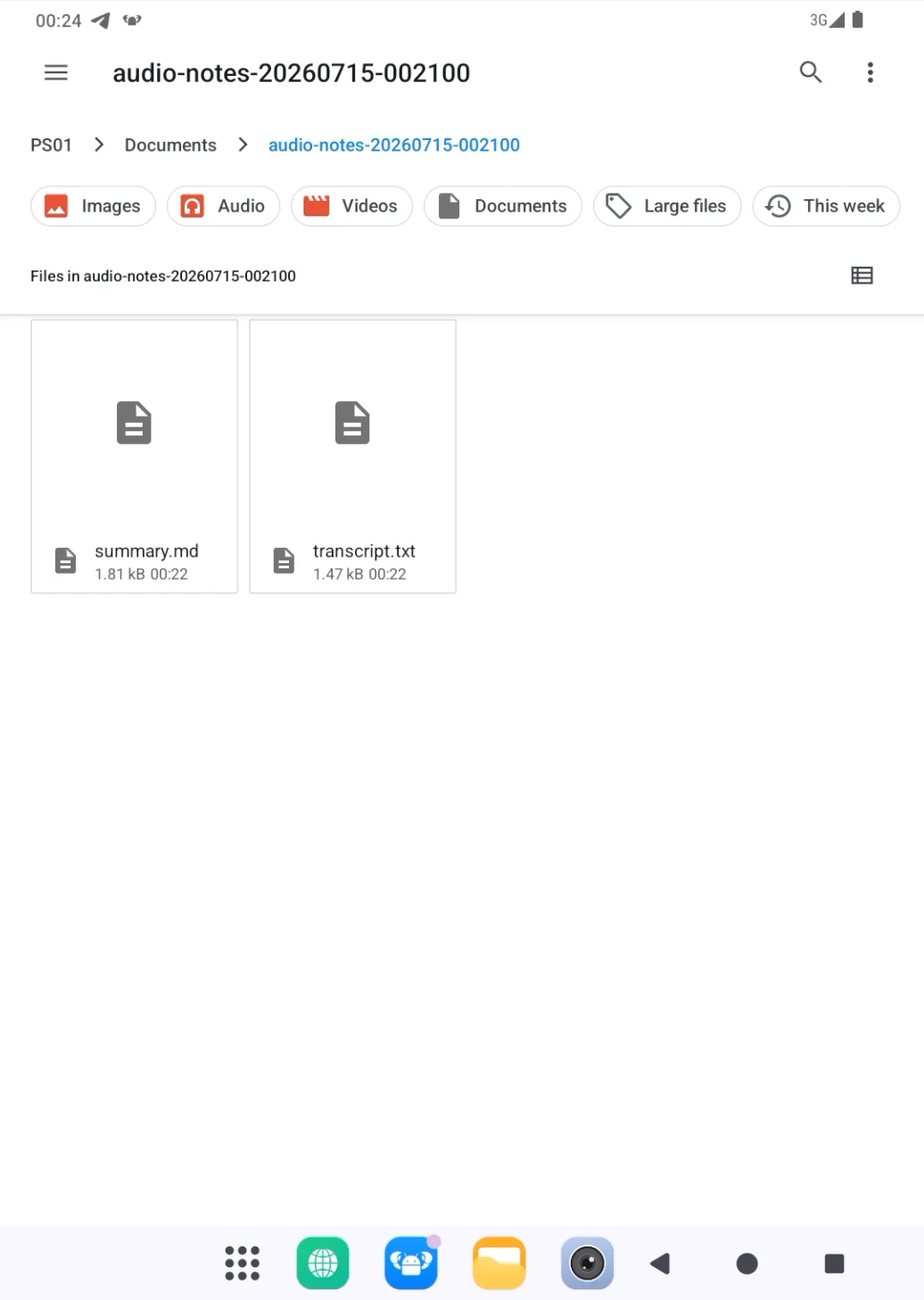
Open transcript.txt to view the full transcript, or open summary.md to review the key summary. The full transcript preserves details, while the summary is better suited for quick reading and sharing.
5. Suitable Use Cases
Audio transcription and note generation are useful for:
- Meeting recordings: extract topics, decisions, action items, and owners.
- Voice memos: turn quick thoughts into written records.
- Interviews: organize questions, answers, and key information.
- Training audio: summarize course highlights and knowledge points.
- Testing discussions: capture results, issues, and next steps.
6. Tips
- Specify the audio location: For example, the Downloads folder, Documents folder, or a specific filename.
- Define the output format: You can request a transcript, summary, meeting minutes, action items, or a table.
- Review critical information: Dates, amounts, names, and technical terms should be checked in the output files.
- Keep both files: Use the full transcript for traceability and the summary for quick reading.
- Continue refining the output: After generation, you can ask to shorten the summary, extract key points, or convert it into a specific format.
 PlugOS — Privacy isn't an option. It's the foundation
Secure, Ad-free, Tracking-free, No Telemetry
