directory
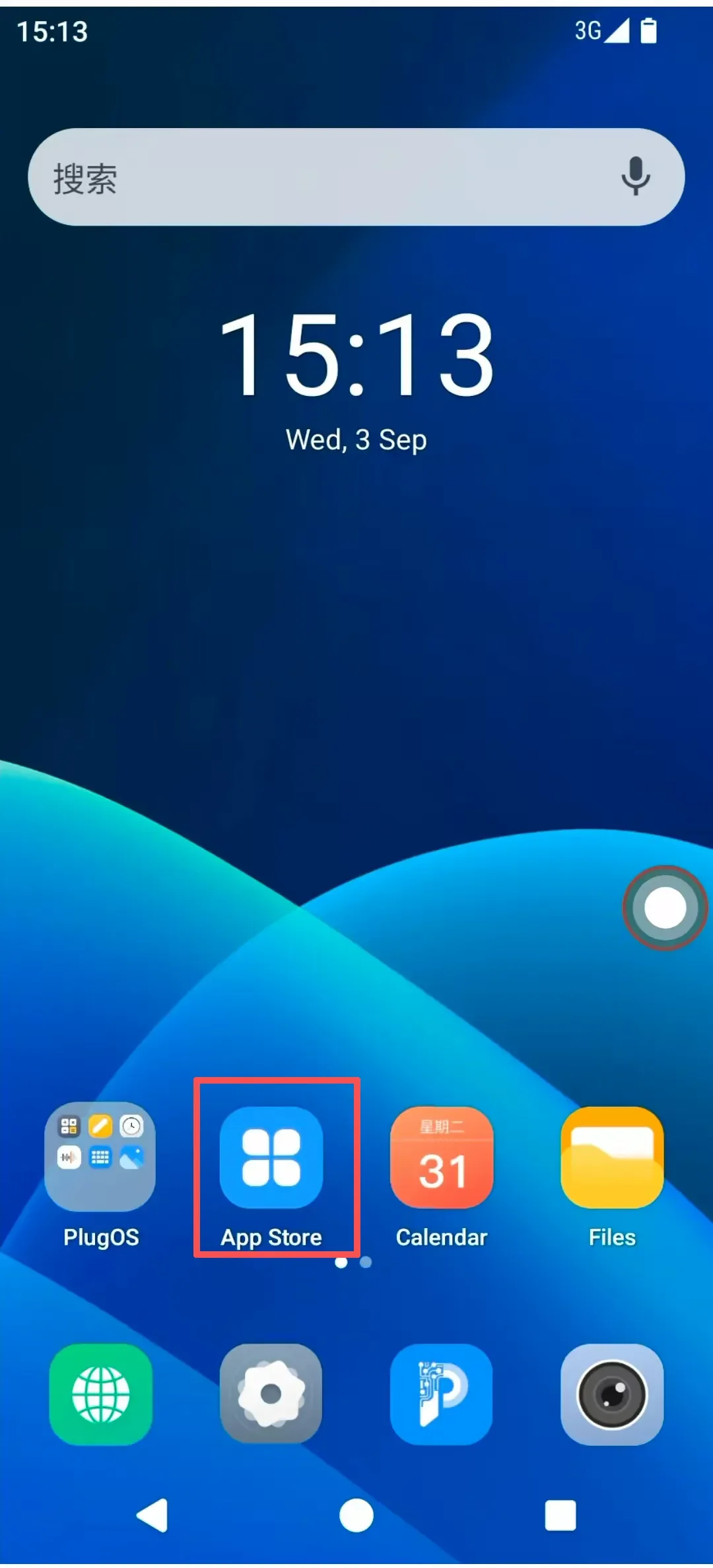
PlugOS provides a fundamental AppStore application. You can use this AppStore to update installed applications or install your preferred apps.
Usage Guide:
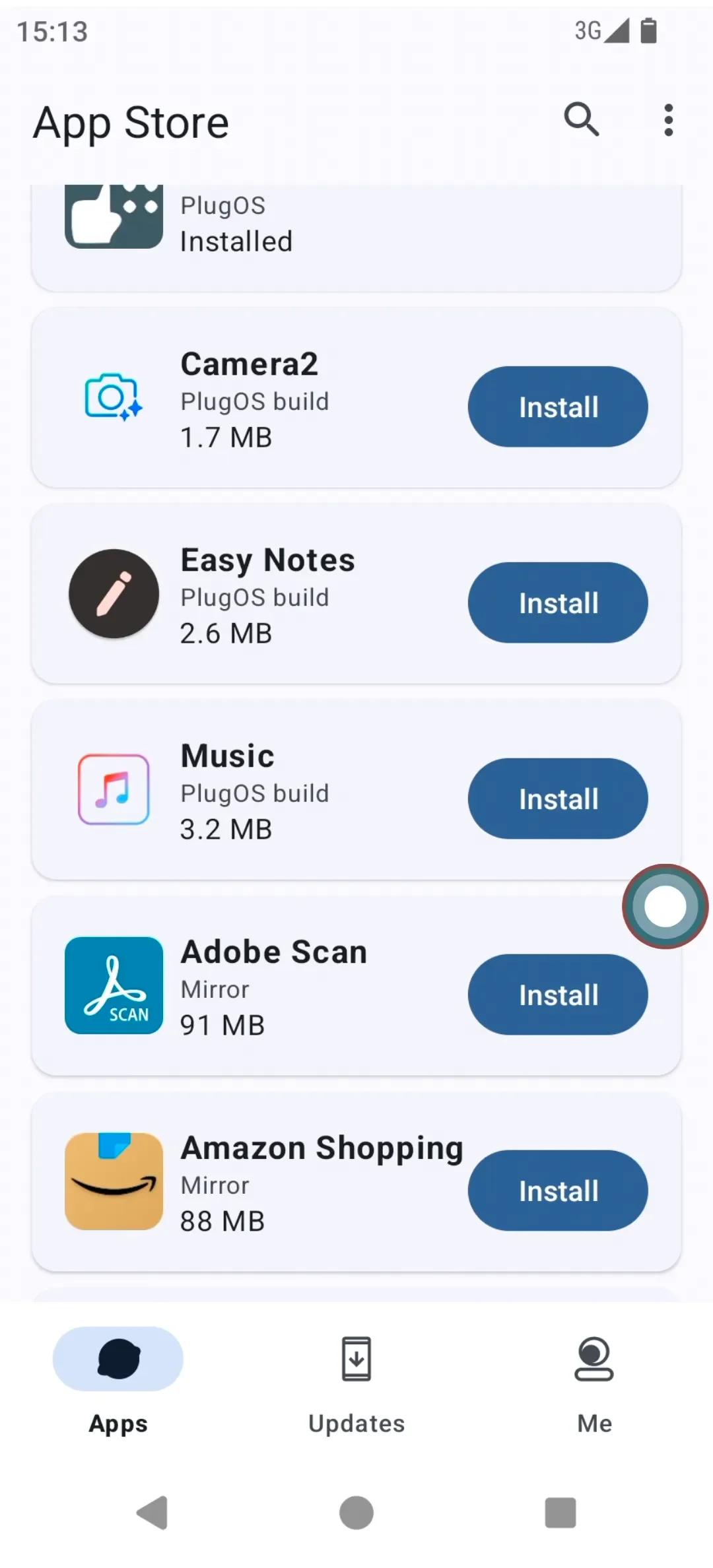
- Go to the AppStore. You can click on an installed app → Configure the corresponding app information and launch the app.
- For apps that are not installed: Click on the desired app → Follow the prompts to download and install it.
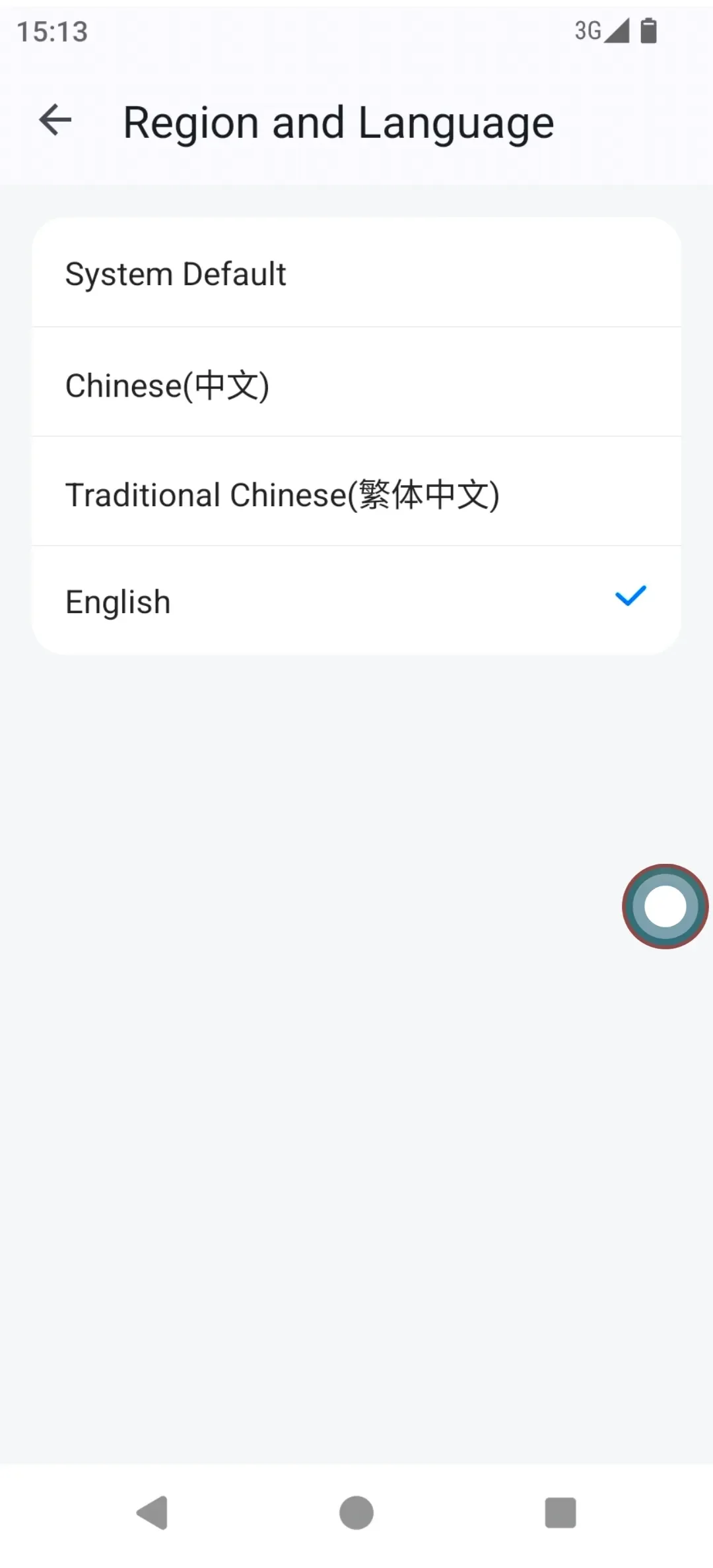
- Go to "Me" → Click "Region & Language" to either follow the system setting or manually select the AppStore language: Simplified Chinese, Traditional Chinese, English, etc.
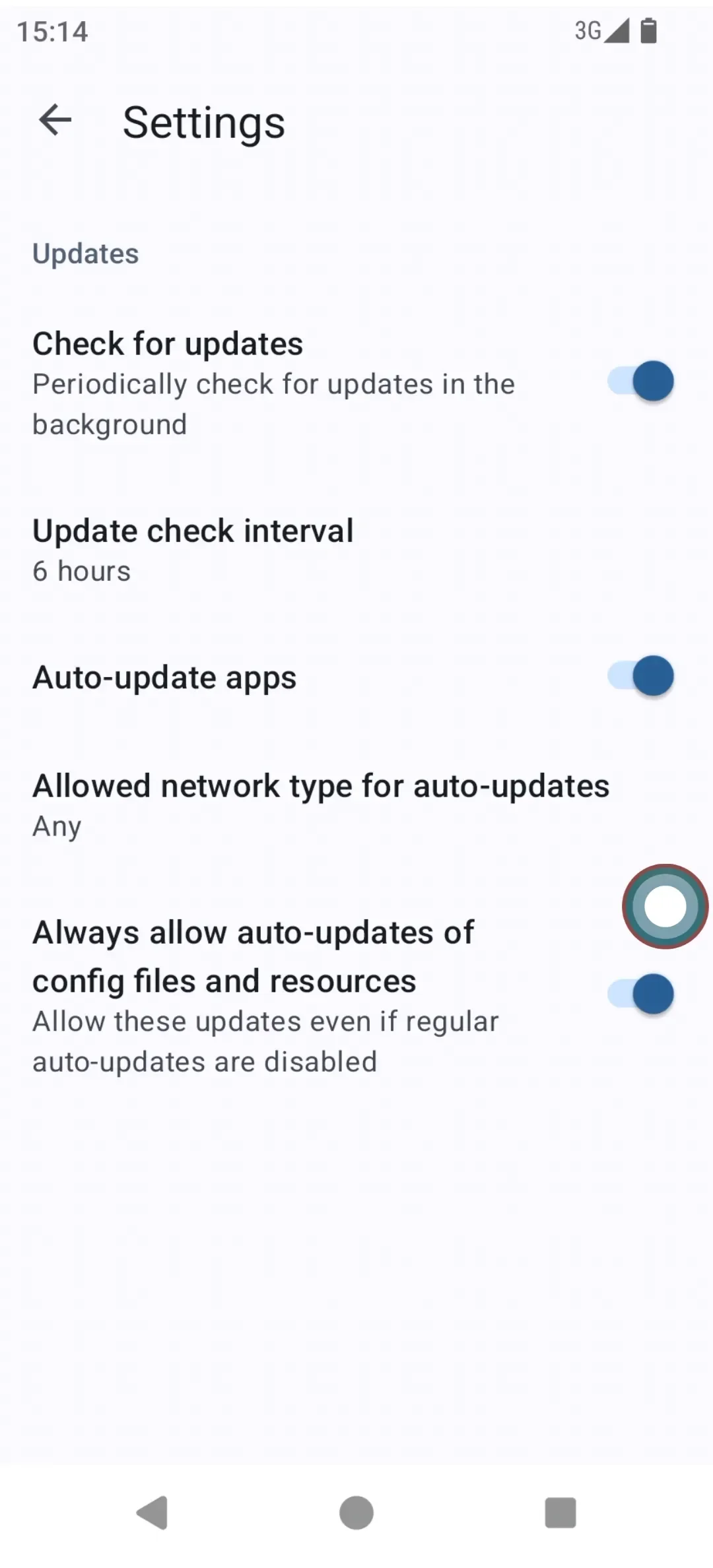
- Click "Settings" → Enable or disable periodic background update checks and set the check interval. Enable or disable automatic app updates; when enabled, apps will automatically update to the latest version available in the AppStore.
- Users can control under which specific network conditions automatic updates are allowed.
Subscribe: Get latest security insights and exclusive updates early
 PlugOS — Privacy isn't an option. It's the foundation
Secure, Ad-free, Tracking-free, No Telemetry
Copyright © 2024-2026 TrustKernel
Privacy Policy | User Service Agreement