What an Agent Is
An Agent is an AI assistant assigned to a particular type of work. PlugClaw includes Main Agent by default, and it can handle everyday tasks immediately. Create additional Agents only when separate roles are useful, such as one Agent for organizing research and another for preparing weekly project updates.
Saving a new Agent adds it to the Agent list, but does not create its workspace immediately. The workspace is created after the first message is sent to that Agent from the conversation page. PlugClaw places it under the PlugClaw folder and names it workspace-AgentName. For example, the first message sent to an Agent named Research creates PlugClaw/workspace-Research.
The new workspace inherits the basic workspace guidance and runtime configuration from Main Agent, giving the new Agent a similar starting capability. It then becomes that Agent's own working area and generally contains two kinds of content:
- Configuration files that describe the Agent's responsibilities, working rules, communication style, and use of available tools.
- Files saved to the workspace while that Agent completes tasks, such as processed source material or generated documents.
Generated files are not guaranteed to be stored in the workspace. Some tasks save directly to another folder on the Android device. Use the exact path reported by the Agent when locating a result. See File Management.
Common workspace configuration files include:
| File | Purpose | What a change can affect |
|---|---|---|
AGENTS.md | Working rules and task instructions | Scope, workflow, checks, and how uncertainty is handled |
SOUL.md | Role, tone, and behavioral principles | Writing style, communication approach, and decision principles |
TOOLS.md | Guidance for using available tools and the current environment | Preferred tools, file locations, and tool-use conventions |
IDENTITY.md | Basic identity and positioning | The Agent's name, role, and area of responsibility |
USER.md | Long-term user context and preferences | Preferred output formats, forms of address, and working habits |
These files act as the Agent's working instructions. For example, a research Agent can be told to use only supplied material, cite the source of every conclusion, ask when information is missing, and present action items in a table.
After the workspace exists, configuration can be changed in either of two ways. Tell the Agent in conversation what it should be responsible for, how it should work, and what its output should look like; or open PlugClaw/workspace-AgentName and edit the relevant Markdown files manually. When editing files directly, keep their existing structure, change only instructions you understand, and test the result with a simple task afterward.
Changing these text files does not install tools, grant system permissions, configure channels, or switch models. For example, TOOLS.md can explain how to use an available tool, but cannot make an unavailable tool appear.
View and Create Agents
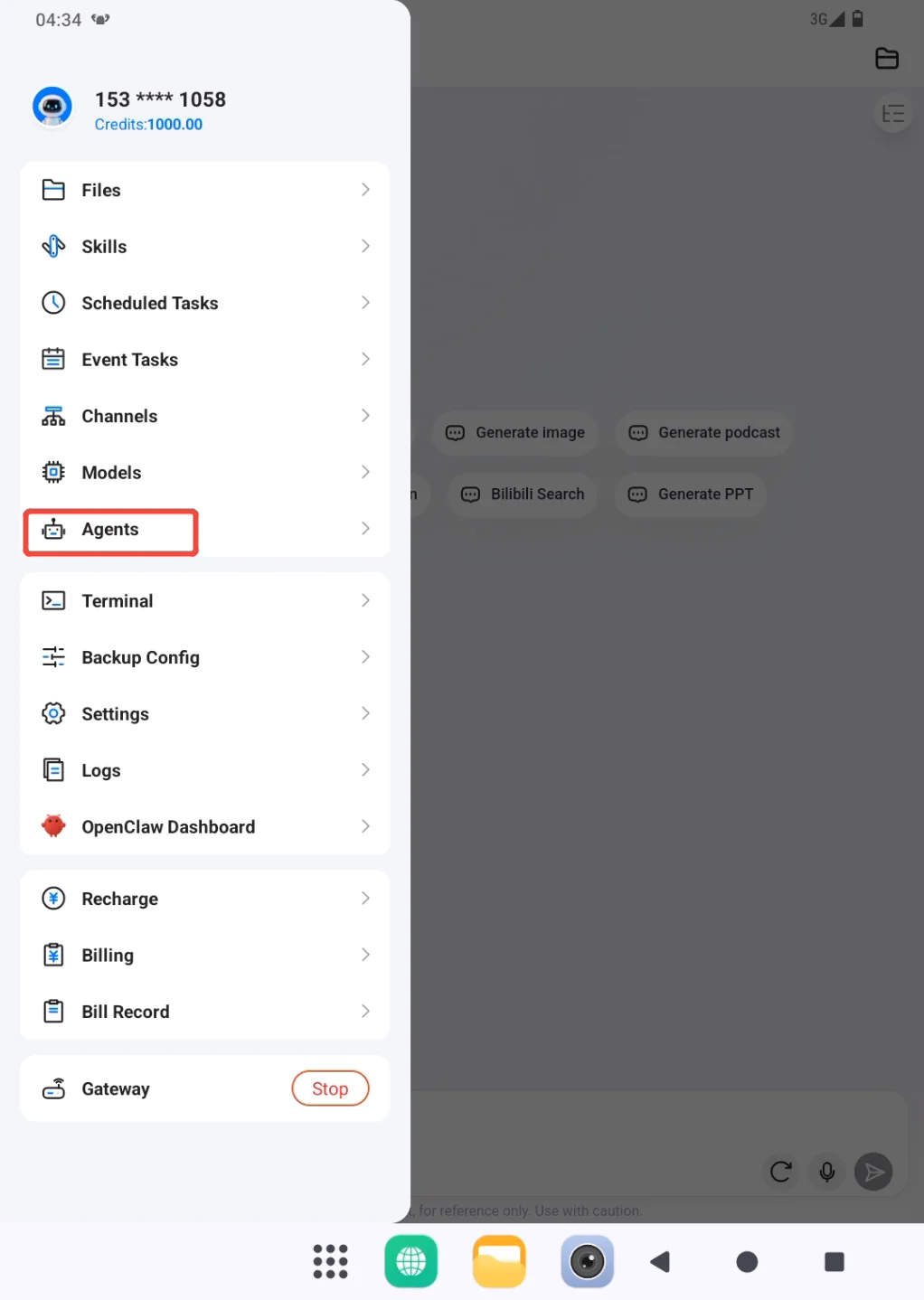
- Open the sidebar from the profile entry and go to Agents.
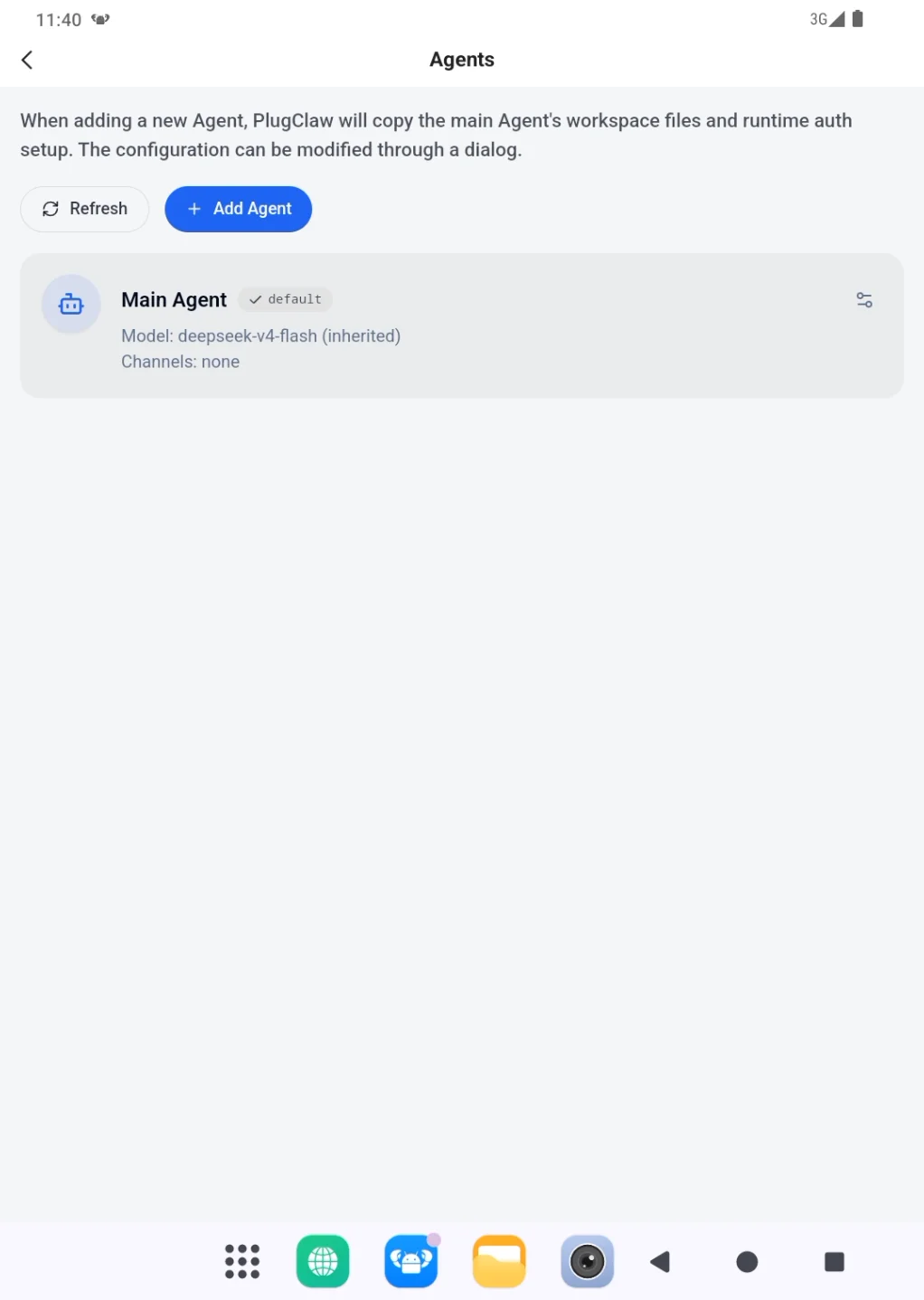
- Review the existing Agents. Main Agent appears with the default marker and is sufficient when there is no need to separate work by role.
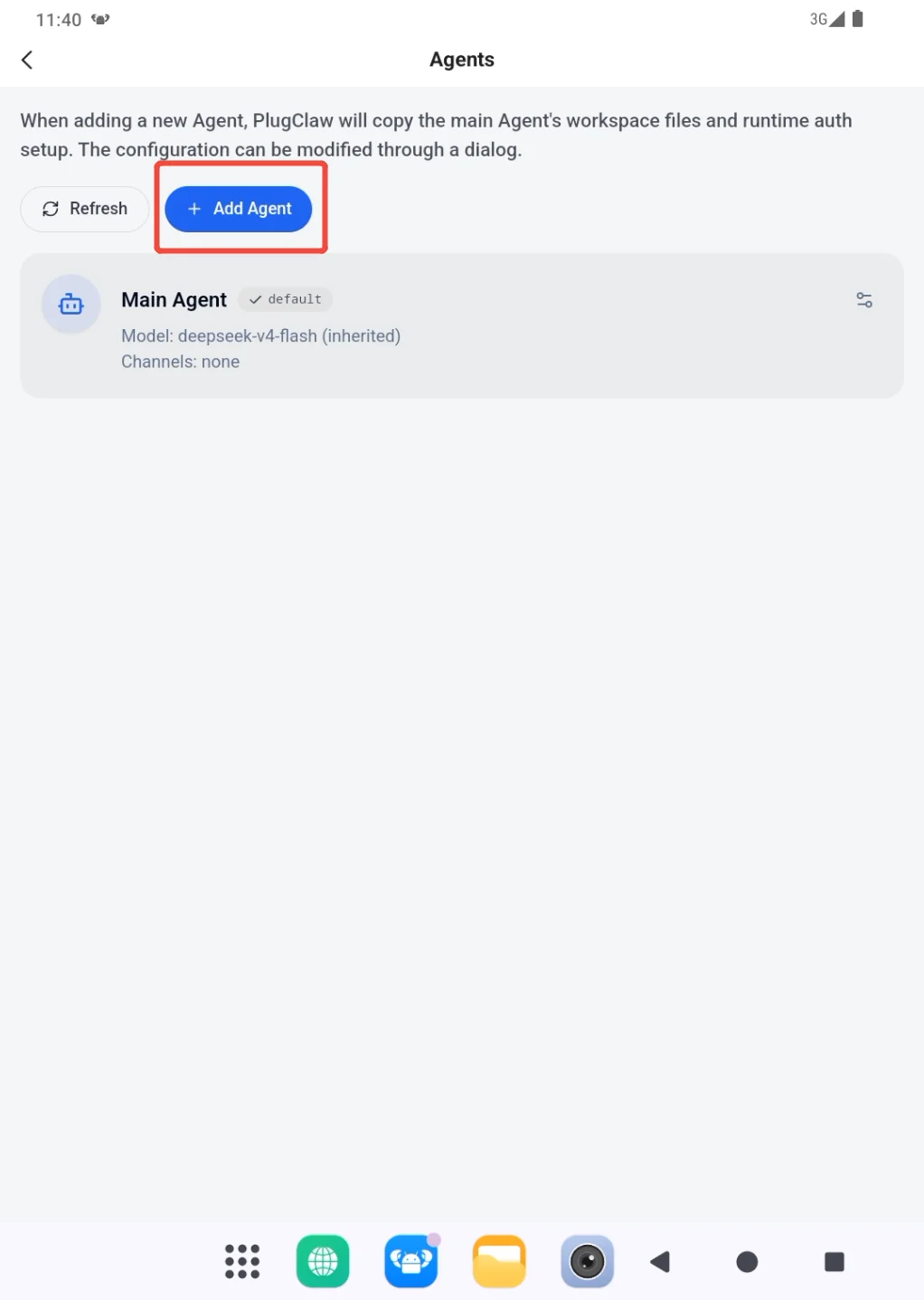
- When a separate work role is useful, choose Add Agent.
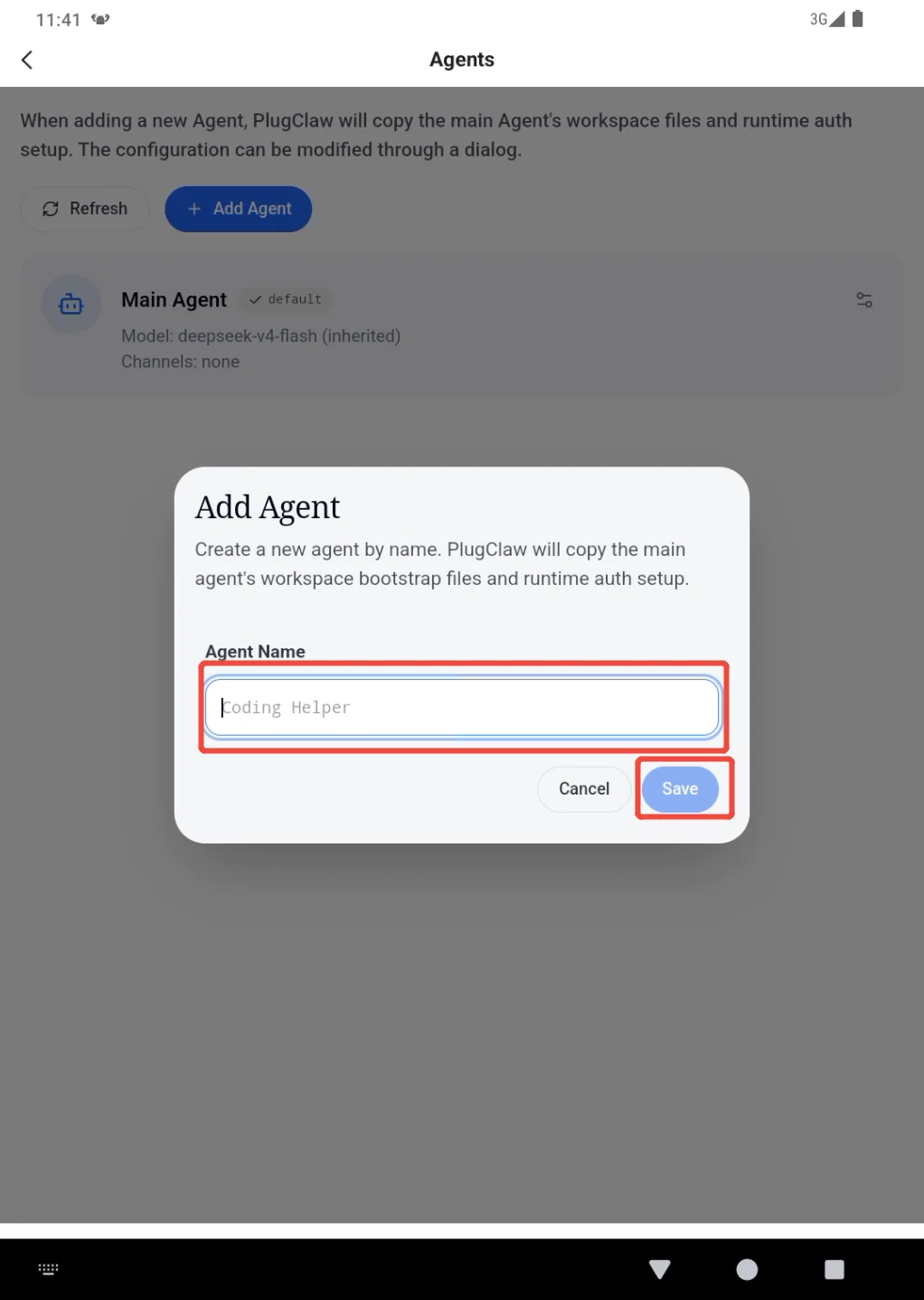
- Enter a name that describes the purpose, such as
ResearchorWeekly Report, then save it. Avoid names such asAgent 1that will be difficult to recognize later.
The Agent now appears in the list, but its workspace does not exist yet. Follow Choose an Agent for a Task and send the first message. PlugClaw creates workspace-AgentName only after that message is sent.
 PlugOS — Privacy isn't an option. It's the foundation
Secure, Ad-free, Tracking-free, No Telemetry
