Directorio
1. Go to Discord Developer Portal → Applications → New Application
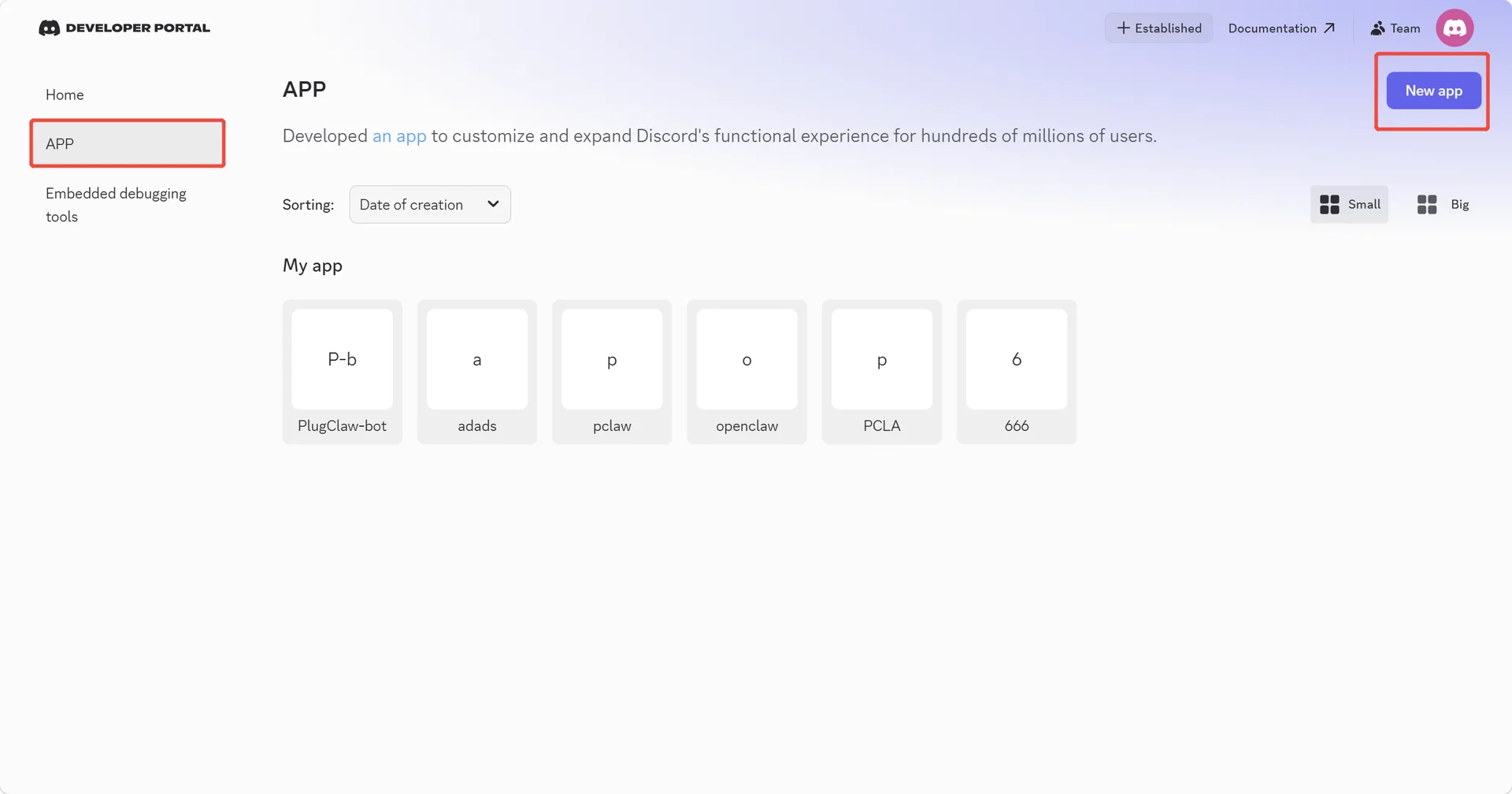
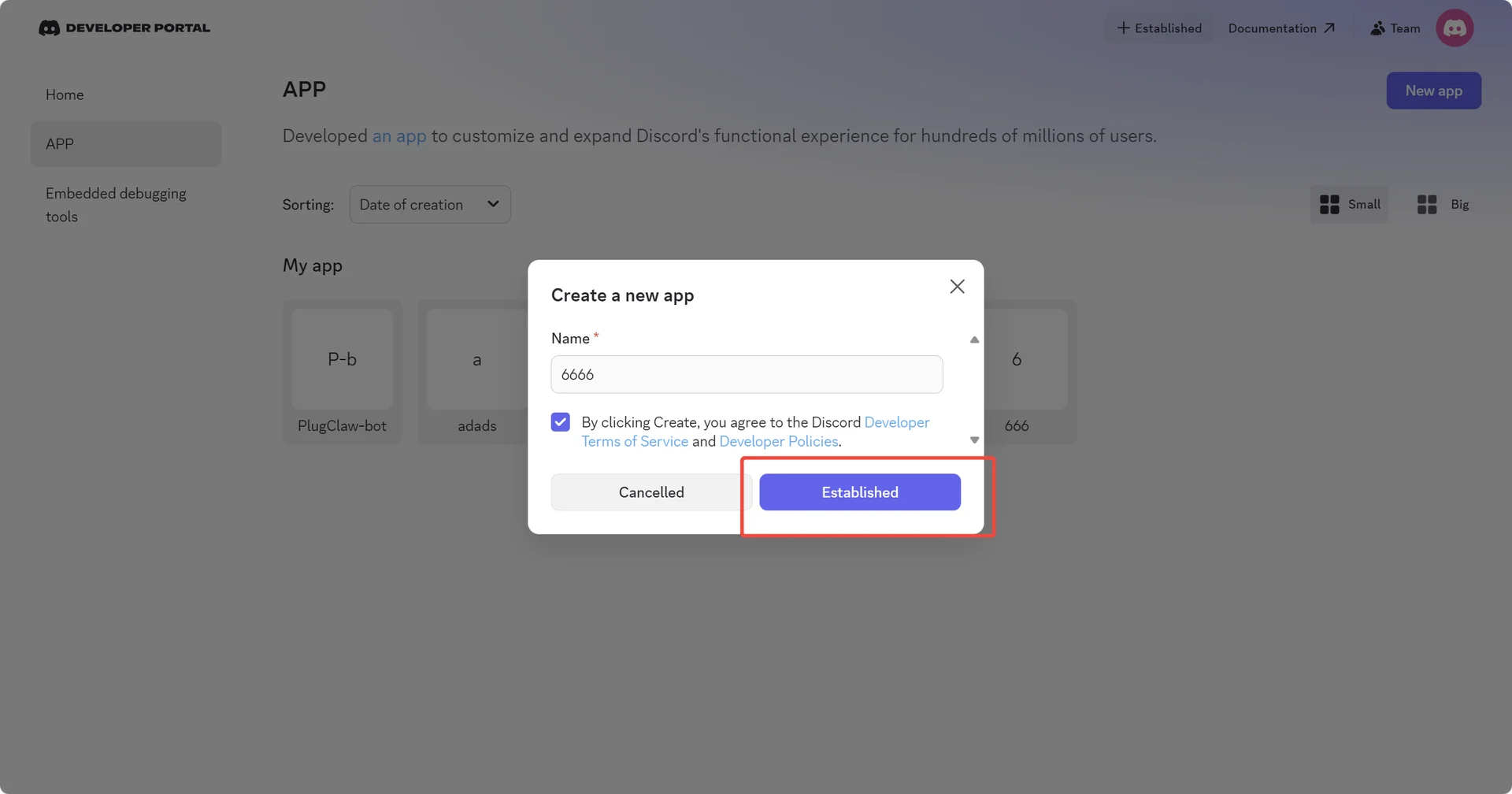
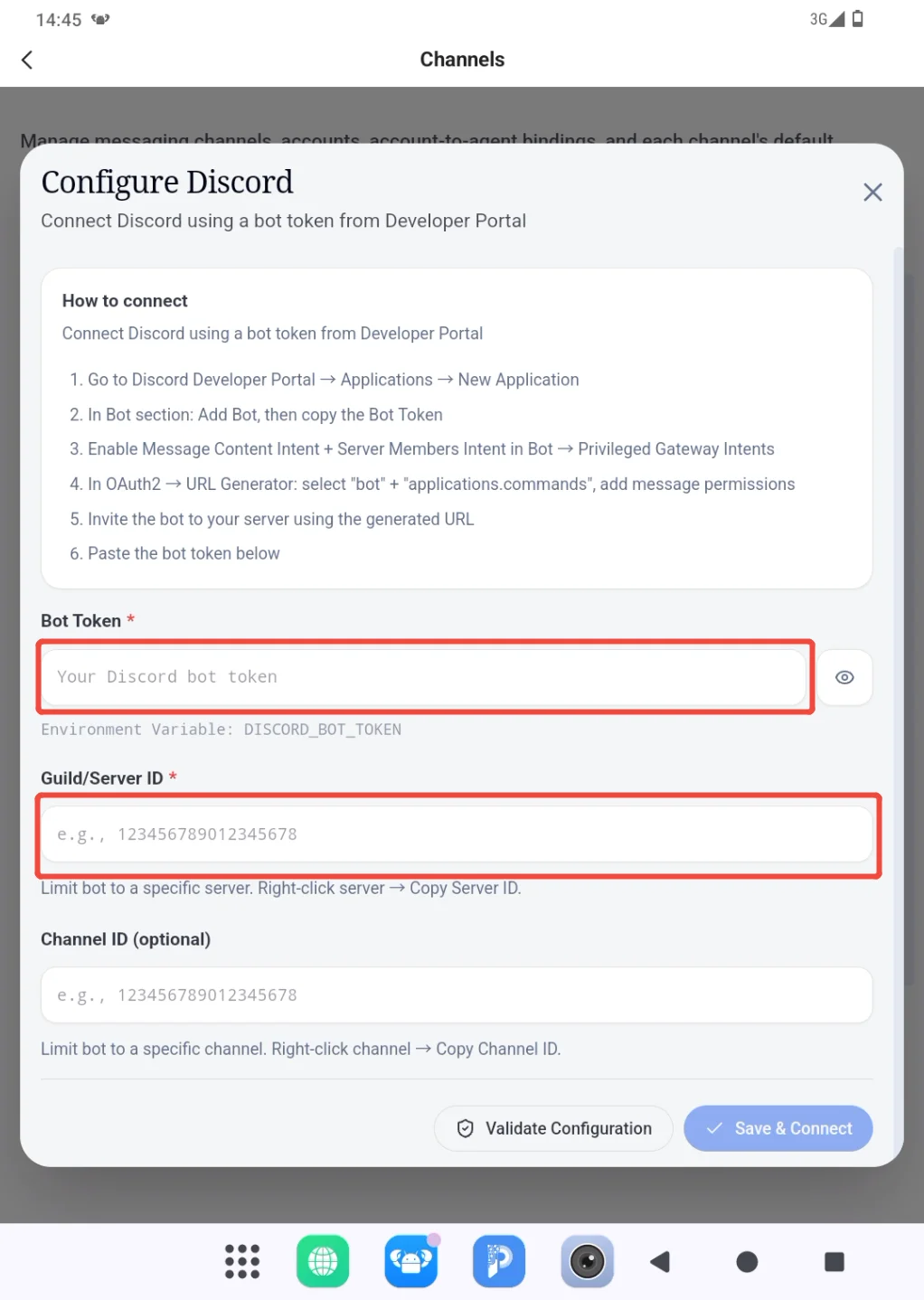
2. In Bot section: Add Bot, then copy the Bot Token to the product page and fill in the target server ID.
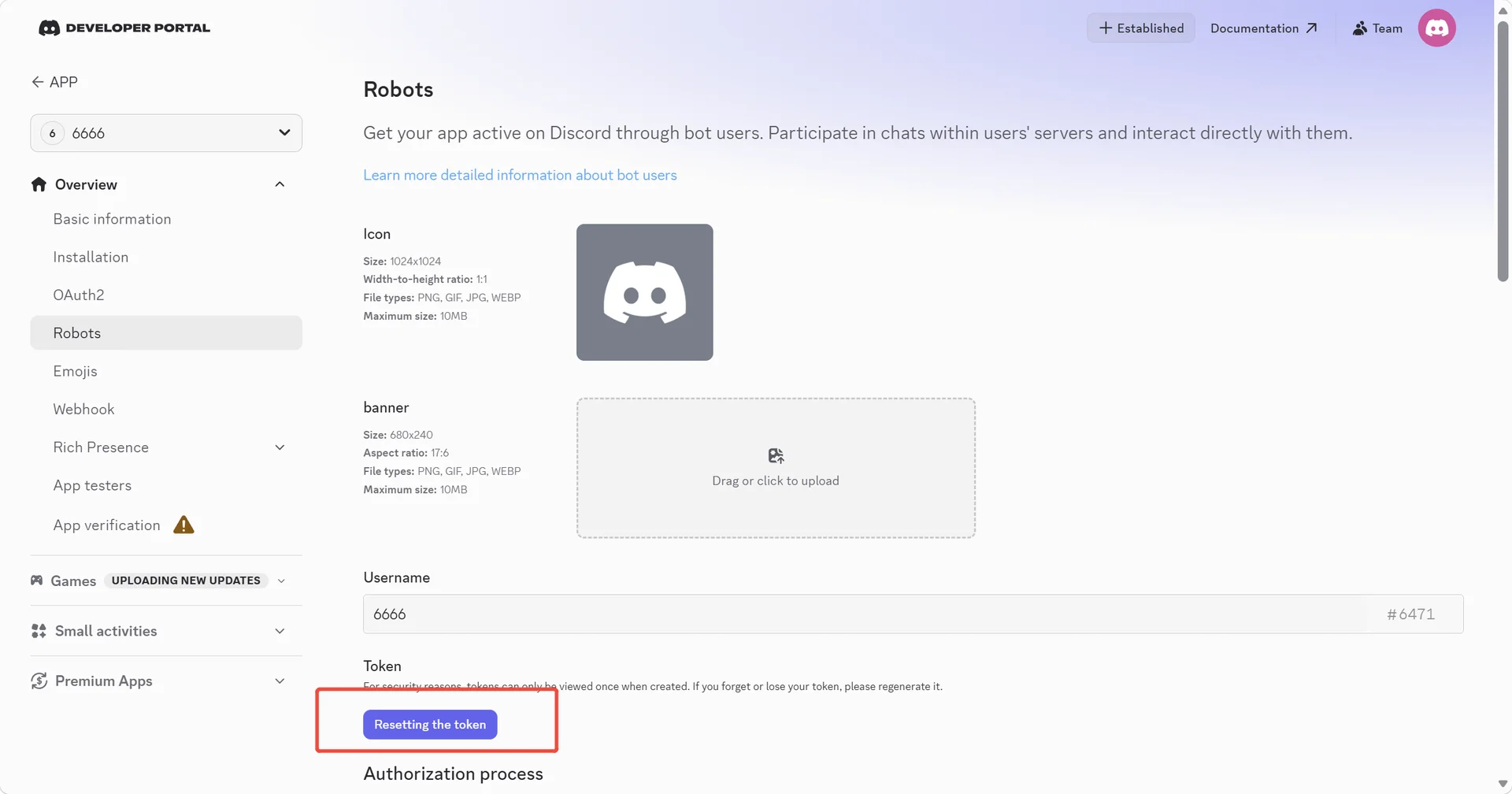
Bot Token
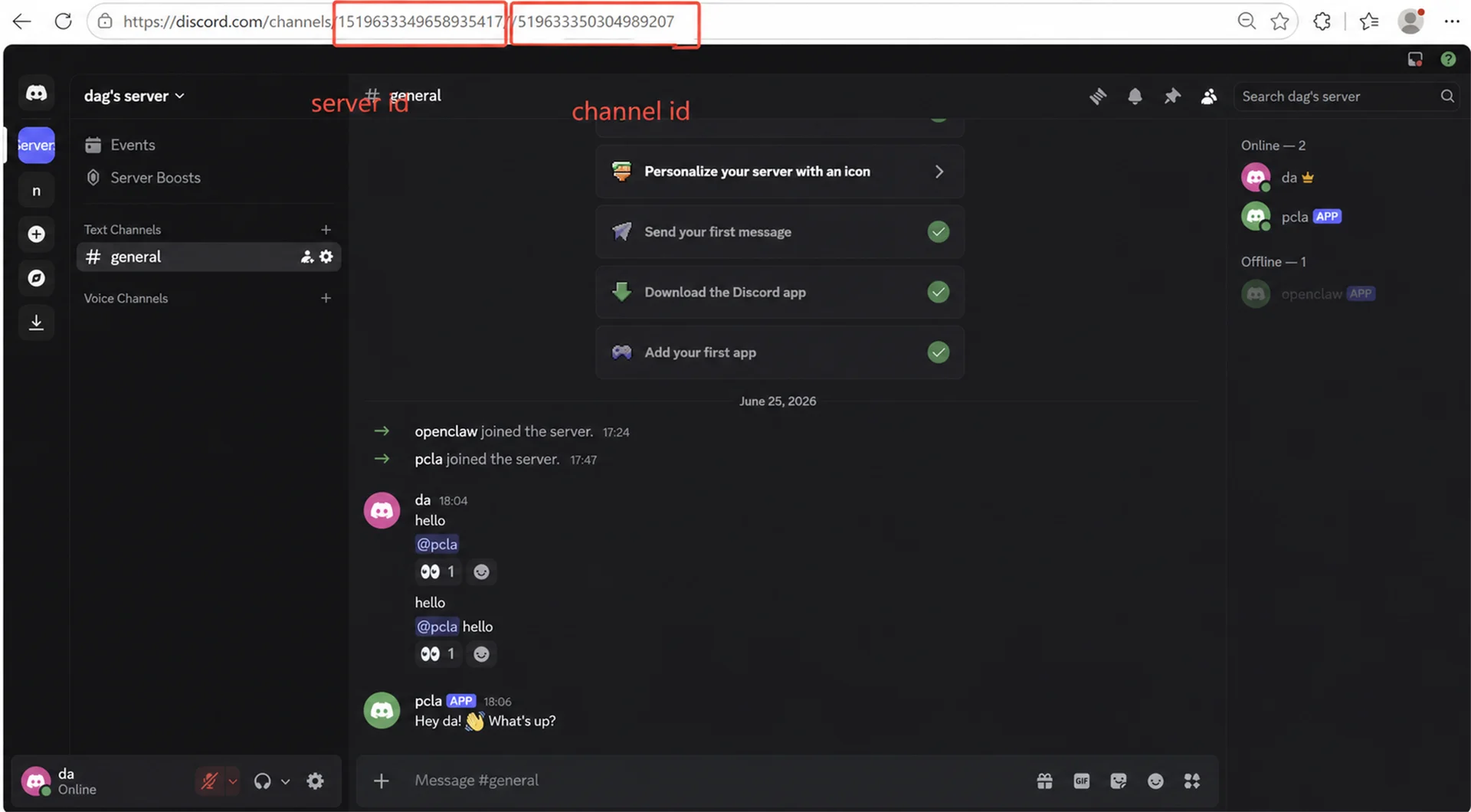
Server ID & Channel ID
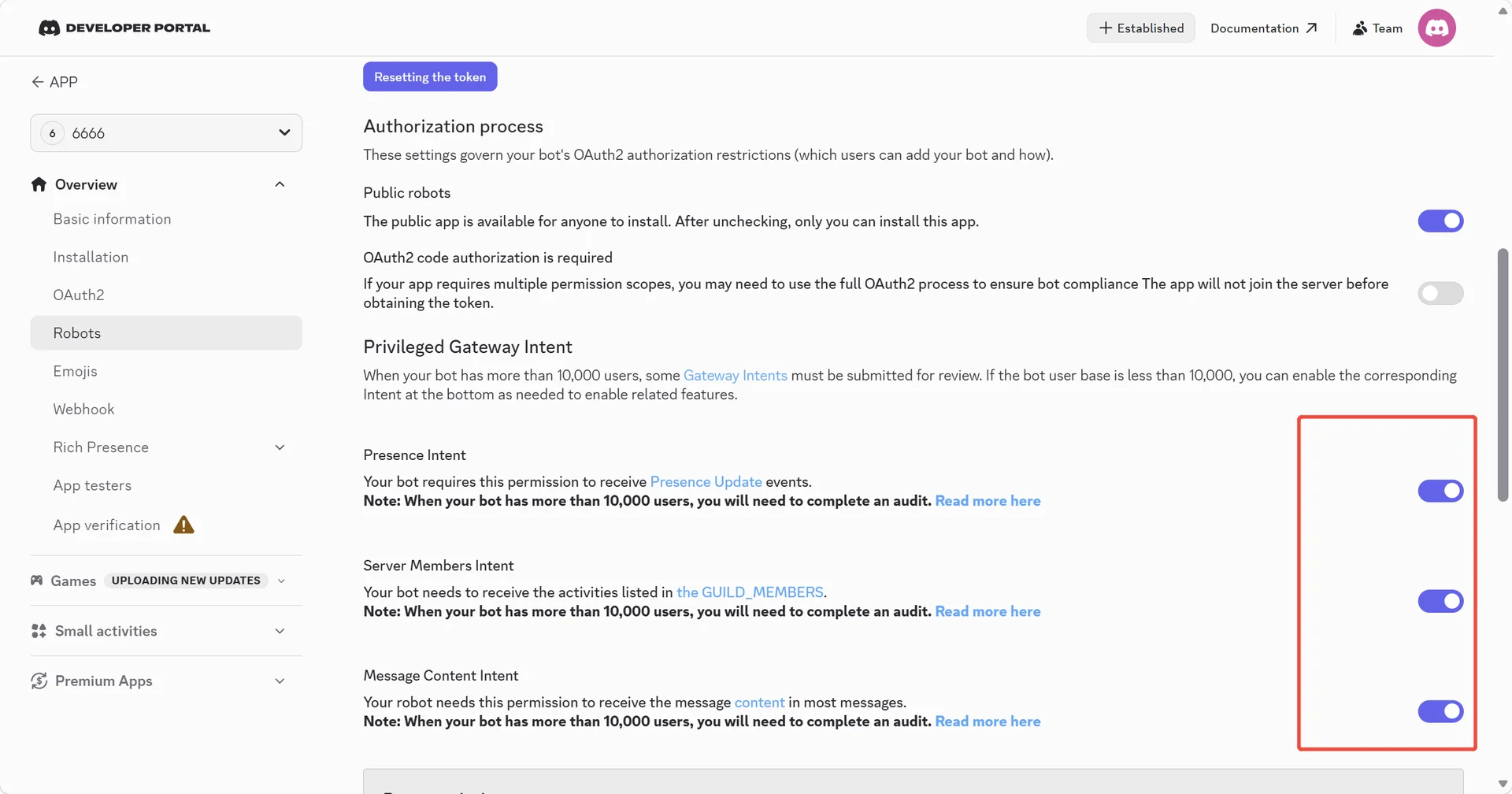
3. Enable Message Content Intent + Server Members Intent in Bot → Privileged Gateway Intents
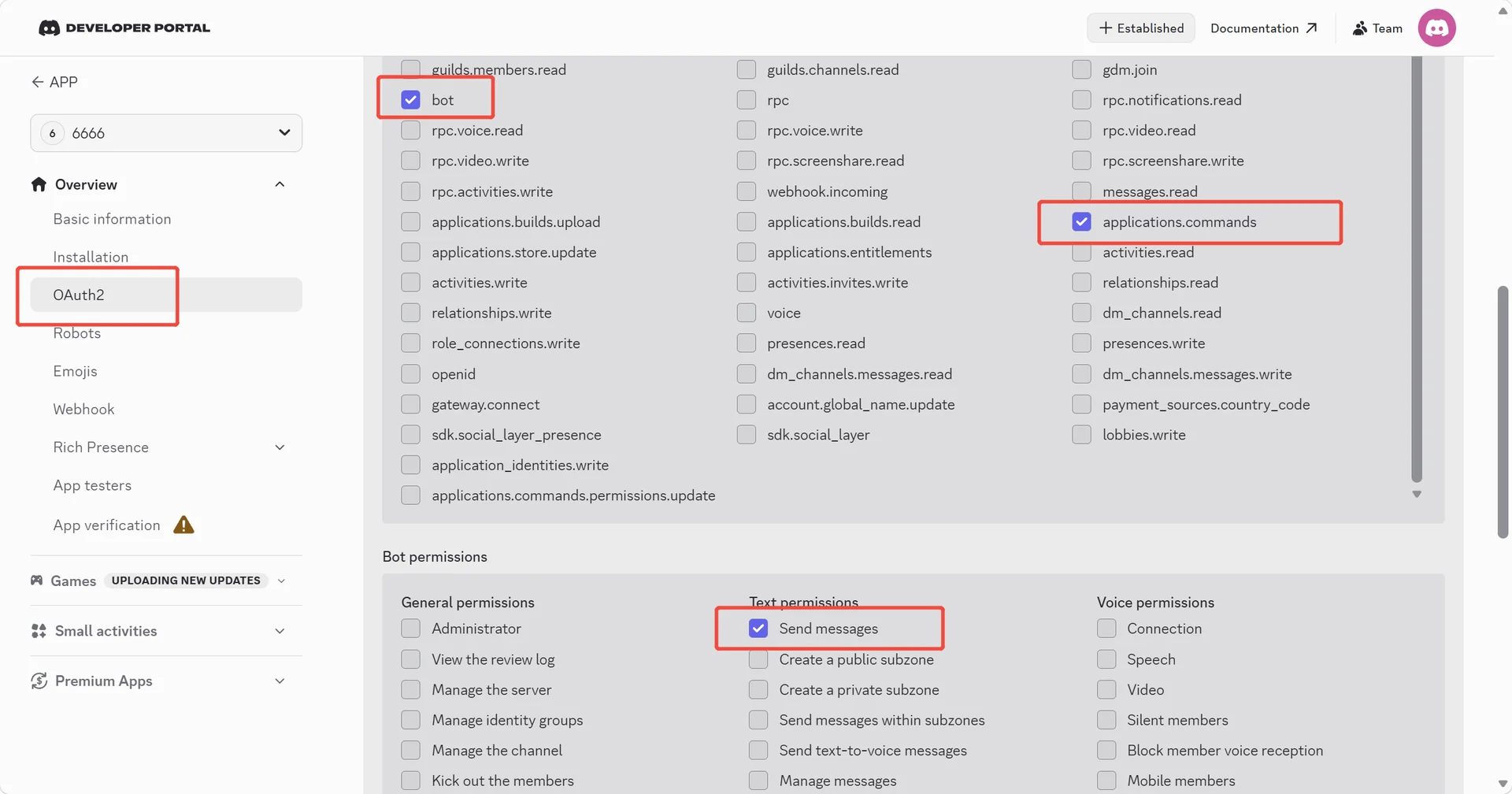
4. In OAuth2 → URL Generator: select "bot" + "applications.commands", add message permissions
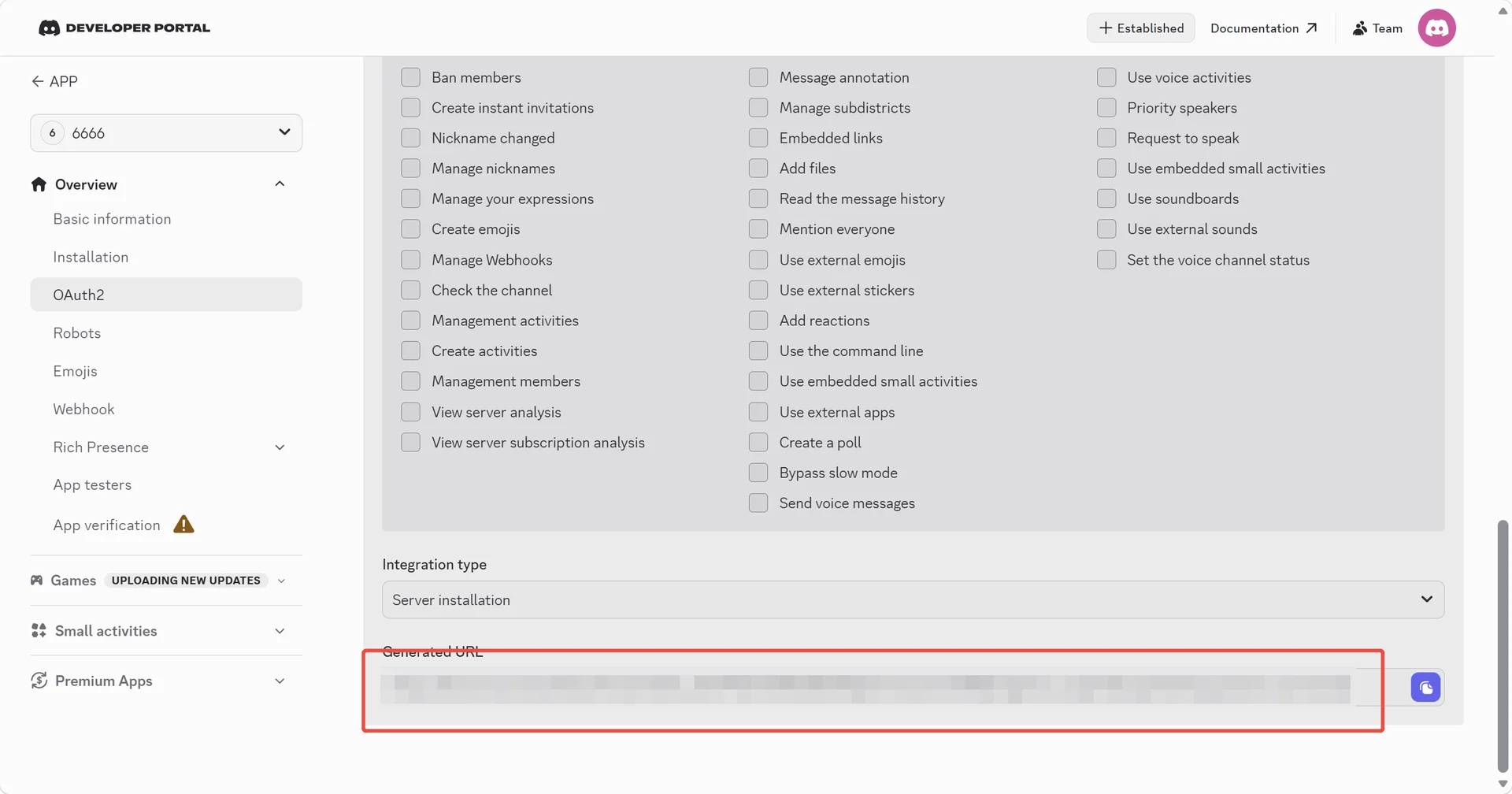
5. Invite the bot to your server using the generated URL
Suscríbete al boletín para recibir información exclusiva sobre seguridad y novedades
 PlugOS — La privacidad no es una opción. Es la base
Seguro · Sin publicidad · Sin rastreo · Sin recolección de datos en segundo plano
Copyright © 2024-2026 TrustKernel
Política de Privacidad | Acuerdo de Servicio al Usuario