1. Overview
This case shows how PlugClaw can handle common office files such as PDF, Word, Excel, and PPT. It is suitable for reading materials, extracting key information, drafting formal documents, analyzing spreadsheet data, and preparing presentation materials.
In real work, document tasks are rarely a single step. A user may extract key points from a PDF report, turn them into a Word analysis document, analyze Excel data, and then summarize the conclusions in a PPT presentation. PlugClaw helps users read, organize, generate, revise, and check content across these file types.
Users do not need to write a long prompt at the beginning. It is usually enough to describe the file, the intended goal, and the approximate output format. After the first draft is generated, users can continue asking PlugClaw to add, remove, rewrite, shorten, or adjust the formatting. Iterative refinement often produces better results than trying to describe every requirement at once.
2. PDF: Understand Long Materials Quickly
PDF files are often used for reports, contracts, papers, policies, and scanned materials. When the document is long or information-dense, PlugClaw can extract the key points first and reduce the time spent reading from the beginning.
Common requests include:
- Extract core conclusions, key data, risks, and action items.
- Summarize by chapter and keep page numbers or source references.
- Organize contract clauses, policy requirements, or checklists into tables.
- Check for blank pages, duplicate pages, missing pages, or obvious formatting issues.
Example prompt:
Please read this
After the summary is generated, users can continue with:
Please compress the content above into a one-page meeting brief and keep only the information relevant to business decisions.
3. Word: Generate Formal Deliverables
Word is suitable for proposals, notices, policies, summaries, applications, meeting minutes, contract drafts, and other formal documents. The goal is not just to write a paragraph, but to produce a document with a clear structure, appropriate tone, and complete delivery information.
Example prompt:
Please write a project retrospective report for department leaders. Include project background, goal completion, key issues, root cause analysis, lessons learned, and follow-up action plans. Use a formal tone and concise language suitable for an internal reporting attachment.
Result preview:
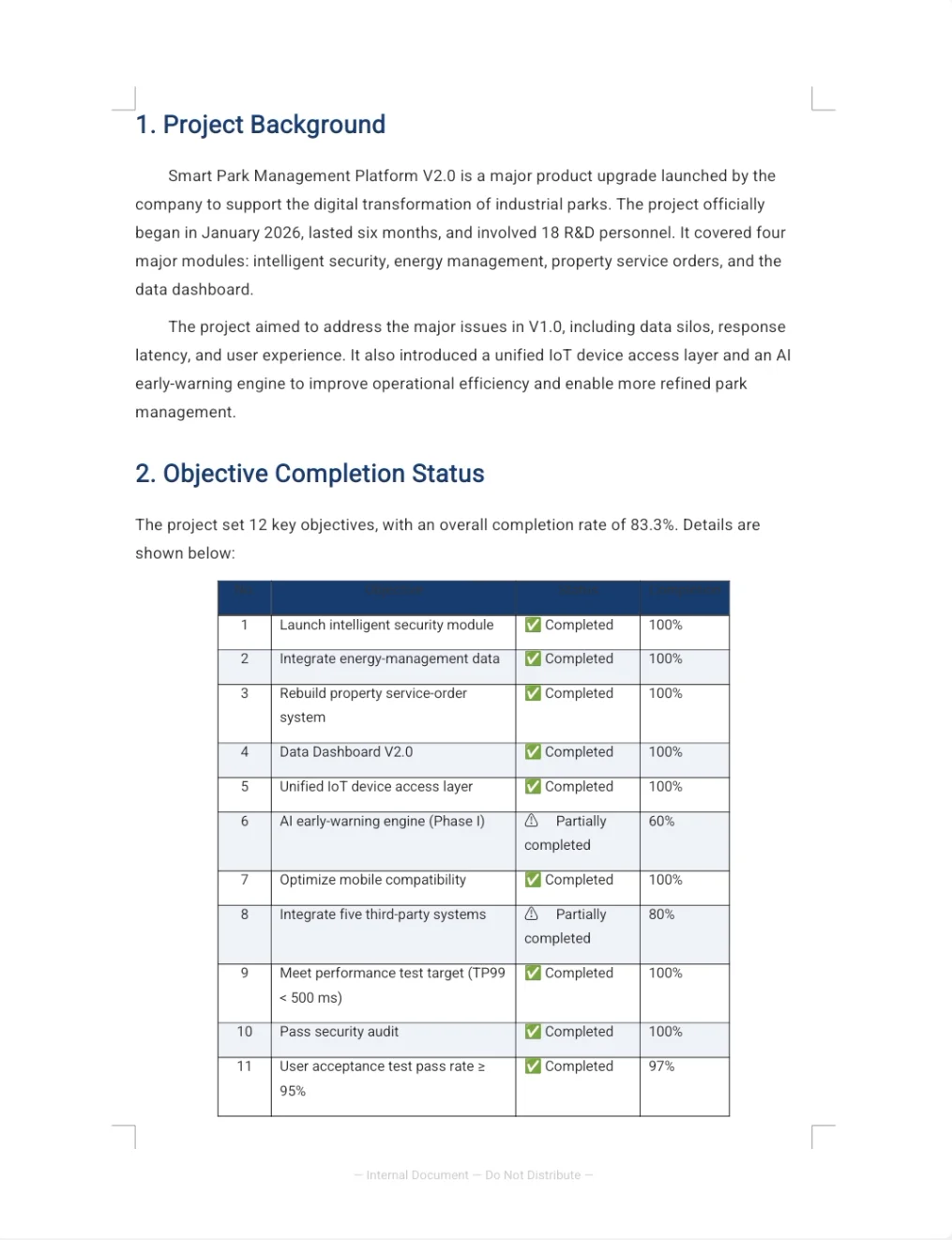
After the first draft is generated, users can request targeted revisions:
- Please make the “Root Cause Analysis” section more specific, including impact and improvement direction.
- Please add an action plan table with item, owner, deadline, and deliverable.
- Please remove overly slogan-like expressions and make it read more like an internal management document.
- Please add an executive summary at the beginning for quick reading.
4. Excel: Organize Data and Form Conclusions
Excel is not only for storing data. It is also useful for cleaning, summarizing, calculating, and analyzing business information. When working with spreadsheets, users should describe the field meanings, statistical scope, and desired outcome so the analysis is closer to business needs.
Common requests include:
- Clean duplicate rows, missing values, abnormal values, and inconsistent formats.
- Summarize by month, region, department, product line, or other dimensions.
- Add year-over-year, month-over-month, percentage, ranking, or other analysis fields.
- Check formulas, hidden rows or columns, merged cells, and abnormal data.
- Generate analysis text suitable for presentation materials based on the results.
Example prompt:
Please analyze this sales detail spreadsheet. Summarize sales amount, order count, and average order value by month and product line, and identify the fastest-growing and most-declining product lines. Keep the original data and add a new summary analysis worksheet.
For deeper analysis, users can continue with:
Please add year-over-year and month-over-month fields, and explain the main reasons for the sales changes in one paragraph.
5. PPT: Turn Content into Presentation Materials
The focus of a PPT is not to copy text onto slides, but to organize information into a clear presentation flow. Before generating a deck, users can specify the audience, use case, page range, key content, and style requirements.
Example prompt:
Please generate a
PPTintroducingPlugMate, intended to help new users quickly understand the product value. The content can include product positioning, core features, use cases, workflow, key advantages, and a summary page. Use a polished and professional style with clear expression, suitable for product introduction or presentation scenarios.
If historical templates or reference materials are available, provide them together so PlugClaw can better preserve the existing layout and expression style.
Result preview:
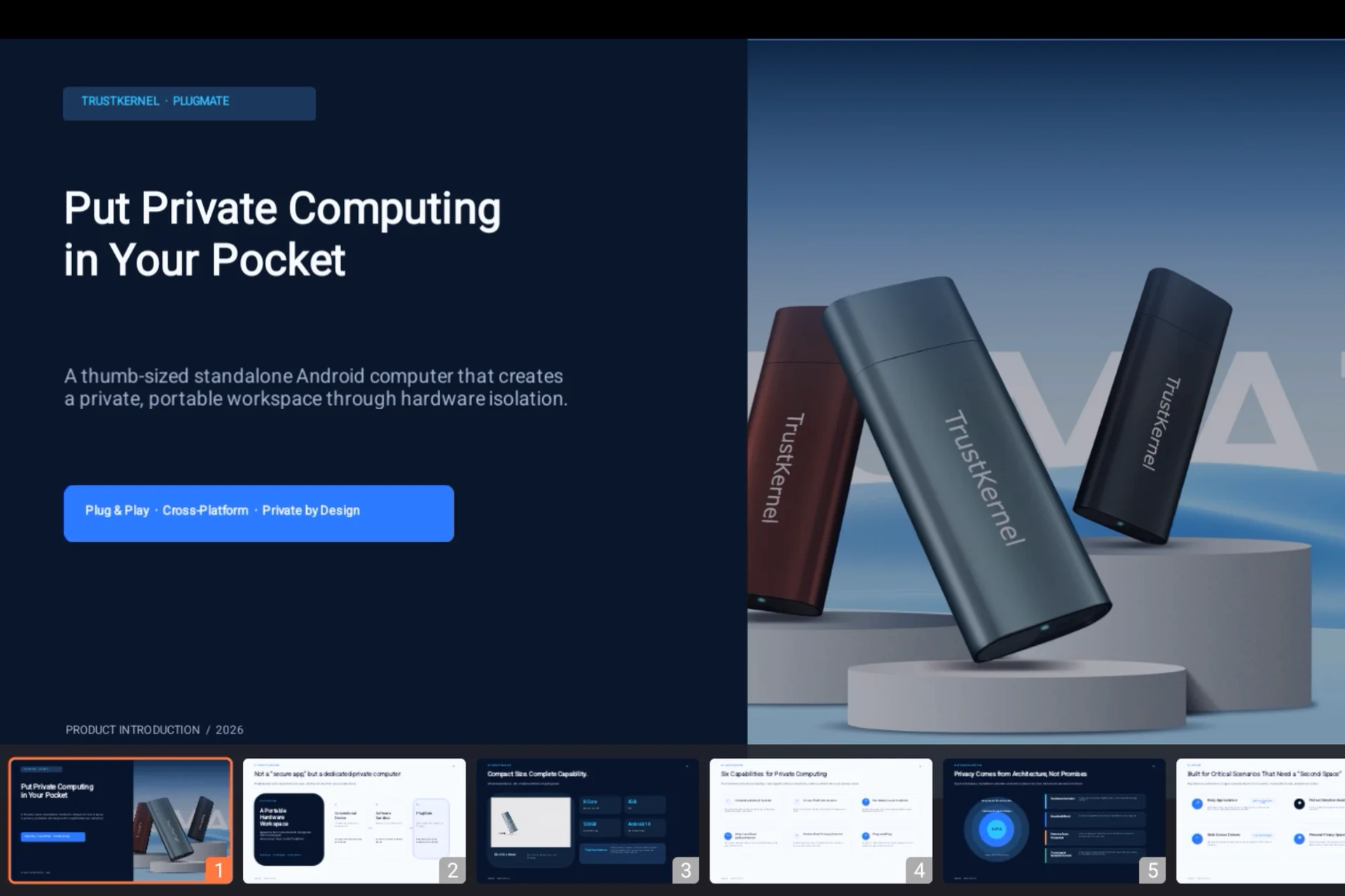
After generation, users can continue with:
- Please compress the entire deck to within
8slides. - Please turn slide three into a data comparison page and reduce long text.
- Please strengthen the action plan on the final slide with clear owners and timelines.
- Please unify title hierarchy, chart colors, footer information, and overall style.
6. Combined Case: From Materials to Presentation
A complete office document workflow can proceed as follows:
- Ask
PlugClawto read aPDFreport and extract conclusions, data, and risks. - Analyze an
Excelspreadsheet to obtain key metrics, trends, and abnormal data. - Generate a
Wordanalysis report based on the first two steps. - Condense the report into a
PPTfor meetings or management communication.
Users can start with a prompt like:
Please first read this industry report, then combine it with the sales spreadsheet to create a project analysis report, and further organize it into a
PPToutline for a management meeting. The report should be evidence-based, and the presentation should highlight conclusions, risks, and next actions.
If the result needs to be more concise, continue with:
Please make the report more formal, compress the
PPToutline to within8slides, and rewrite each slide title as a conclusion-style heading.
 PlugOS — La privacidad no es una opción. Es la base
Seguro · Sin publicidad · Sin rastreo · Sin recolección de datos en segundo plano
